Compare commits
9 Commits
816e954ed8
...
terrain
| Author | SHA1 | Date | |
|---|---|---|---|
| 0c90073363 | |||
| 2525d30c80 | |||
| 0d15c60606 | |||
| ac86ab3976 | |||

|
3ba0395c16 | ||
|
|
10888b0e83 | ||
|
|
6024e62af0 | ||
|
|
4af2ed3fed | ||
|
|
522627ca51 |

@@ -51,16 +51,10 @@ dependencies {
|
||||
implementation(libs.androidx.constraintlayout)
|
||||
implementation(libs.mapbox.maps)
|
||||
implementation(project(":math"))
|
||||
implementation(project(":orx-triangulation")) {
|
||||
exclude(group = "org.openrndr", module = "openrndr-draw")
|
||||
}
|
||||
implementation(libs.androidx.lifecycle.runtime.ktx)
|
||||
implementation(project(":icegps-common"))
|
||||
implementation(project(":icegps-shared"))
|
||||
implementation(project(":orx-marching-squares"))
|
||||
implementation(project(":orx-palette")) {
|
||||
exclude(group = "org.openrndr", module = "openrndr-draw")
|
||||
}
|
||||
implementation(project(":icegps-triangulation"))
|
||||
|
||||
testImplementation(libs.junit)
|
||||
androidTestImplementation(libs.ext.junit)
|
||||
|
||||
@@ -4,12 +4,19 @@ import ColorBrewer2Type
|
||||
import android.content.Context
|
||||
import android.util.Log
|
||||
import colorBrewer2Palettes
|
||||
import com.icegps.math.geometry.Rectangle
|
||||
import com.icegps.math.geometry.Vector2D
|
||||
import com.icegps.math.geometry.Vector3D
|
||||
import com.icegps.orx.catmullrom.CatmullRomChain2
|
||||
import com.icegps.orx.ktx.area
|
||||
import com.icegps.orx.ktx.toColorInt
|
||||
import com.icegps.orx.ktx.toMapboxPoint
|
||||
import com.icegps.orx.ktx.toast
|
||||
import com.icegps.orx.marchingsquares.ShapeContour
|
||||
import com.icegps.orx.marchingsquares.findContours
|
||||
import com.icegps.shared.ktx.TAG
|
||||
import com.icegps.triangulation.DelaunayTriangulation
|
||||
import com.icegps.triangulation.Triangle
|
||||
import com.mapbox.geojson.Feature
|
||||
import com.mapbox.geojson.FeatureCollection
|
||||
import com.mapbox.geojson.LineString
|
||||
@@ -26,16 +33,13 @@ import com.mapbox.maps.extension.style.sources.addSource
|
||||
import com.mapbox.maps.extension.style.sources.generated.geoJsonSource
|
||||
import kotlinx.coroutines.CoroutineScope
|
||||
import kotlinx.coroutines.Dispatchers
|
||||
import kotlinx.coroutines.Job
|
||||
import kotlinx.coroutines.async
|
||||
import kotlinx.coroutines.awaitAll
|
||||
import kotlinx.coroutines.flow.MutableStateFlow
|
||||
import kotlinx.coroutines.flow.asStateFlow
|
||||
import kotlinx.coroutines.launch
|
||||
import kotlinx.coroutines.withContext
|
||||
import com.icegps.orx.triangulation.DelaunayTriangulation3D
|
||||
import com.icegps.orx.triangulation.Triangle3D
|
||||
import org.openrndr.math.Vector2
|
||||
import org.openrndr.math.Vector3
|
||||
import org.openrndr.shape.Rectangle
|
||||
import org.openrndr.shape.ShapeContour
|
||||
import kotlin.math.max
|
||||
|
||||
class ContoursManager(
|
||||
@@ -53,7 +57,7 @@ class ContoursManager(
|
||||
private var contourSize: Int = 6
|
||||
private var heightRange: ClosedFloatingPointRange<Double> = 0.0..100.0
|
||||
private var cellSize: Double? = 10.0
|
||||
private val simplePalette = SimplePalette(
|
||||
val simplePalette = SimplePalette(
|
||||
range = 0.0..100.0
|
||||
)
|
||||
|
||||
@@ -102,18 +106,21 @@ class ContoursManager(
|
||||
}
|
||||
|
||||
private var isGridVisible: Boolean = true
|
||||
private var gridModel: GridModel? = null
|
||||
private var _gridModel = MutableStateFlow<GridModel?>(null)
|
||||
val gridModel = _gridModel.asStateFlow()
|
||||
|
||||
fun setGridVisible(visible: Boolean) {
|
||||
if (visible != isGridVisible) {
|
||||
isGridVisible = visible
|
||||
if (visible) {
|
||||
if (gridModel != null) mapView.displayGridModel(
|
||||
grid = gridModel!!,
|
||||
sourceId = gridSourceId,
|
||||
layerId = gridLayerId,
|
||||
palette = simplePalette::palette
|
||||
)
|
||||
_gridModel.value?.let { gridModel ->
|
||||
mapView.displayGridModel(
|
||||
grid = gridModel,
|
||||
sourceId = gridSourceId,
|
||||
layerId = gridLayerId,
|
||||
palette = simplePalette::palette
|
||||
)
|
||||
}
|
||||
} else {
|
||||
mapView.mapboxMap.getStyle { style ->
|
||||
try {
|
||||
@@ -129,7 +136,7 @@ class ContoursManager(
|
||||
}
|
||||
}
|
||||
|
||||
private var triangles: List<Triangle3D> = listOf()
|
||||
private var triangles: List<Triangle> = listOf()
|
||||
private var isTriangleVisible: Boolean = true
|
||||
|
||||
fun setTriangleVisible(visible: Boolean) {
|
||||
@@ -148,22 +155,24 @@ class ContoursManager(
|
||||
}
|
||||
}
|
||||
|
||||
private var job: Job? = null
|
||||
|
||||
fun refresh() {
|
||||
val points = points
|
||||
if (points.size <= 3) {
|
||||
context.toast("points size ${points.size}")
|
||||
return
|
||||
}
|
||||
job?.cancel()
|
||||
scope.launch {
|
||||
mapView.mapboxMap.getStyle { style ->
|
||||
val step = heightRange.endInclusive / contourSize
|
||||
val zip = (0..contourSize).map { index ->
|
||||
heightRange.start + index * step
|
||||
}.zipWithNext { a, b -> a..b }
|
||||
val points = points.map { Vector3(it.x, it.y, it.z) }
|
||||
val area = points.area
|
||||
val triangulation = DelaunayTriangulation3D(points)
|
||||
val triangles: MutableList<Triangle3D> = triangulation.triangles()
|
||||
val triangulation = DelaunayTriangulation(points)
|
||||
val triangles = triangulation.triangles()
|
||||
val cellSize: Double = if (cellSize == null || cellSize!! < 0.1) {
|
||||
(max(triangulation.points.area.width, triangulation.points.area.height) / 50)
|
||||
} else {
|
||||
@@ -174,7 +183,7 @@ class ContoursManager(
|
||||
delaunator = triangulation,
|
||||
cellSize = cellSize,
|
||||
)
|
||||
this@ContoursManager.gridModel = gridModel
|
||||
this@ContoursManager._gridModel.value = gridModel
|
||||
if (isGridVisible) mapView.displayGridModel(
|
||||
grid = gridModel,
|
||||
sourceId = gridSourceId,
|
||||
@@ -182,7 +191,7 @@ class ContoursManager(
|
||||
palette = simplePalette::palette
|
||||
)
|
||||
}
|
||||
scope.launch(Dispatchers.Default) {
|
||||
job = scope.launch(Dispatchers.Default) {
|
||||
val lineFeatures = mutableListOf<List<Feature>>()
|
||||
val features = zip.mapIndexed { index, range ->
|
||||
async {
|
||||
@@ -218,12 +227,12 @@ class ContoursManager(
|
||||
}
|
||||
|
||||
fun findContours(
|
||||
triangles: MutableList<Triangle3D>,
|
||||
triangles: List<Triangle>,
|
||||
range: ClosedFloatingPointRange<Double>,
|
||||
area: Rectangle,
|
||||
cellSize: Double
|
||||
): List<ShapeContour> {
|
||||
return org.openrndr.extra.marchingsquares.findContours(
|
||||
return findContours(
|
||||
f = { v ->
|
||||
val triangle = triangles.firstOrNull { triangle ->
|
||||
isPointInTriangle3D(v, listOf(triangle.x1, triangle.x2, triangle.x3))
|
||||
@@ -263,10 +272,10 @@ class ContoursManager(
|
||||
style.addSource(source)
|
||||
|
||||
val layer = lineLayer(layerId, sourceId) {
|
||||
lineColor(Expression.Companion.toColor(Expression.Companion.get("color"))) // 从属性获取颜色
|
||||
lineColor(Expression.toColor(Expression.Companion.get("color"))) // 从属性获取颜色
|
||||
lineWidth(1.0)
|
||||
lineCap(LineCap.Companion.ROUND)
|
||||
lineJoin(LineJoin.Companion.ROUND)
|
||||
lineCap(LineCap.ROUND)
|
||||
lineJoin(LineJoin.ROUND)
|
||||
lineOpacity(0.8)
|
||||
}
|
||||
style.addLayer(layer)
|
||||
@@ -287,17 +296,28 @@ class ContoursManager(
|
||||
style.addSource(source)
|
||||
|
||||
val layer = fillLayer(layerId, sourceId) {
|
||||
fillColor(Expression.Companion.toColor(Expression.Companion.get("color"))) // 从属性获取颜色
|
||||
fillColor(Expression.Companion.toColor(Expression.get("color"))) // 从属性获取颜色
|
||||
fillOpacity(0.5)
|
||||
fillAntialias(true)
|
||||
}
|
||||
style.addLayer(layer)
|
||||
}
|
||||
|
||||
private var useCatmullRom: Boolean = true
|
||||
|
||||
fun setCatmullRom(enabled: Boolean) {
|
||||
useCatmullRom = enabled
|
||||
}
|
||||
|
||||
fun contoursToLineFeatures(contours: List<ShapeContour>, color: Int): List<List<Feature>> {
|
||||
return contours.drop(1).map { contour ->
|
||||
contour.segments.map { segment ->
|
||||
LineString.fromLngLats(listOf(segment.start.toMapboxPoint(), segment.end.toMapboxPoint()))
|
||||
LineString.fromLngLats(
|
||||
listOf(
|
||||
segment.start.toMapboxPoint(),
|
||||
segment.end.toMapboxPoint()
|
||||
)
|
||||
)
|
||||
}.map { lineString ->
|
||||
Feature.fromGeometry(lineString).apply {
|
||||
// 将颜色Int转换为十六进制字符串
|
||||
@@ -311,6 +331,12 @@ class ContoursManager(
|
||||
val lists = contours.drop(0).filter { it.segments.isNotEmpty() }.map { contour ->
|
||||
val start = contour.segments[0].start
|
||||
listOf(start) + contour.segments.map { it.end }
|
||||
}.map {
|
||||
if (!useCatmullRom) return@map it
|
||||
val cmr = CatmullRomChain2(it, 1.0, loop = true)
|
||||
val contour = ShapeContour.fromPoints(cmr.positions(200), true)
|
||||
val start = contour.segments[0].start
|
||||
listOf(start) + contour.segments.map { it.end }
|
||||
}.map { points -> points.map { it.toMapboxPoint() } }
|
||||
|
||||
if (lists.isEmpty()) {
|
||||
@@ -343,7 +369,7 @@ class ContoursManager(
|
||||
}
|
||||
}
|
||||
|
||||
fun isPointInTriangle3D(point: Vector2, triangle: List<Vector3>): Boolean {
|
||||
fun isPointInTriangle3D(point: Vector2D, triangle: List<Vector3D>): Boolean {
|
||||
require(triangle.size == 3) { "三角形必须有3个顶点" }
|
||||
|
||||
val (v1, v2, v3) = triangle
|
||||
@@ -368,15 +394,15 @@ fun isPointInTriangle3D(point: Vector2, triangle: List<Vector3>): Boolean {
|
||||
* @param triangle 三角形的三个顶点
|
||||
* @return 三维点 (x, y, z)
|
||||
*/
|
||||
fun interpolateHeight(point: Vector2, triangle: List<Vector3>): Vector3 {
|
||||
fun interpolateHeight(point: Vector2D, triangle: List<Vector3D>): Vector3D {
|
||||
/**
|
||||
* 计算点在三角形中的重心坐标
|
||||
*/
|
||||
fun calculateBarycentricCoordinates(
|
||||
point: Vector2,
|
||||
v1: Vector3,
|
||||
v2: Vector3,
|
||||
v3: Vector3
|
||||
point: Vector2D,
|
||||
v1: Vector3D,
|
||||
v2: Vector3D,
|
||||
v3: Vector3D
|
||||
): Triple<Double, Double, Double> {
|
||||
val denom = (v2.y - v3.y) * (v1.x - v3.x) + (v3.x - v2.x) * (v1.y - v3.y)
|
||||
|
||||
@@ -397,5 +423,5 @@ fun interpolateHeight(point: Vector2, triangle: List<Vector3>): Vector3 {
|
||||
// 使用重心坐标插值z值
|
||||
val z = alpha * v1.z + beta * v2.z + gamma * v3.z
|
||||
|
||||
return Vector3(point.x, point.y, z)
|
||||
return Vector3D(point.x, point.y, z)
|
||||
}
|
||||
|
||||
197
android/src/main/java/com/icegps/orx/ControllableArrow.kt
Normal file
197
android/src/main/java/com/icegps/orx/ControllableArrow.kt
Normal file
@@ -0,0 +1,197 @@
|
||||
package com.icegps.orx
|
||||
|
||||
import com.icegps.math.geometry.Angle
|
||||
import com.icegps.math.geometry.Vector2D
|
||||
import com.icegps.orx.ktx.toMapboxPoint
|
||||
import com.mapbox.geojson.Feature
|
||||
import com.mapbox.geojson.FeatureCollection
|
||||
import com.mapbox.geojson.LineString
|
||||
import com.mapbox.geojson.Point
|
||||
import com.mapbox.geojson.Polygon
|
||||
import com.mapbox.maps.MapView
|
||||
import com.mapbox.maps.Style
|
||||
import com.mapbox.maps.extension.style.expressions.generated.Expression
|
||||
import com.mapbox.maps.extension.style.layers.addLayer
|
||||
import com.mapbox.maps.extension.style.layers.generated.FillLayer
|
||||
import com.mapbox.maps.extension.style.layers.generated.LineLayer
|
||||
import com.mapbox.maps.extension.style.layers.properties.generated.LineCap
|
||||
import com.mapbox.maps.extension.style.layers.properties.generated.LineJoin
|
||||
import com.mapbox.maps.extension.style.sources.addSource
|
||||
import com.mapbox.maps.extension.style.sources.generated.geoJsonSource
|
||||
import kotlin.math.cos
|
||||
import kotlin.math.min
|
||||
import kotlin.math.sin
|
||||
|
||||
/**
|
||||
* 设置趋势箭头图层
|
||||
*/
|
||||
fun setupTrendLayer(
|
||||
style: Style,
|
||||
trendSourceId: String,
|
||||
trendLayerId: String,
|
||||
features: List<Feature>
|
||||
) {
|
||||
val trendSource = geoJsonSource(trendSourceId) {
|
||||
featureCollection(FeatureCollection.fromFeatures(features))
|
||||
}
|
||||
|
||||
try {
|
||||
style.removeStyleLayer(trendLayerId)
|
||||
} catch (_: Exception) {
|
||||
}
|
||||
|
||||
try {
|
||||
style.removeStyleLayer("$trendLayerId-head")
|
||||
} catch (_: Exception) {
|
||||
}
|
||||
|
||||
if (style.styleSourceExists(trendSourceId)) {
|
||||
style.removeStyleSource(trendSourceId)
|
||||
}
|
||||
|
||||
style.addSource(trendSource)
|
||||
|
||||
val lineLayer = LineLayer(trendLayerId, trendSourceId).apply {
|
||||
lineColor(Expression.toColor(Expression.get("color")))
|
||||
lineWidth(4.0)
|
||||
lineCap(LineCap.ROUND)
|
||||
lineJoin(LineJoin.ROUND)
|
||||
}
|
||||
style.addLayer(lineLayer)
|
||||
|
||||
val headLayer = FillLayer("$trendLayerId-head", trendSourceId).apply {
|
||||
fillColor(Expression.toColor(Expression.get("color")))
|
||||
}
|
||||
style.addLayer(headLayer)
|
||||
}
|
||||
|
||||
fun MapView.displayControllableArrow(
|
||||
grid: GridModel,
|
||||
sourceId: String = "controllable-source-id-0",
|
||||
layerId: String = "controllable-layer-id-0",
|
||||
arrowScale: Double = 0.4,
|
||||
angle: Angle,
|
||||
onHeadArrowChange: (List<Point>) -> Unit
|
||||
) {
|
||||
mapboxMap.getStyle { style ->
|
||||
val centerX = (grid.minX + grid.maxX) / 2
|
||||
val centerY = (grid.minY + grid.maxY) / 2
|
||||
|
||||
val regionWidth = grid.maxX - grid.minX
|
||||
val regionHeight = grid.maxY - grid.minY
|
||||
val arrowLength = min(regionWidth, regionHeight) * arrowScale * 1.0
|
||||
|
||||
val arrowDirectionRad = angle.radians
|
||||
val endX = centerX + sin(arrowDirectionRad) * arrowLength
|
||||
val endY = centerY + cos(arrowDirectionRad) * arrowLength
|
||||
|
||||
val arrowLine = LineString.fromLngLats(
|
||||
listOf(
|
||||
Vector2D(centerX, centerY),
|
||||
Vector2D(endX, endY)
|
||||
).map { it.toMapboxPoint() }
|
||||
)
|
||||
|
||||
val arrowFeature = Feature.fromGeometry(arrowLine)
|
||||
arrowFeature.addStringProperty("color", "#0000FF")
|
||||
arrowFeature.addStringProperty("type", "overall-trend")
|
||||
|
||||
// 创建箭头头部
|
||||
val headSize = arrowLength * 0.2
|
||||
val leftRad = arrowDirectionRad + Math.PI * 0.8
|
||||
val rightRad = arrowDirectionRad - Math.PI * 0.8
|
||||
|
||||
val leftX = endX + sin(leftRad) * headSize
|
||||
val leftY = endY + cos(leftRad) * headSize
|
||||
val rightX = endX + sin(rightRad) * headSize
|
||||
val rightY = endY + cos(rightRad) * headSize
|
||||
|
||||
val headRing = listOf(
|
||||
Vector2D(endX, endY),
|
||||
Vector2D(leftX, leftY),
|
||||
Vector2D(rightX, rightY),
|
||||
Vector2D(endX, endY)
|
||||
).map { it.toMapboxPoint() }
|
||||
onHeadArrowChange(headRing)
|
||||
val headPolygon = Polygon.fromLngLats(listOf(headRing))
|
||||
val headFeature = Feature.fromGeometry(headPolygon)
|
||||
headFeature.addStringProperty("color", "#0000FF")
|
||||
headFeature.addStringProperty("type", "overall-trend")
|
||||
|
||||
val features = listOf(arrowFeature, headFeature)
|
||||
|
||||
// 设置图层
|
||||
setupTrendLayer(style, sourceId, layerId, features)
|
||||
}
|
||||
}
|
||||
|
||||
fun calculateArrowData(
|
||||
grid: GridModel,
|
||||
angle: Angle,
|
||||
arrowScale: Double = 0.4
|
||||
): ArrowData {
|
||||
val centerX = (grid.minX + grid.maxX) / 2
|
||||
val centerY = (grid.minY + grid.maxY) / 2
|
||||
|
||||
val regionWidth = grid.maxX - grid.minX
|
||||
val regionHeight = grid.maxY - grid.minY
|
||||
val arrowLength = min(regionWidth, regionHeight) * arrowScale * 1.0
|
||||
|
||||
val arrowDirectionRad = angle.radians
|
||||
val endX = centerX + sin(arrowDirectionRad) * arrowLength
|
||||
val endY = centerY + cos(arrowDirectionRad) * arrowLength
|
||||
|
||||
val arrowLine = listOf(
|
||||
Vector2D(centerX, centerY),
|
||||
Vector2D(endX, endY)
|
||||
)
|
||||
|
||||
// 创建箭头头部
|
||||
val headSize = arrowLength * 0.2
|
||||
val leftRad = arrowDirectionRad + Math.PI * 0.8
|
||||
val rightRad = arrowDirectionRad - Math.PI * 0.8
|
||||
|
||||
val leftX = endX + sin(leftRad) * headSize
|
||||
val leftY = endY + cos(leftRad) * headSize
|
||||
val rightX = endX + sin(rightRad) * headSize
|
||||
val rightY = endY + cos(rightRad) * headSize
|
||||
|
||||
val headRing = listOf(
|
||||
Vector2D(endX, endY),
|
||||
Vector2D(leftX, leftY),
|
||||
Vector2D(rightX, rightY),
|
||||
Vector2D(endX, endY)
|
||||
)
|
||||
return ArrowData(
|
||||
arrowLine = arrowLine,
|
||||
headRing = headRing
|
||||
)
|
||||
}
|
||||
|
||||
data class ArrowData(
|
||||
val arrowLine: List<Vector2D>,
|
||||
val headRing: List<Vector2D>
|
||||
)
|
||||
|
||||
fun MapView.displayControllableArrow(
|
||||
sourceId: String = "controllable-source-id-0",
|
||||
layerId: String = "controllable-layer-id-0",
|
||||
arrowData: ArrowData
|
||||
) {
|
||||
mapboxMap.getStyle { style ->
|
||||
val (arrowLine, headRing) = arrowData
|
||||
val arrowFeature = Feature.fromGeometry(LineString.fromLngLats(arrowLine.map { it.toMapboxPoint() }))
|
||||
arrowFeature.addStringProperty("color", "#0000FF")
|
||||
arrowFeature.addStringProperty("type", "overall-trend")
|
||||
|
||||
val headPolygon = Polygon.fromLngLats(listOf(headRing.map { it.toMapboxPoint() }))
|
||||
val headFeature = Feature.fromGeometry(headPolygon)
|
||||
headFeature.addStringProperty("color", "#0000FF")
|
||||
headFeature.addStringProperty("type", "overall-trend")
|
||||
|
||||
val features = listOf(arrowFeature, headFeature)
|
||||
|
||||
// 设置图层
|
||||
setupTrendLayer(style, sourceId, layerId, features)
|
||||
}
|
||||
}
|
||||
144
android/src/main/java/com/icegps/orx/DisplaySlopeResult.kt
Normal file
144
android/src/main/java/com/icegps/orx/DisplaySlopeResult.kt
Normal file
@@ -0,0 +1,144 @@
|
||||
package com.icegps.orx
|
||||
|
||||
import android.util.Log
|
||||
import com.icegps.math.geometry.Vector2D
|
||||
import com.icegps.orx.ktx.toMapboxPoint
|
||||
import com.mapbox.geojson.Feature
|
||||
import com.mapbox.geojson.FeatureCollection
|
||||
import com.mapbox.geojson.Polygon
|
||||
import com.mapbox.maps.MapView
|
||||
import com.mapbox.maps.Style
|
||||
import com.mapbox.maps.extension.style.expressions.generated.Expression
|
||||
import com.mapbox.maps.extension.style.layers.addLayer
|
||||
import com.mapbox.maps.extension.style.layers.generated.FillLayer
|
||||
import com.mapbox.maps.extension.style.layers.generated.LineLayer
|
||||
import com.mapbox.maps.extension.style.sources.addSource
|
||||
import com.mapbox.maps.extension.style.sources.generated.geoJsonSource
|
||||
|
||||
/**
|
||||
* @author tabidachinokaze
|
||||
* @date 2025/11/26
|
||||
*/
|
||||
/**
|
||||
* 绘制斜坡设计结果
|
||||
*/
|
||||
fun MapView.displaySlopeResult(
|
||||
originalGrid: GridModel,
|
||||
slopeResult: SlopeResult,
|
||||
sourceId: String = "slope-result",
|
||||
layerId: String = "slope-layer",
|
||||
palette: (Double?) -> String,
|
||||
showDesignHeight: Boolean
|
||||
) {
|
||||
val elevationList = mutableListOf<Double>()
|
||||
mapboxMap.getStyle { style ->
|
||||
val features = mutableListOf<Feature>()
|
||||
val designGrid = slopeResult.designSurface
|
||||
|
||||
// 对比测试,将绘制到原来图形的左边
|
||||
// val minX = originalGrid.minX * 2 - originalGrid.maxX
|
||||
val minX = originalGrid.minX
|
||||
val maxY = originalGrid.maxY
|
||||
|
||||
val cellSize = originalGrid.cellSize
|
||||
|
||||
for (r in 0 until originalGrid.rows) {
|
||||
for (c in 0 until originalGrid.cols) {
|
||||
val originalElev = originalGrid.getValue(r, c) ?: continue
|
||||
val designElev = designGrid.getValue(r, c) ?: continue
|
||||
elevationList.add(designElev)
|
||||
|
||||
// 计算填挖高度
|
||||
val heightDiff = designElev - originalElev
|
||||
|
||||
// 计算栅格边界
|
||||
val x0 = minX + c * cellSize
|
||||
val y0 = maxY - r * cellSize
|
||||
val x1 = x0 + cellSize
|
||||
val y1 = y0 - cellSize
|
||||
|
||||
// 1. 创建多边形要素(背景色)
|
||||
val ring = listOf(
|
||||
Vector2D(x0, y0),
|
||||
Vector2D(x1, y0),
|
||||
Vector2D(x1, y1),
|
||||
Vector2D(x0, y1),
|
||||
Vector2D(x0, y0)
|
||||
).map { it.toMapboxPoint() }
|
||||
val poly = Polygon.fromLngLats(listOf(ring))
|
||||
val feature = Feature.fromGeometry(poly)
|
||||
|
||||
if (showDesignHeight) {
|
||||
// 显示设计高度,测试坡向是否正确,和高度是否计算正确
|
||||
feature.addStringProperty("color", palette(designElev))
|
||||
} else {
|
||||
// 显示高差
|
||||
feature.addStringProperty("color", palette(heightDiff))
|
||||
}
|
||||
// 显示原始高度
|
||||
// feature.addStringProperty("color", palette(originalElev))
|
||||
features.add(feature)
|
||||
}
|
||||
}
|
||||
|
||||
Log.d("displayGridWithDirectionArrows", "对比区域的土方量计算: ${elevationList.sum()}, 平均值:${elevationList.average()}")
|
||||
|
||||
// 设置图层
|
||||
setupEarthworkLayer(style, sourceId, layerId, features)
|
||||
}
|
||||
}
|
||||
|
||||
/**
|
||||
* 完整的土方工程图层设置 - 修正版
|
||||
*/
|
||||
private fun setupEarthworkLayer(
|
||||
style: Style,
|
||||
sourceId: String,
|
||||
layerId: String,
|
||||
features: List<Feature>,
|
||||
) {
|
||||
// 创建数据源
|
||||
val source = geoJsonSource(sourceId) {
|
||||
featureCollection(FeatureCollection.fromFeatures(features))
|
||||
}
|
||||
|
||||
// 清理旧图层
|
||||
try {
|
||||
style.removeStyleLayer(layerId)
|
||||
} catch (_: Exception) {
|
||||
}
|
||||
try {
|
||||
style.removeStyleLayer("$layerId-arrow")
|
||||
} catch (_: Exception) {
|
||||
}
|
||||
try {
|
||||
style.removeStyleLayer("$layerId-outline")
|
||||
} catch (_: Exception) {
|
||||
}
|
||||
try {
|
||||
style.removeStyleLayer("$layerId-text")
|
||||
} catch (_: Exception) {
|
||||
}
|
||||
|
||||
if (style.styleSourceExists(sourceId)) {
|
||||
style.removeStyleSource(sourceId)
|
||||
}
|
||||
|
||||
// 添加数据源
|
||||
style.addSource(source)
|
||||
|
||||
// 主填充图层
|
||||
val fillLayer = FillLayer(layerId, sourceId).apply {
|
||||
fillColor(Expression.toColor(Expression.get("color")))
|
||||
fillOpacity(0.7)
|
||||
}
|
||||
style.addLayer(fillLayer)
|
||||
|
||||
// 边框图层
|
||||
val outlineLayer = LineLayer("$layerId-outline", sourceId).apply {
|
||||
lineColor("#333333")
|
||||
lineWidth(1.0)
|
||||
lineOpacity(0.5)
|
||||
}
|
||||
style.addLayer(outlineLayer)
|
||||
}
|
||||
438
android/src/main/java/com/icegps/orx/EarthworkManager.kt
Normal file
438
android/src/main/java/com/icegps/orx/EarthworkManager.kt
Normal file
@@ -0,0 +1,438 @@
|
||||
package com.icegps.orx
|
||||
|
||||
import android.graphics.PointF
|
||||
import android.util.Log
|
||||
import com.icegps.common.helper.GeoHelper
|
||||
import com.icegps.math.geometry.Angle
|
||||
import com.icegps.math.geometry.Vector2D
|
||||
import com.icegps.math.geometry.degrees
|
||||
import com.icegps.shared.ktx.TAG
|
||||
import com.mapbox.android.gestures.MoveGestureDetector
|
||||
import com.mapbox.geojson.Point
|
||||
import com.mapbox.maps.MapView
|
||||
import com.mapbox.maps.ScreenCoordinate
|
||||
import com.mapbox.maps.plugin.gestures.OnMoveListener
|
||||
import com.mapbox.maps.plugin.gestures.addOnMoveListener
|
||||
import com.mapbox.maps.plugin.gestures.removeOnMoveListener
|
||||
import kotlinx.coroutines.CoroutineScope
|
||||
import kotlinx.coroutines.flow.MutableStateFlow
|
||||
import kotlinx.coroutines.flow.asStateFlow
|
||||
import kotlinx.coroutines.flow.combine
|
||||
import kotlinx.coroutines.flow.launchIn
|
||||
import kotlin.math.abs
|
||||
import kotlin.math.cos
|
||||
import kotlin.math.sin
|
||||
|
||||
/**
|
||||
* @author tabidachinokaze
|
||||
* @date 2025/11/26
|
||||
*/
|
||||
object SlopeCalculator {
|
||||
fun calculateSlope(
|
||||
grid: GridModel,
|
||||
slopeDirection: Double,
|
||||
slopePercentage: Double,
|
||||
baseHeightOffset: Double = 0.0
|
||||
): SlopeResult {
|
||||
val centerX = (grid.minX + grid.maxX) / 2
|
||||
val centerY = (grid.minY + grid.maxY) / 2
|
||||
|
||||
val elevations = grid.cells.filterNotNull()
|
||||
val baseElevation = elevations.average() + baseHeightOffset
|
||||
|
||||
val basePoint = Triple(centerX, centerY, baseElevation)
|
||||
|
||||
val earthworkResult = EarthworkCalculator.calculateForSlopeDesign(
|
||||
grid = grid,
|
||||
basePoint = basePoint,
|
||||
slope = slopePercentage,
|
||||
aspect = slopeDirection
|
||||
)
|
||||
|
||||
return SlopeResult(
|
||||
slopeDirection = slopeDirection,
|
||||
slopePercentage = slopePercentage,
|
||||
baseHeightOffset = baseHeightOffset,
|
||||
baseElevation = baseElevation,
|
||||
earthworkResult = earthworkResult,
|
||||
designSurface = generateSlopeDesignGrid(
|
||||
grid = grid,
|
||||
basePoint = basePoint,
|
||||
slopePercentage = slopePercentage,
|
||||
slopeDirection = slopeDirection
|
||||
)
|
||||
)
|
||||
}
|
||||
|
||||
|
||||
/**
|
||||
* 生成斜坡设计面网格(用于可视化)
|
||||
*/
|
||||
private fun generateSlopeDesignGrid(
|
||||
grid: GridModel,
|
||||
basePoint: Triple<Double, Double, Double>,
|
||||
slopePercentage: Double,
|
||||
slopeDirection: Double
|
||||
): GridModel {
|
||||
val designCells = Array<Double?>(grid.rows * grid.cols) { null }
|
||||
val (baseX, baseY, baseElev) = basePoint
|
||||
val slopeRatio = slopePercentage / 100.0
|
||||
|
||||
for (r in 0 until grid.rows) {
|
||||
for (c in 0 until grid.cols) {
|
||||
if (grid.getValue(r, c) != null) {
|
||||
val cellX = grid.minX + (c + 0.5) * (grid.maxX - grid.minX) / grid.cols
|
||||
val cellY = grid.minY + (r + 0.5) * (grid.maxY - grid.minY) / grid.rows
|
||||
|
||||
val designElev = calculateSlopeElevation(
|
||||
pointX = cellX,
|
||||
pointY = cellY,
|
||||
baseX = baseX,
|
||||
baseY = baseY,
|
||||
baseElev = baseElev,
|
||||
slopeRatio = slopeRatio,
|
||||
slopeDirection = slopeDirection
|
||||
)
|
||||
designCells[r * grid.cols + c] = designElev
|
||||
}
|
||||
}
|
||||
}
|
||||
return GridModel(
|
||||
minX = grid.minX,
|
||||
maxX = grid.maxX,
|
||||
minY = grid.minY,
|
||||
maxY = grid.maxY,
|
||||
rows = grid.rows,
|
||||
cols = grid.cols,
|
||||
cellSize = grid.cellSize,
|
||||
cells = designCells
|
||||
)
|
||||
}
|
||||
|
||||
/**
|
||||
* 斜坡高程计算
|
||||
*/
|
||||
fun calculateSlopeElevation(
|
||||
pointX: Double,
|
||||
pointY: Double,
|
||||
baseX: Double,
|
||||
baseY: Double,
|
||||
baseElev: Double,
|
||||
slopeRatio: Double,
|
||||
slopeDirection: Double
|
||||
): Double {
|
||||
val dx = (pointX - baseX) * cos(Math.toRadians(baseY))
|
||||
val dy = (pointY - baseY)
|
||||
|
||||
val slopeRad = (slopeDirection.degrees - 90.degrees).normalized.radians
|
||||
|
||||
val projection = dx * cos(slopeRad) + dy * sin(slopeRad)
|
||||
val heightDiff = projection * slopeRatio
|
||||
|
||||
return baseElev + heightDiff
|
||||
}
|
||||
}
|
||||
|
||||
/**
|
||||
* 斜面设计
|
||||
*
|
||||
* @property slopeDirection 坡向 (度)
|
||||
* @property slopePercentage 坡度 (%)
|
||||
* @property baseHeightOffset 基准面高度偏移 (m)
|
||||
* @property baseElevation 基准点高程 (m)
|
||||
* @property earthworkResult 土方量结果
|
||||
* @property designSurface 设计面网格(用于可视化)
|
||||
*/
|
||||
data class SlopeResult(
|
||||
val slopeDirection: Double,
|
||||
val slopePercentage: Double,
|
||||
val baseHeightOffset: Double,
|
||||
val baseElevation: Double,
|
||||
val earthworkResult: EarthworkResult,
|
||||
val designSurface: GridModel
|
||||
)
|
||||
|
||||
object EarthworkCalculator {
|
||||
/**
|
||||
* @param grid 栅格网模型
|
||||
* @param designElevation 设计高程
|
||||
*/
|
||||
fun calculateForFlatDesign(
|
||||
grid: GridModel,
|
||||
designElevation: Double
|
||||
): EarthworkResult {
|
||||
var cutVolume = 0.0
|
||||
var fillVolume = 0.0
|
||||
var cutArea = 0.0
|
||||
var fillArea = 0.0
|
||||
val cellArea = grid.cellSize * grid.cellSize
|
||||
|
||||
for (r in 0 until grid.rows) {
|
||||
for (c in 0 until grid.cols) {
|
||||
val originalElev = grid.getValue(r, c) ?: continue
|
||||
|
||||
val heightDiff = designElevation - originalElev
|
||||
|
||||
val volume = heightDiff * cellArea
|
||||
|
||||
if (volume > 0) {
|
||||
fillVolume += volume
|
||||
fillArea += cellArea
|
||||
} else if (volume < 0) {
|
||||
cutVolume += abs(volume)
|
||||
cutArea += cellArea
|
||||
}
|
||||
}
|
||||
}
|
||||
|
||||
return EarthworkResult(
|
||||
cutVolume = cutVolume,
|
||||
fillVolume = fillVolume,
|
||||
netVolume = fillVolume - cutVolume,
|
||||
cutArea = cutArea,
|
||||
fillArea = fillArea,
|
||||
totalArea = cutArea + fillArea
|
||||
)
|
||||
}
|
||||
|
||||
/**
|
||||
* 计算斜面设计的土方量
|
||||
*/
|
||||
fun calculateForSlopeDesign(
|
||||
grid: GridModel,
|
||||
basePoint: Triple<Double, Double, Double>,
|
||||
slope: Double,
|
||||
aspect: Double
|
||||
): EarthworkResult {
|
||||
var cutVolume = 0.0
|
||||
var fillVolume = 0.0
|
||||
var cutArea = 0.0
|
||||
var fillArea = 0.0
|
||||
val cellArea = grid.cellSize * grid.cellSize
|
||||
|
||||
val (baseX, baseY, baseElev) = basePoint
|
||||
val slopeRatio = slope / 100.0
|
||||
|
||||
for (r in 0 until grid.rows) {
|
||||
for (c in 0 until grid.cols) {
|
||||
val originalElev = grid.getValue(r, c) ?: continue
|
||||
|
||||
val cellX = grid.minX + (c + 0.5) * (grid.maxX - grid.minX) / grid.cols
|
||||
val cellY = grid.minY + (r + 0.5) * (grid.maxY - grid.minY) / grid.rows
|
||||
|
||||
val designElev = SlopeCalculator.calculateSlopeElevation(
|
||||
pointX = cellX,
|
||||
pointY = cellY,
|
||||
baseX = baseX,
|
||||
baseY = baseY,
|
||||
baseElev = baseElev,
|
||||
slopeRatio = slopeRatio,
|
||||
slopeDirection = aspect
|
||||
)
|
||||
|
||||
val heightElev = designElev - originalElev
|
||||
val volume = heightElev * cellArea
|
||||
|
||||
if (volume > 0) {
|
||||
fillVolume += volume
|
||||
fillArea += cellArea
|
||||
} else if (volume < 0) {
|
||||
cutVolume += abs(volume)
|
||||
cutArea += cellArea
|
||||
}
|
||||
}
|
||||
}
|
||||
|
||||
return EarthworkResult(
|
||||
cutVolume = cutVolume,
|
||||
fillVolume = fillVolume,
|
||||
netVolume = fillVolume - cutVolume,
|
||||
cutArea = cutArea,
|
||||
fillArea = fillArea,
|
||||
totalArea = cutArea + fillArea
|
||||
)
|
||||
}
|
||||
}
|
||||
|
||||
/**
|
||||
* 土方量计算结果
|
||||
* @property cutVolume 挖方量 (m³)
|
||||
* @property fillVolume 填方量 (m³)
|
||||
* @property netVolume 净土方量 (m³)
|
||||
* @property cutArea 挖方面积 (m²)
|
||||
* @property fillArea 填方面积 (m²)
|
||||
* @property totalArea 总面积 (m²)
|
||||
*/
|
||||
data class EarthworkResult(
|
||||
val cutVolume: Double,
|
||||
val fillVolume: Double,
|
||||
val netVolume: Double,
|
||||
val cutArea: Double,
|
||||
val fillArea: Double,
|
||||
val totalArea: Double
|
||||
) {
|
||||
override fun toString(): String {
|
||||
return buildString {
|
||||
appendLine("EarthworkResult")
|
||||
appendLine("挖方: ${"%.1f".format(cutVolume)} m³")
|
||||
appendLine("填方: ${"%.1f".format(fillVolume)} m³")
|
||||
appendLine("净土方: ${"%.1f".format(netVolume)} m³")
|
||||
appendLine("挖方面积: ${"%.1f".format(cutArea)} m²")
|
||||
appendLine("填方面积: ${"%.1f".format(fillArea)} m²")
|
||||
appendLine("总面积:${"%.1f".format(totalArea)} m²")
|
||||
}
|
||||
}
|
||||
}
|
||||
|
||||
class EarthworkManager(
|
||||
private val mapView: MapView,
|
||||
private val scope: CoroutineScope
|
||||
) {
|
||||
private val arrowSourceId: String = "controllable-source-id-0"
|
||||
private val arrowLayerId: String = "controllable-layer-id-0"
|
||||
private var listener: OnMoveListener? = null
|
||||
|
||||
private var gridModel = MutableStateFlow<GridModel?>(null)
|
||||
private val arrowHead = MutableStateFlow(emptyList<Vector2D>())
|
||||
private var arrowCenter = MutableStateFlow(Vector2D(0.0, 0.0))
|
||||
private var arrowEnd = MutableStateFlow(Vector2D(0.0, 1.0))
|
||||
private var _slopeDirection = MutableStateFlow(0.degrees)
|
||||
val slopeDirection = _slopeDirection.asStateFlow()
|
||||
private val _slopePercentage = MutableStateFlow(90.0)
|
||||
val slopePercentage = _slopePercentage.asStateFlow()
|
||||
private val _baseHeightOffset = MutableStateFlow(0.0)
|
||||
val baseHeightOffset = _baseHeightOffset.asStateFlow()
|
||||
|
||||
init {
|
||||
combine(
|
||||
arrowCenter,
|
||||
arrowEnd,
|
||||
gridModel
|
||||
) { center, arrow, gridModel ->
|
||||
gridModel?.let { gridModel ->
|
||||
// _slopeDirection.value = angle
|
||||
displayControllableArrow(gridModel, getSlopeDirection(arrow, center))
|
||||
}
|
||||
}.launchIn(scope)
|
||||
combine(
|
||||
_slopeDirection,
|
||||
gridModel
|
||||
) { slopeDirection, gridModel ->
|
||||
gridModel?.let {
|
||||
displayControllableArrow(it, slopeDirection)
|
||||
}
|
||||
}.launchIn(scope)
|
||||
}
|
||||
|
||||
private fun getSlopeDirection(
|
||||
arrow: Vector2D,
|
||||
center: Vector2D
|
||||
): Angle {
|
||||
val direction = (arrow - center)
|
||||
val atan2 = Angle.atan2(direction.x, direction.y, Vector2D.UP)
|
||||
val angle = atan2.normalized
|
||||
return angle
|
||||
}
|
||||
|
||||
private fun displayControllableArrow(gridModel: GridModel, slopeDirection: Angle) {
|
||||
val arrowData = calculateArrowData(
|
||||
grid = gridModel,
|
||||
angle = slopeDirection,
|
||||
)
|
||||
arrowHead.value = arrowData.headRing
|
||||
mapView.displayControllableArrow(
|
||||
sourceId = arrowSourceId,
|
||||
layerId = arrowLayerId,
|
||||
arrowData = arrowData,
|
||||
)
|
||||
}
|
||||
|
||||
fun Point.toVector2D(): Vector2D {
|
||||
val geoHelper = GeoHelper.getSharedInstance()
|
||||
val enu = geoHelper.wgs84ToENU(lon = longitude(), lat = latitude(), hgt = 0.0)
|
||||
return Vector2D(enu.x, enu.y)
|
||||
}
|
||||
|
||||
fun removeOnMoveListener() {
|
||||
listener?.let(mapView.mapboxMap::removeOnMoveListener)
|
||||
listener = null
|
||||
}
|
||||
|
||||
fun setupOnMoveListener() {
|
||||
listener = object : OnMoveListener {
|
||||
private var beginning: Boolean = false
|
||||
private var isDragging: Boolean = false
|
||||
private fun getCoordinate(focalPoint: PointF): Point {
|
||||
return mapView.mapboxMap.coordinateForPixel(ScreenCoordinate(focalPoint.x.toDouble(), focalPoint.y.toDouble()))
|
||||
}
|
||||
|
||||
override fun onMove(detector: MoveGestureDetector): Boolean {
|
||||
val focalPoint = detector.focalPoint
|
||||
val point = mapView.mapboxMap
|
||||
.coordinateForPixel(ScreenCoordinate(focalPoint.x.toDouble(), focalPoint.y.toDouble()))
|
||||
.toVector2D()
|
||||
|
||||
val isPointInPolygon = RayCastingAlgorithm.isPointInPolygon(
|
||||
point = point,
|
||||
polygon = arrowHead.value
|
||||
)
|
||||
|
||||
if (isPointInPolygon) {
|
||||
isDragging = true
|
||||
}
|
||||
if (isDragging) {
|
||||
arrowEnd.value = point
|
||||
}
|
||||
return isDragging
|
||||
}
|
||||
|
||||
override fun onMoveBegin(detector: MoveGestureDetector) {
|
||||
Log.d(TAG, "onMoveBegin: $detector")
|
||||
beginning = true
|
||||
}
|
||||
|
||||
override fun onMoveEnd(detector: MoveGestureDetector) {
|
||||
Log.d(TAG, "onMoveEnd: $detector")
|
||||
val point = getCoordinate(detector.focalPoint)
|
||||
val arrow = point.toVector2D()
|
||||
if (beginning && isDragging) {
|
||||
arrowEnd.value = arrow
|
||||
val center = arrowCenter.value
|
||||
_slopeDirection.value = getSlopeDirection(arrow, center)
|
||||
}
|
||||
Log.d(
|
||||
TAG,
|
||||
buildString {
|
||||
appendLine("onMoveEnd: ")
|
||||
appendLine("${point.longitude()}, ${point.latitude()}")
|
||||
}
|
||||
)
|
||||
isDragging = false
|
||||
beginning = false
|
||||
}
|
||||
}.also(mapView.mapboxMap::addOnMoveListener)
|
||||
}
|
||||
|
||||
fun updateGridModel(gridModel: GridModel) {
|
||||
this.gridModel.value = gridModel
|
||||
calculateArrowCenter(gridModel)
|
||||
}
|
||||
|
||||
private fun calculateArrowCenter(gridModel: GridModel) {
|
||||
val centerX = (gridModel.minX + gridModel.maxX) / 2
|
||||
val centerY = (gridModel.minY + gridModel.maxY) / 2
|
||||
arrowCenter.value = Vector2D(centerX, centerY)
|
||||
}
|
||||
|
||||
fun updateSlopeDirection(angle: Angle) {
|
||||
_slopeDirection.value = angle
|
||||
}
|
||||
|
||||
fun updateSlopePercentage(value: Double) {
|
||||
_slopePercentage.value = value
|
||||
}
|
||||
|
||||
fun updateDesignHeight(value: Double) {
|
||||
_baseHeightOffset.value = value
|
||||
}
|
||||
}
|
||||
@@ -1,8 +1,8 @@
|
||||
package com.icegps.orx
|
||||
|
||||
import com.icegps.math.geometry.Vector2D
|
||||
import com.icegps.orx.triangulation.DelaunayTriangulation3D
|
||||
import org.openrndr.math.Vector3
|
||||
import com.icegps.math.geometry.Vector3D
|
||||
import com.icegps.triangulation.DelaunayTriangulation
|
||||
import kotlin.math.absoluteValue
|
||||
import kotlin.math.ceil
|
||||
|
||||
@@ -19,14 +19,21 @@ data class GridModel(
|
||||
val cols: Int,
|
||||
val cellSize: Double,
|
||||
val cells: Array<Double?>
|
||||
)
|
||||
) {
|
||||
fun getValue(row: Int, col: Int): Double? {
|
||||
if (row !in 0..<rows || col < 0 || col >= cols) {
|
||||
return null
|
||||
}
|
||||
return cells[row * cols + col]
|
||||
}
|
||||
}
|
||||
|
||||
fun triangulationToGrid(
|
||||
delaunator: DelaunayTriangulation3D,
|
||||
delaunator: DelaunayTriangulation,
|
||||
cellSize: Double = 50.0,
|
||||
maxSidePixels: Int = 5000
|
||||
): GridModel {
|
||||
fun pointInTriangle(pt: Vector2D, a: Vector3, b: Vector3, c: Vector3): Boolean {
|
||||
fun pointInTriangle(pt: Vector2D, a: Vector3D, b: Vector3D, c: Vector3D): Boolean {
|
||||
val v0x = c.x - a.x
|
||||
val v0y = c.y - a.y
|
||||
val v1x = b.x - a.x
|
||||
@@ -48,11 +55,11 @@ fun triangulationToGrid(
|
||||
return u >= 0 && v >= 0 && u + v <= 1
|
||||
}
|
||||
|
||||
fun barycentricInterpolateLegacy(pt: Vector2D, a: Vector3, b: Vector3, c: Vector3, values: DoubleArray): Double {
|
||||
val area = { p1: Vector2D, p2: Vector3, p3: Vector3 ->
|
||||
fun barycentricInterpolateLegacy(pt: Vector2D, a: Vector3D, b: Vector3D, c: Vector3D, values: DoubleArray): Double {
|
||||
val area = { p1: Vector2D, p2: Vector3D, p3: Vector3D ->
|
||||
((p2.x - p1.x) * (p3.y - p1.y) - (p3.x - p1.x) * (p2.y - p1.y)).absoluteValue / 2.0
|
||||
}
|
||||
val area2 = { p1: Vector3, p2: Vector3, p3: Vector3 ->
|
||||
val area2 = { p1: Vector3D, p2: Vector3D, p3: Vector3D ->
|
||||
((p2.x - p1.x) * (p3.y - p1.y) - (p3.x - p1.x) * (p2.y - p1.y)).absoluteValue / 2.0
|
||||
}
|
||||
val areaTotal = area2(a, b, c)
|
||||
|
||||
@@ -10,12 +10,16 @@ import androidx.lifecycle.lifecycleScope
|
||||
import com.google.android.material.slider.RangeSlider
|
||||
import com.google.android.material.slider.Slider
|
||||
import com.icegps.common.helper.GeoHelper
|
||||
import com.icegps.math.geometry.degrees
|
||||
import com.icegps.orx.databinding.ActivityMainBinding
|
||||
import com.icegps.shared.model.GeoPoint
|
||||
import com.mapbox.geojson.Point
|
||||
import com.mapbox.maps.CameraOptions
|
||||
import com.mapbox.maps.MapView
|
||||
import com.mapbox.maps.plugin.gestures.addOnMapClickListener
|
||||
import kotlinx.coroutines.flow.MutableStateFlow
|
||||
import kotlinx.coroutines.flow.combine
|
||||
import kotlinx.coroutines.flow.filterNotNull
|
||||
import kotlinx.coroutines.flow.launchIn
|
||||
import kotlinx.coroutines.flow.onEach
|
||||
|
||||
@@ -26,6 +30,7 @@ class MainActivity : AppCompatActivity() {
|
||||
ViewModelProvider(this)[MainViewModel::class.java]
|
||||
}
|
||||
private lateinit var contoursManager: ContoursManager
|
||||
private lateinit var earthworkManager: EarthworkManager
|
||||
|
||||
init {
|
||||
initGeoHelper()
|
||||
@@ -36,6 +41,7 @@ class MainActivity : AppCompatActivity() {
|
||||
enableEdgeToEdge()
|
||||
binding = ActivityMainBinding.inflate(layoutInflater)
|
||||
mapView = binding.mapView
|
||||
earthworkManager = EarthworkManager(mapView, lifecycleScope)
|
||||
setContentView(binding.root)
|
||||
ViewCompat.setOnApplyWindowInsetsListener(findViewById(R.id.main)) { v, insets ->
|
||||
val systemBars = insets.getInsets(WindowInsetsCompat.Type.systemBars())
|
||||
@@ -52,27 +58,17 @@ class MainActivity : AppCompatActivity() {
|
||||
.build()
|
||||
)
|
||||
|
||||
val points = coordinateGenerate1()
|
||||
val points = coordinateGenerate()
|
||||
|
||||
val polygonTest = PolygonTest(mapView)
|
||||
polygonTest.clear()
|
||||
val innerPoints = points.map { it[0] }
|
||||
val outerPoints = points.map { it[1] }
|
||||
if (false) polygonTest.update(
|
||||
outer = outerPoints,
|
||||
inner = innerPoints,
|
||||
other = points.map { it[2] }
|
||||
)
|
||||
// divider
|
||||
contoursManager = ContoursManager(
|
||||
context = this,
|
||||
mapView = mapView,
|
||||
scope = lifecycleScope
|
||||
)
|
||||
val points2 = points.flatten()
|
||||
contoursManager.updateContourSize(6)
|
||||
contoursManager.updatePoints(points2)
|
||||
val height = points2.map { it.z }
|
||||
contoursManager.updatePoints(points)
|
||||
val height = points.map { it.z }
|
||||
val min = height.min()
|
||||
val max = height.max()
|
||||
contoursManager.updateHeightRange((min / 2)..max)
|
||||
@@ -125,6 +121,7 @@ class MainActivity : AppCompatActivity() {
|
||||
|
||||
override fun onStopTrackingTouch(slider: Slider) {
|
||||
contoursManager.updateCellSize(slider.value.toDouble())
|
||||
contoursManager.refresh()
|
||||
}
|
||||
}
|
||||
)
|
||||
@@ -135,13 +132,78 @@ class MainActivity : AppCompatActivity() {
|
||||
binding.clearPoints.setOnClickListener {
|
||||
viewModel.clearPoints()
|
||||
}
|
||||
binding.slopeDirection.addOnSliderTouchListener(
|
||||
object : Slider.OnSliderTouchListener {
|
||||
override fun onStartTrackingTouch(slider: Slider) {
|
||||
}
|
||||
|
||||
override fun onStopTrackingTouch(slider: Slider) {
|
||||
earthworkManager.updateSlopeDirection(slider.value.degrees)
|
||||
}
|
||||
}
|
||||
)
|
||||
binding.slopePercentage.addOnSliderTouchListener(
|
||||
object : Slider.OnSliderTouchListener {
|
||||
override fun onStartTrackingTouch(slider: Slider) {
|
||||
}
|
||||
|
||||
override fun onStopTrackingTouch(slider: Slider) {
|
||||
earthworkManager.updateSlopePercentage(slider.value.toDouble())
|
||||
}
|
||||
}
|
||||
)
|
||||
binding.designHeight.addOnSliderTouchListener(
|
||||
object : Slider.OnSliderTouchListener {
|
||||
override fun onStartTrackingTouch(slider: Slider) {
|
||||
}
|
||||
|
||||
override fun onStopTrackingTouch(slider: Slider) {
|
||||
earthworkManager.updateDesignHeight(slider.value.toDouble())
|
||||
}
|
||||
}
|
||||
)
|
||||
binding.switchDesignSurface.setOnCheckedChangeListener { button, isChecked ->
|
||||
showDesignHeight.value = isChecked
|
||||
}
|
||||
earthworkManager.setupOnMoveListener()
|
||||
initData()
|
||||
}
|
||||
|
||||
private val showDesignHeight = MutableStateFlow(false)
|
||||
|
||||
private fun initData() {
|
||||
viewModel.points.onEach {
|
||||
contoursManager.updatePoints(it)
|
||||
contoursManager.updateHeightRange()
|
||||
contoursManager.refresh()
|
||||
}.launchIn(lifecycleScope)
|
||||
contoursManager.gridModel.filterNotNull().onEach {
|
||||
earthworkManager.updateGridModel(it)
|
||||
}.launchIn(lifecycleScope)
|
||||
earthworkManager.slopeDirection.onEach {
|
||||
binding.slopeDirection.value = it.degrees.toFloat()
|
||||
}.launchIn(lifecycleScope)
|
||||
combine(
|
||||
earthworkManager.slopeDirection,
|
||||
earthworkManager.slopePercentage,
|
||||
earthworkManager.baseHeightOffset,
|
||||
contoursManager.gridModel,
|
||||
showDesignHeight
|
||||
) { slopeDirection, slopePercentage, baseHeightOffset, gridModel, showDesignHeight ->
|
||||
gridModel?.let { gridModel ->
|
||||
val slopeResult: SlopeResult = SlopeCalculator.calculateSlope(
|
||||
grid = gridModel,
|
||||
slopeDirection = slopeDirection.degrees,
|
||||
slopePercentage = slopePercentage,
|
||||
baseHeightOffset = baseHeightOffset
|
||||
)
|
||||
mapView.displaySlopeResult(
|
||||
originalGrid = gridModel,
|
||||
slopeResult = slopeResult,
|
||||
palette = contoursManager.simplePalette::palette,
|
||||
showDesignHeight = showDesignHeight
|
||||
)
|
||||
}
|
||||
}.launchIn(lifecycleScope)
|
||||
}
|
||||
}
|
||||
|
||||
@@ -15,7 +15,6 @@ import com.mapbox.maps.extension.style.layers.properties.generated.LineCap
|
||||
import com.mapbox.maps.extension.style.layers.properties.generated.LineJoin
|
||||
import com.mapbox.maps.extension.style.sources.addSource
|
||||
import com.mapbox.maps.extension.style.sources.generated.geoJsonSource
|
||||
import org.openrndr.math.YPolarity
|
||||
|
||||
class PolylineManager(
|
||||
private val mapView: MapView
|
||||
@@ -99,7 +98,6 @@ class PolylineManager(
|
||||
fun fromPoints(
|
||||
points: List<Vector3D>,
|
||||
closed: Boolean,
|
||||
polarity: YPolarity = YPolarity.CW_NEGATIVE_Y
|
||||
) = if (points.isEmpty()) {
|
||||
emptyList()
|
||||
} else {
|
||||
|
||||
44
android/src/main/java/com/icegps/orx/RayCastingAlgorithm.kt
Normal file
44
android/src/main/java/com/icegps/orx/RayCastingAlgorithm.kt
Normal file
@@ -0,0 +1,44 @@
|
||||
package com.icegps.orx
|
||||
|
||||
import com.icegps.math.geometry.Vector2D
|
||||
import com.icegps.math.geometry.Vector3D
|
||||
import com.icegps.math.geometry.toVector2D
|
||||
|
||||
/**
|
||||
* @author tabidachinokaze
|
||||
* @date 2025/11/26
|
||||
*/
|
||||
object RayCastingAlgorithm {
|
||||
/**
|
||||
* 使用射线法判断点是否在多边形内
|
||||
* @param point 测试点
|
||||
* @param polygon 多边形顶点列表
|
||||
* @return true如果在多边形内
|
||||
*/
|
||||
fun isPointInPolygon(point: Vector2D, polygon: List<Vector2D>): Boolean {
|
||||
if (polygon.size < 3) return false
|
||||
|
||||
val x = point.x
|
||||
val y = point.y
|
||||
var inside = false
|
||||
|
||||
var j = polygon.size - 1
|
||||
for (i in polygon.indices) {
|
||||
val xi = polygon[i].x
|
||||
val yi = polygon[i].y
|
||||
val xj = polygon[j].x
|
||||
val yj = polygon[j].y
|
||||
|
||||
val intersect = ((yi > y) != (yj > y)) && (x < (xj - xi) * (y - yi) / (yj - yi) + xi)
|
||||
|
||||
if (intersect) inside = !inside
|
||||
j = i
|
||||
}
|
||||
|
||||
return inside
|
||||
}
|
||||
|
||||
fun isPointInPolygon(point: Vector3D, polygon: List<Vector3D>): Boolean {
|
||||
return isPointInPolygon(point.toVector2D(), polygon.map { it.toVector2D() })
|
||||
}
|
||||
}
|
||||
135
android/src/main/java/com/icegps/orx/catmullrom/CatmullRom.kt
Normal file
135
android/src/main/java/com/icegps/orx/catmullrom/CatmullRom.kt
Normal file
@@ -0,0 +1,135 @@
|
||||
package com.icegps.orx.catmullrom
|
||||
|
||||
import com.icegps.math.geometry.Vector2D
|
||||
import com.icegps.orx.marchingsquares.Segment2D
|
||||
import com.icegps.orx.marchingsquares.ShapeContour
|
||||
import kotlin.math.min
|
||||
import kotlin.math.pow
|
||||
|
||||
private const val almostZero = 0.00000001
|
||||
private const val almostOne = 0.99999999
|
||||
|
||||
/**
|
||||
* Creates a 2D Catmull-Rom spline curve.
|
||||
*
|
||||
* Can be represented as a segment drawn between [p1] and [p2],
|
||||
* while [p0] and [p3] are used as control points.
|
||||
*
|
||||
* Under some circumstances alpha can have
|
||||
* no perceptible effect, for example,
|
||||
* when creating closed shapes with the vertices
|
||||
* forming a regular 2D polygon.
|
||||
*
|
||||
* @param p0 The first control point.
|
||||
* @param p1 The starting anchor point.
|
||||
* @param p2 The ending anchor point.
|
||||
* @param p3 The second control point.
|
||||
* @param alpha The *tension* of the curve.
|
||||
* Use `0.0` for the uniform spline, `0.5` for the centripetal spline, `1.0` for the chordal spline.
|
||||
*/
|
||||
class CatmullRom2(val p0: Vector2D, val p1: Vector2D, val p2: Vector2D, val p3: Vector2D, val alpha: Double = 0.5) {
|
||||
/** Value of t for p0. */
|
||||
val t0: Double = 0.0
|
||||
|
||||
/** Value of t for p1. */
|
||||
val t1: Double = calculateT(t0, p0, p1)
|
||||
|
||||
/** Value of t for p2. */
|
||||
val t2: Double = calculateT(t1, p1, p2)
|
||||
|
||||
/** Value of t for p3. */
|
||||
val t3: Double = calculateT(t2, p2, p3)
|
||||
|
||||
fun position(rt: Double): Vector2D {
|
||||
val t = t1 + rt * (t2 - t1)
|
||||
val a1 = p0 * ((t1 - t) / (t1 - t0)) + p1 * ((t - t0) / (t1 - t0))
|
||||
val a2 = p1 * ((t2 - t) / (t2 - t1)) + p2 * ((t - t1) / (t2 - t1))
|
||||
val a3 = p2 * ((t3 - t) / (t3 - t2)) + p3 * ((t - t2) / (t3 - t2))
|
||||
|
||||
val b1 = a1 * ((t2 - t) / (t2 - t0)) + a2 * ((t - t0) / (t2 - t0))
|
||||
val b2 = a2 * ((t3 - t) / (t3 - t1)) + a3 * ((t - t1) / (t3 - t1))
|
||||
|
||||
val c = b1 * ((t2 - t) / (t2 - t1)) + b2 * ((t - t1) / (t2 - t1))
|
||||
return c
|
||||
}
|
||||
|
||||
private fun calculateT(t: Double, p0: Vector2D, p1: Vector2D): Double {
|
||||
val a = (p1.x - p0.x).pow(2.0) + (p1.y - p0.y).pow(2.0)
|
||||
val b = a.pow(0.5)
|
||||
val c = b.pow(alpha)
|
||||
return c + t
|
||||
}
|
||||
}
|
||||
|
||||
/**
|
||||
* Calculates the 2D Catmull–Rom spline for a chain of points and returns the combined curve.
|
||||
*
|
||||
* For more details, see [CatmullRom2].
|
||||
*
|
||||
* @param points The [List] of 2D points where [CatmullRom2] is applied in groups of 4.
|
||||
* @param alpha The *tension* of the curve.
|
||||
* Use `0.0` for the uniform spline, `0.5` for the centripetal spline, `1.0` for the chordal spline.
|
||||
* @param loop Whether to connect the first and last point, such that it forms a closed shape.
|
||||
*/
|
||||
class CatmullRomChain2(points: List<Vector2D>, alpha: Double = 0.5, val loop: Boolean = false) {
|
||||
val segments = if (!loop) {
|
||||
val startPoints = points.take(2)
|
||||
val endPoints = points.takeLast(2)
|
||||
val mirrorStart =
|
||||
startPoints.first() - (startPoints.last() - startPoints.first()).normalized
|
||||
val mirrorEnd = endPoints.last() + (endPoints.last() - endPoints.first()).normalized
|
||||
|
||||
(listOf(mirrorStart) + points + listOf(mirrorEnd)).windowed(4, 1).map {
|
||||
CatmullRom2(it[0], it[1], it[2], it[3], alpha)
|
||||
}
|
||||
} else {
|
||||
val cleanPoints = if (loop && points.first().distanceTo(points.last()) <= 1.0E-6) {
|
||||
points.dropLast(1)
|
||||
} else {
|
||||
points
|
||||
}
|
||||
(cleanPoints + cleanPoints.take(3)).windowed(4, 1).map {
|
||||
CatmullRom2(it[0], it[1], it[2], it[3], alpha)
|
||||
}
|
||||
}
|
||||
|
||||
fun positions(steps: Int = segments.size * 4): List<Vector2D> {
|
||||
return (0..steps).map {
|
||||
position(it.toDouble() / steps)
|
||||
}
|
||||
}
|
||||
|
||||
fun position(rt: Double): Vector2D {
|
||||
val st = if (loop) rt.mod(1.0) else rt.coerceIn(0.0, 1.0)
|
||||
val segmentIndex = (min(almostOne, st) * segments.size).toInt()
|
||||
val t = (min(almostOne, st) * segments.size) - segmentIndex
|
||||
return segments[segmentIndex].position(t)
|
||||
}
|
||||
}
|
||||
|
||||
fun List<Vector2D>.catmullRom(alpha: Double = 0.5, closed: Boolean) = CatmullRomChain2(this, alpha, closed)
|
||||
|
||||
/** Converts spline to a [Segment]. */
|
||||
fun CatmullRom2.toSegment(): Segment2D {
|
||||
val d1a2 = (p1 - p0).length.pow(2 * alpha)
|
||||
val d2a2 = (p2 - p1).length.pow(2 * alpha)
|
||||
val d3a2 = (p3 - p2).length.pow(2 * alpha)
|
||||
val d1a = (p1 - p0).length.pow(alpha)
|
||||
val d2a = (p2 - p1).length.pow(alpha)
|
||||
val d3a = (p3 - p2).length.pow(alpha)
|
||||
|
||||
val b0 = p1
|
||||
val b1 = (p2 * d1a2 - p0 * d2a2 + p1 * (2 * d1a2 + 3 * d1a * d2a + d2a2)) / (3 * d1a * (d1a + d2a))
|
||||
val b2 = (p1 * d3a2 - p3 * d2a2 + p2 * (2 * d3a2 + 3 * d3a * d2a + d2a2)) / (3 * d3a * (d3a + d2a))
|
||||
val b3 = p2
|
||||
|
||||
return Segment2D(b0, b1, b2, b3)
|
||||
}
|
||||
|
||||
|
||||
/**
|
||||
* Converts chain to a [ShapeContour].
|
||||
*/
|
||||
@Suppress("unused")
|
||||
fun CatmullRomChain2.toContour(): ShapeContour =
|
||||
ShapeContour(segments.map { it.toSegment() }, this.loop)
|
||||
427
android/src/main/java/com/icegps/orx/color/ColorRGBa.kt
Normal file
427
android/src/main/java/com/icegps/orx/color/ColorRGBa.kt
Normal file
@@ -0,0 +1,427 @@
|
||||
package com.icegps.orx.color
|
||||
|
||||
import com.icegps.math.geometry.Vector3D
|
||||
import com.icegps.math.geometry.Vector4D
|
||||
import kotlinx.serialization.Serializable
|
||||
import kotlin.math.pow
|
||||
|
||||
@Serializable
|
||||
enum class Linearity(val certainty: Int) {
|
||||
/**
|
||||
* Represents a linear color space.
|
||||
*
|
||||
* LINEAR typically signifies that the values in the color space are in a linear relationship,
|
||||
* meaning there is no gamma correction or transformation applied to the data.
|
||||
*/
|
||||
LINEAR(1),
|
||||
|
||||
/**
|
||||
* Represents a standard RGB (sRGB) color space.
|
||||
*
|
||||
* SRGB typically refers to a non-linear color space with gamma correction applied,
|
||||
* designed for consistent color representation across devices.
|
||||
*/
|
||||
SRGB(1),
|
||||
;
|
||||
|
||||
fun leastCertain(other: Linearity): Linearity {
|
||||
return if (this.certainty <= other.certainty) {
|
||||
this
|
||||
} else {
|
||||
other
|
||||
}
|
||||
}
|
||||
|
||||
fun isEquivalent(other: Linearity): Boolean {
|
||||
return this == other
|
||||
}
|
||||
|
||||
}
|
||||
|
||||
/**
|
||||
* Represents a color in the RGBA color space. Each component, including red, green, blue, and alpha (opacity),
|
||||
* is represented as a `Double` in the range `[0.0, 1.0]`. The color can be defined in either linear or sRGB space,
|
||||
* determined by the `linearity` property.
|
||||
*
|
||||
* This class provides a wide variety of utility functions for manipulating and converting colors, such as shading,
|
||||
* opacity adjustment, and format transformations. It also includes methods for parsing colors from hexadecimal
|
||||
* notation or vectors.
|
||||
*
|
||||
* @property r Red component of the color as a value between `0.0` and `1.0`.
|
||||
* @property g Green component of the color as a value between `0.0` and `1.0`.
|
||||
* @property b Blue component of the color as a value between `0.0` and `1.0`.
|
||||
* @property alpha Alpha (opacity) component of the color as a value between `0.0` and `1.0`. Defaults to `1.0`.
|
||||
* @property linearity Indicates whether the color is defined in linear or sRGB space. Defaults to [Linearity.LINEAR].
|
||||
*/
|
||||
@Serializable
|
||||
@Suppress("EqualsOrHashCode") // generated equals() is ok, only hashCode() needs to be overridden
|
||||
data class ColorRGBa(
|
||||
val r: Double,
|
||||
val g: Double,
|
||||
val b: Double,
|
||||
val alpha: Double = 1.0,
|
||||
val linearity: Linearity = Linearity.LINEAR
|
||||
) {
|
||||
|
||||
enum class Component {
|
||||
R,
|
||||
G,
|
||||
B
|
||||
}
|
||||
|
||||
companion object {
|
||||
/**
|
||||
* Calculates a color from hexadecimal value. For values with transparency
|
||||
* use the [String] variant of this function.
|
||||
*/
|
||||
fun fromHex(hex: Int): ColorRGBa {
|
||||
val r = hex and (0xff0000) shr 16
|
||||
val g = hex and (0x00ff00) shr 8
|
||||
val b = hex and (0x0000ff)
|
||||
return ColorRGBa(r / 255.0, g / 255.0, b / 255.0, 1.0, Linearity.SRGB)
|
||||
}
|
||||
|
||||
/**
|
||||
* Calculates a color from hexadecimal notation, like in CSS.
|
||||
*
|
||||
* Supports the following formats
|
||||
* * `RGB`
|
||||
* * `RGBA`
|
||||
* * `RRGGBB`
|
||||
* * `RRGGBBAA`
|
||||
*
|
||||
* where every character is a valid hex digit between `0..f` (case-insensitive).
|
||||
* Supports leading "#" or "0x".
|
||||
*/
|
||||
fun fromHex(hex: String): ColorRGBa {
|
||||
val pos = when {
|
||||
hex.startsWith("#") -> 1
|
||||
hex.startsWith("0x") -> 2
|
||||
else -> 0
|
||||
}
|
||||
|
||||
fun fromHex1(str: String, pos: Int): Double {
|
||||
return 17 * str[pos].digitToInt(16) / 255.0
|
||||
}
|
||||
|
||||
fun fromHex2(str: String, pos: Int): Double {
|
||||
return (16 * str[pos].digitToInt(16) + str[pos + 1].digitToInt(16)) / 255.0
|
||||
}
|
||||
return when (hex.length - pos) {
|
||||
3 -> ColorRGBa(fromHex1(hex, pos), fromHex1(hex, pos + 1), fromHex1(hex, pos + 2), 1.0, Linearity.SRGB)
|
||||
4 -> ColorRGBa(
|
||||
fromHex1(hex, pos),
|
||||
fromHex1(hex, pos + 1),
|
||||
fromHex1(hex, pos + 2),
|
||||
fromHex1(hex, pos + 3),
|
||||
Linearity.SRGB
|
||||
)
|
||||
|
||||
6 -> ColorRGBa(fromHex2(hex, pos), fromHex2(hex, pos + 2), fromHex2(hex, pos + 4), 1.0, Linearity.SRGB)
|
||||
8 -> ColorRGBa(
|
||||
fromHex2(hex, pos),
|
||||
fromHex2(hex, pos + 2),
|
||||
fromHex2(hex, pos + 4),
|
||||
fromHex2(hex, pos + 6),
|
||||
Linearity.SRGB
|
||||
)
|
||||
|
||||
else -> throw IllegalArgumentException("Invalid hex length/format for '$hex'")
|
||||
}
|
||||
}
|
||||
|
||||
/** @suppress */
|
||||
val PINK = fromHex(0xffc0cb)
|
||||
|
||||
/** @suppress */
|
||||
val BLACK = ColorRGBa(0.0, 0.0, 0.0, 1.0, Linearity.SRGB)
|
||||
|
||||
/** @suppress */
|
||||
val WHITE = ColorRGBa(1.0, 1.0, 1.0, 1.0, Linearity.SRGB)
|
||||
|
||||
/** @suppress */
|
||||
val RED = ColorRGBa(1.0, 0.0, 0.0, 1.0, Linearity.SRGB)
|
||||
|
||||
/** @suppress */
|
||||
val BLUE = ColorRGBa(0.0, 0.0, 1.0, 1.0, Linearity.SRGB)
|
||||
|
||||
/** @suppress */
|
||||
val GREEN = ColorRGBa(0.0, 1.0, 0.0, 1.0, Linearity.SRGB)
|
||||
|
||||
/** @suppress */
|
||||
val YELLOW = ColorRGBa(1.0, 1.0, 0.0, 1.0, Linearity.SRGB)
|
||||
|
||||
/** @suppress */
|
||||
val CYAN = ColorRGBa(0.0, 1.0, 1.0, 1.0, Linearity.SRGB)
|
||||
|
||||
/** @suppress */
|
||||
val MAGENTA = ColorRGBa(1.0, 0.0, 1.0, 1.0, Linearity.SRGB)
|
||||
|
||||
/** @suppress */
|
||||
val GRAY = ColorRGBa(0.5, 0.5, 0.5, 1.0, Linearity.SRGB)
|
||||
|
||||
/** @suppress */
|
||||
val TRANSPARENT = ColorRGBa(0.0, 0.0, 0.0, 0.0, Linearity.LINEAR)
|
||||
|
||||
/**
|
||||
* Create a ColorRGBa object from a [Vector3]
|
||||
* @param vector input vector, `[x, y, z]` is mapped to `[r, g, b]`
|
||||
* @param alpha optional alpha value, default is 1.0
|
||||
*/
|
||||
fun fromVector(vector: Vector3D, alpha: Double = 1.0, linearity: Linearity = Linearity.LINEAR): ColorRGBa {
|
||||
return ColorRGBa(vector.x, vector.y, vector.z, alpha, linearity)
|
||||
}
|
||||
|
||||
|
||||
/**
|
||||
* Create a ColorRGBa object from a [Vector4]
|
||||
* @param vector input vector, `[x, y, z, w]` is mapped to `[r, g, b, a]`
|
||||
*/
|
||||
fun fromVector(vector: Vector4D, linearity: Linearity = Linearity.LINEAR): ColorRGBa {
|
||||
return ColorRGBa(vector.x, vector.y, vector.z, vector.w, linearity)
|
||||
}
|
||||
}
|
||||
|
||||
@Deprecated("Legacy alpha parameter name", ReplaceWith("alpha"))
|
||||
val a = alpha
|
||||
|
||||
/**
|
||||
* Creates a copy of color with adjusted opacity
|
||||
* @param factor a scaling factor used for the opacity
|
||||
* @return A [ColorRGBa] with scaled opacity
|
||||
* @see shade
|
||||
*/
|
||||
fun opacify(factor: Double): ColorRGBa = ColorRGBa(r, g, b, alpha * factor, linearity)
|
||||
|
||||
/**
|
||||
* Creates a copy of color with adjusted color
|
||||
* @param factor a scaling factor used for the opacity
|
||||
* @return A [ColorRGBa] with scaled colors
|
||||
* @see opacify
|
||||
*/
|
||||
fun shade(factor: Double): ColorRGBa = ColorRGBa(r * factor, g * factor, b * factor, alpha, linearity)
|
||||
|
||||
/**
|
||||
* Copy of the color with all of its fields clamped to `[0, 1]`
|
||||
*/
|
||||
|
||||
@Deprecated("Use clip() instead", replaceWith = ReplaceWith("clip()"))
|
||||
val saturated: ColorRGBa
|
||||
get() = clip()
|
||||
|
||||
/**
|
||||
* Copy of the color with all of its fields clamped to `[0, 1]`
|
||||
*/
|
||||
fun clip(): ColorRGBa = copy(
|
||||
r = r.coerceIn(0.0..1.0),
|
||||
g = g.coerceIn(0.0..1.0),
|
||||
b = b.coerceIn(0.0..1.0),
|
||||
alpha = alpha.coerceIn(0.0..1.0)
|
||||
)
|
||||
|
||||
|
||||
/**
|
||||
* Returns a new instance of [ColorRGBa] where the red, green, and blue components
|
||||
* are multiplied by the alpha value of the original color. The alpha value and linearity
|
||||
* remain unchanged.
|
||||
*
|
||||
* This computed property is commonly used for adjusting the color intensity based
|
||||
* on its transparency.
|
||||
*/
|
||||
val alphaMultiplied: ColorRGBa
|
||||
get() = ColorRGBa(r * alpha, g * alpha, b * alpha, alpha, linearity)
|
||||
|
||||
/**
|
||||
* The minimum value over `r`, `g`, `b`
|
||||
* @see maxValue
|
||||
*/
|
||||
val minValue get() = r.coerceAtMost(g).coerceAtMost(b)
|
||||
|
||||
/**
|
||||
* The maximum value over `r`, `g`, `b`
|
||||
* @see minValue
|
||||
*/
|
||||
val maxValue get() = r.coerceAtLeast(g).coerceAtLeast(b)
|
||||
|
||||
/**
|
||||
* calculate luminance value
|
||||
* luminance value is according to <a>https://www.w3.org/TR/2008/REC-WCAG20-20081211/#relativeluminancedef</a>
|
||||
*/
|
||||
val luminance: Double
|
||||
get() = when (linearity) {
|
||||
Linearity.SRGB -> toLinear().luminance
|
||||
else -> 0.2126 * r + 0.7152 * g + 0.0722 * b
|
||||
}
|
||||
|
||||
/**
|
||||
* Converts this color to the specified linearity.
|
||||
*
|
||||
* @param linearity The target linearity to which the color should be converted.
|
||||
* Supported values are [Linearity.SRGB] and [Linearity.LINEAR].
|
||||
* @return A [ColorRGBa] instance in the specified linearity.
|
||||
*/
|
||||
fun toLinearity(linearity: Linearity): ColorRGBa {
|
||||
return when (linearity) {
|
||||
Linearity.SRGB -> toSRGB()
|
||||
Linearity.LINEAR -> toLinear()
|
||||
}
|
||||
}
|
||||
|
||||
/**
|
||||
* calculate the contrast value between this color and the given color
|
||||
* contrast value is accordingo to <a>// see http://www.w3.org/TR/2008/REC-WCAG20-20081211/#contrast-ratiodef</a>
|
||||
*/
|
||||
fun getContrastRatio(other: ColorRGBa): Double {
|
||||
val l1 = luminance
|
||||
val l2 = other.luminance
|
||||
return if (l1 > l2) (l1 + 0.05) / (l2 + 0.05) else (l2 + 0.05) / (l1 + 0.05)
|
||||
}
|
||||
|
||||
fun toLinear(): ColorRGBa {
|
||||
fun t(x: Double): Double {
|
||||
return if (x <= 0.04045) x / 12.92 else ((x + 0.055) / (1 + 0.055)).pow(2.4)
|
||||
}
|
||||
return when (linearity) {
|
||||
Linearity.SRGB -> ColorRGBa(t(r), t(g), t(b), alpha, Linearity.LINEAR)
|
||||
else -> this
|
||||
}
|
||||
}
|
||||
|
||||
/**
|
||||
* Convert to SRGB
|
||||
* @see toLinear
|
||||
*/
|
||||
fun toSRGB(): ColorRGBa {
|
||||
fun t(x: Double): Double {
|
||||
return if (x <= 0.0031308) 12.92 * x else (1 + 0.055) * x.pow(1.0 / 2.4) - 0.055
|
||||
}
|
||||
return when (linearity) {
|
||||
Linearity.LINEAR -> ColorRGBa(t(r), t(g), t(b), alpha, Linearity.SRGB)
|
||||
else -> this
|
||||
}
|
||||
}
|
||||
|
||||
fun toRGBa(): ColorRGBa = this
|
||||
|
||||
// This is here because the default hashing of enums on the JVM is not stable.
|
||||
override fun hashCode(): Int {
|
||||
var result = r.hashCode()
|
||||
result = 31 * result + g.hashCode()
|
||||
result = 31 * result + b.hashCode()
|
||||
result = 31 * result + alpha.hashCode()
|
||||
// here we overcome the unstable hash by using the ordinal value
|
||||
result = 31 * result + linearity.ordinal.hashCode()
|
||||
return result
|
||||
}
|
||||
|
||||
fun plus(right: ColorRGBa) = copy(
|
||||
r = r + right.r,
|
||||
g = g + right.g,
|
||||
b = b + right.b,
|
||||
alpha = alpha + right.alpha
|
||||
)
|
||||
|
||||
fun minus(right: ColorRGBa) = copy(
|
||||
r = r - right.r,
|
||||
g = g - right.g,
|
||||
b = b - right.b,
|
||||
alpha = alpha - right.alpha
|
||||
)
|
||||
|
||||
fun times(scale: Double) = copy(r = r * scale, g = g * scale, b = b * scale, alpha = alpha * scale)
|
||||
|
||||
fun mix(other: ColorRGBa, factor: Double): ColorRGBa {
|
||||
return mix(this, other, factor)
|
||||
}
|
||||
|
||||
fun toVector4(): Vector4D = Vector4D(r, g, b, alpha)
|
||||
|
||||
/**
|
||||
* Retrieves the color's RGBA component value based on the specified index:
|
||||
* [index] should be 0 for red, 1 for green, 2 for blue, 3 for alpha.
|
||||
* Other index values throw an [IndexOutOfBoundsException].
|
||||
*/
|
||||
operator fun get(index: Int) = when (index) {
|
||||
0 -> r
|
||||
1 -> g
|
||||
2 -> b
|
||||
3 -> alpha
|
||||
else -> throw IllegalArgumentException("unsupported index")
|
||||
}
|
||||
}
|
||||
|
||||
/**
|
||||
* Weighted mix between two colors in the generic RGB color space.
|
||||
* @param x the weighting of colors, a value 0.0 is equivalent to [left],
|
||||
* 1.0 is equivalent to [right] and at 0.5 both colors contribute to the result equally
|
||||
* @return a mix of [left] and [right] weighted by [x]
|
||||
*/
|
||||
fun mix(left: ColorRGBa, right: ColorRGBa, x: Double): ColorRGBa {
|
||||
val sx = x.coerceIn(0.0, 1.0)
|
||||
|
||||
if (left.linearity.isEquivalent(right.linearity)) {
|
||||
return ColorRGBa(
|
||||
(1.0 - sx) * left.r + sx * right.r,
|
||||
(1.0 - sx) * left.g + sx * right.g,
|
||||
(1.0 - sx) * left.b + sx * right.b,
|
||||
(1.0 - sx) * left.alpha + sx * right.alpha,
|
||||
linearity = left.linearity.leastCertain(right.linearity)
|
||||
)
|
||||
} else {
|
||||
return when (right.linearity) {
|
||||
Linearity.LINEAR -> {
|
||||
mix(left.toLinear(), right.toLinear(), x)
|
||||
}
|
||||
|
||||
Linearity.SRGB -> {
|
||||
mix(left.toSRGB(), right.toSRGB(), x)
|
||||
}
|
||||
}
|
||||
}
|
||||
}
|
||||
|
||||
/**
|
||||
* Shorthand for calling [ColorRGBa].
|
||||
* Specify only one value to obtain a shade of gray.
|
||||
* @param r red in `[0,1]`
|
||||
* @param g green in `[0,1]`
|
||||
* @param b blue in `[0,1]`
|
||||
* @param a alpha in `[0,1]`, defaults to `1.0`
|
||||
*/
|
||||
fun rgb(r: Double, g: Double, b: Double, a: Double = 1.0) = ColorRGBa(r, g, b, a, linearity = Linearity.LINEAR)
|
||||
|
||||
/**
|
||||
* Shorthand for calling [ColorRGBa].
|
||||
* @param gray shade of gray in `[0,1]`
|
||||
* @param a alpha in `[0,1]`, defaults to `1.0`
|
||||
*/
|
||||
fun rgb(gray: Double, a: Double = 1.0) = ColorRGBa(gray, gray, gray, a, linearity = Linearity.LINEAR)
|
||||
|
||||
/**
|
||||
* Create a color in RGBa space
|
||||
* This function is a shorthand for using the ColorRGBa constructor
|
||||
* @param r red in `[0,1]`
|
||||
* @param g green in `[0,1]`
|
||||
* @param b blue in `[0,1]`
|
||||
* @param a alpha in `[0,1]`
|
||||
*/
|
||||
@Deprecated("Use rgb(r, g, b, a)", ReplaceWith("rgb(r, g, b, a)"), DeprecationLevel.WARNING)
|
||||
fun rgba(r: Double, g: Double, b: Double, a: Double) = ColorRGBa(r, g, b, a, linearity = Linearity.LINEAR)
|
||||
|
||||
/**
|
||||
* Shorthand for calling [ColorRGBa.fromHex].
|
||||
* Creates a [ColorRGBa] with [Linearity.SRGB] from a hex string.
|
||||
* @param hex string encoded hex value, for example `"ffc0cd"`
|
||||
*/
|
||||
fun rgb(hex: String) = ColorRGBa.fromHex(hex)
|
||||
|
||||
/**
|
||||
* Converts RGB integer color values into a ColorRGBa object with sRGB linearity.
|
||||
*
|
||||
* @param red The red component of the color, in the range 0-255.
|
||||
* @param green The green component of the color, in the range 0-255.
|
||||
* @param blue The blue component of the color, in the range 0-255.
|
||||
* @param alpha The alpha (transparency) component of the color, in the range 0-255. Default value is 255 (fully opaque).
|
||||
*/
|
||||
fun rgb(red: Int, green: Int, blue: Int, alpha: Int = 255) =
|
||||
ColorRGBa(red / 255.0, green / 255.0, blue / 255.0, alpha / 255.0, Linearity.SRGB)
|
||||
2777
android/src/main/java/com/icegps/orx/colorbrewer2/ColorBrewer2.kt
Normal file
2777
android/src/main/java/com/icegps/orx/colorbrewer2/ColorBrewer2.kt
Normal file
File diff suppressed because it is too large
Load Diff
@@ -1,6 +1,6 @@
|
||||
package com.icegps.orx.ktx
|
||||
|
||||
import org.openrndr.color.ColorRGBa
|
||||
import com.icegps.orx.color.ColorRGBa
|
||||
|
||||
/**
|
||||
* @author tabidachinokaze
|
||||
|
||||
@@ -1,22 +0,0 @@
|
||||
package com.icegps.orx.ktx
|
||||
|
||||
import com.icegps.common.helper.GeoHelper
|
||||
import com.mapbox.geojson.Point
|
||||
import org.openrndr.math.Vector2
|
||||
|
||||
fun Vector2.niceStr(): String {
|
||||
return "[$x, $y, 0.0]".format(this)
|
||||
}
|
||||
|
||||
fun List<Vector2>.niceStr(): String {
|
||||
return joinToString(", ", "[", "]") {
|
||||
it.niceStr()
|
||||
}
|
||||
}
|
||||
|
||||
fun Vector2.toMapboxPoint(): Point {
|
||||
val geoHelper = GeoHelper.getSharedInstance()
|
||||
return geoHelper.enuToWGS84Object(GeoHelper.ENU(x, y)).run {
|
||||
Point.fromLngLat(lon, lat, hgt)
|
||||
}
|
||||
}
|
||||
24
android/src/main/java/com/icegps/orx/ktx/Vector2D.kt
Normal file
24
android/src/main/java/com/icegps/orx/ktx/Vector2D.kt
Normal file
@@ -0,0 +1,24 @@
|
||||
package com.icegps.orx.ktx
|
||||
|
||||
import com.icegps.common.helper.GeoHelper
|
||||
import com.icegps.math.geometry.Vector2D
|
||||
import com.mapbox.geojson.Point
|
||||
|
||||
/**
|
||||
* @author tabidachinokaze
|
||||
* @date 2025/11/26
|
||||
*/
|
||||
fun Vector2D.toMapboxPoint(): Point {
|
||||
val geoHelper = GeoHelper.getSharedInstance()
|
||||
val wgs84 = geoHelper.enuToWGS84Object(GeoHelper.ENU(x = x, y = y))
|
||||
return Point.fromLngLat(wgs84.lon, wgs84.lat)
|
||||
}
|
||||
|
||||
/**
|
||||
* Interpolates between the current vector and the given vector `o` by the specified mixing factor.
|
||||
*
|
||||
* @param o The target vector to interpolate towards.
|
||||
* @param mix A mixing factor between 0 and 1 where `0` results in the current vector and `1` results in the vector `o`.
|
||||
* @return A new vector that is the result of the interpolation.
|
||||
*/
|
||||
fun Vector2D.mix(o: Vector2D, mix: Double): Vector2D = this * (1 - mix) + o * mix
|
||||
@@ -1,22 +0,0 @@
|
||||
package com.icegps.orx.ktx
|
||||
|
||||
import org.openrndr.math.Vector3
|
||||
|
||||
fun Vector3.niceStr(): String {
|
||||
return "[$x, $y, $z]".format(this)
|
||||
}
|
||||
|
||||
fun List<Vector3>.niceStr(): String {
|
||||
return joinToString(", ", "[", "]") {
|
||||
it.niceStr()
|
||||
}
|
||||
}
|
||||
|
||||
val List<Vector3>.area: org.openrndr.shape.Rectangle
|
||||
get() {
|
||||
val minX = minOf { it.x }
|
||||
val maxX = maxOf { it.x }
|
||||
val minY = minOf { it.y }
|
||||
val maxY = maxOf { it.y }
|
||||
return org.openrndr.shape.Rectangle(x = minX, y = minY, width = maxX - minX, height = maxY - minY)
|
||||
}
|
||||
@@ -0,0 +1,219 @@
|
||||
package com.icegps.orx.marchingsquares
|
||||
|
||||
import com.icegps.math.geometry.Rectangle
|
||||
import com.icegps.math.geometry.Vector2D
|
||||
import com.icegps.math.geometry.Vector2I
|
||||
import com.icegps.orx.ktx.mix
|
||||
import kotlin.math.max
|
||||
import kotlin.math.min
|
||||
|
||||
private const val closeEpsilon = 1E-6
|
||||
|
||||
data class Segment2D(
|
||||
val start: Vector2D,
|
||||
val control: List<Vector2D>,
|
||||
val end: Vector2D,
|
||||
val corner: Boolean = false
|
||||
)
|
||||
|
||||
fun Segment2D(start: Vector2D, end: Vector2D, corner: Boolean = true) =
|
||||
Segment2D(start, emptyList(), end, corner)
|
||||
|
||||
fun Segment2D(start: Vector2D, c0: Vector2D, c1: Vector2D, end: Vector2D, corner: Boolean = true) =
|
||||
Segment2D(start, listOf(c0, c1), end, corner)
|
||||
|
||||
data class ShapeContour(
|
||||
val segments: List<Segment2D>,
|
||||
val closed: Boolean,
|
||||
) {
|
||||
companion object {
|
||||
val EMPTY = ShapeContour(
|
||||
segments = emptyList(),
|
||||
closed = false,
|
||||
)
|
||||
|
||||
/**
|
||||
* Creates a ShapeContour from a list of points, specifying whether the contour is closed and its y-axis polarity.
|
||||
*
|
||||
* @param points A list of points (Vector2) defining the vertices of the contour.
|
||||
* @param closed Boolean indicating whether the contour should be closed (forms a loop).
|
||||
* @return A ShapeContour object representing the resulting contour.
|
||||
*/
|
||||
fun fromPoints(
|
||||
points: List<Vector2D>,
|
||||
closed: Boolean,
|
||||
): ShapeContour = if (points.isEmpty()) {
|
||||
EMPTY
|
||||
} else {
|
||||
if (!closed) {
|
||||
ShapeContour((0 until points.size - 1).map {
|
||||
Segment2D(
|
||||
points[it],
|
||||
points[it + 1]
|
||||
)
|
||||
}, false)
|
||||
} else {
|
||||
val d = (points.last() - points.first()).lengthSquared
|
||||
val usePoints = if (d > closeEpsilon) points else points.dropLast(1)
|
||||
ShapeContour((usePoints.indices).map {
|
||||
Segment2D(
|
||||
usePoints[it],
|
||||
usePoints[(it + 1) % usePoints.size]
|
||||
)
|
||||
}, true)
|
||||
}
|
||||
}
|
||||
}
|
||||
}
|
||||
|
||||
data class LineSegment(val start: Vector2D, val end: Vector2D)
|
||||
|
||||
/**
|
||||
* Find contours for a function [f] using the marching squares algorithm. A contour is found when f(x) crosses zero.
|
||||
* @param f the function
|
||||
* @param area a rectangular area in which the function should be evaluated
|
||||
* @param cellSize the size of the cells, smaller size gives higher resolution
|
||||
* @param useInterpolation intersection points will be interpolated if true, default true
|
||||
* @return a list of [ShapeContour] instances
|
||||
*/
|
||||
fun findContours(
|
||||
f: (Vector2D) -> Double,
|
||||
area: Rectangle,
|
||||
cellSize: Double,
|
||||
useInterpolation: Boolean = true
|
||||
): List<ShapeContour> {
|
||||
val segments = mutableListOf<LineSegment>()
|
||||
val values = mutableMapOf<Vector2I, Double>()
|
||||
val segmentsMap = mutableMapOf<Vector2D, MutableList<LineSegment>>()
|
||||
|
||||
for (y in 0 until (area.height / cellSize).toInt()) {
|
||||
for (x in 0 until (area.width / cellSize).toInt()) {
|
||||
values[Vector2I(x, y)] = f(Vector2D(x * cellSize + area.x, y * cellSize + area.y))
|
||||
}
|
||||
}
|
||||
|
||||
val zero = 0.0
|
||||
for (y in 0 until (area.height / cellSize).toInt()) {
|
||||
for (x in 0 until (area.width / cellSize).toInt()) {
|
||||
|
||||
// Here we check if we are at a right or top border. This is to ensure we create closed contours
|
||||
// later on in the process.
|
||||
val v00 = if (x == 0 || y == 0) zero else (values[Vector2I(x, y)] ?: zero)
|
||||
val v10 = if (y == 0) zero else (values[Vector2I(x + 1, y)] ?: zero)
|
||||
val v01 = if (x == 0) zero else (values[Vector2I(x, y + 1)] ?: zero)
|
||||
val v11 = (values[Vector2I(x + 1, y + 1)] ?: zero)
|
||||
|
||||
val p00 = Vector2D(x.toDouble(), y.toDouble()) * cellSize + area.topLeft
|
||||
val p10 = Vector2D((x + 1).toDouble(), y.toDouble()) * cellSize + area.topLeft
|
||||
val p01 = Vector2D(x.toDouble(), (y + 1).toDouble()) * cellSize + area.topLeft
|
||||
val p11 = Vector2D((x + 1).toDouble(), (y + 1).toDouble()) * cellSize + area.topLeft
|
||||
|
||||
val index = (if (v00 >= 0.0) 1 else 0) +
|
||||
(if (v10 >= 0.0) 2 else 0) +
|
||||
(if (v01 >= 0.0) 4 else 0) +
|
||||
(if (v11 >= 0.0) 8 else 0)
|
||||
|
||||
fun blend(v1: Double, v2: Double): Double {
|
||||
if (useInterpolation) {
|
||||
require(!v1.isNaN() && !v2.isNaN()) {
|
||||
"Input values v1=$v1 or v2=$v2 are NaN, which is not allowed."
|
||||
}
|
||||
val f1 = min(v1, v2)
|
||||
val f2 = max(v1, v2)
|
||||
val v = (-f1) / (f2 - f1)
|
||||
|
||||
require(v == v && v in 0.0..1.0) {
|
||||
"Invalid value calculated during interpolation: v=$v"
|
||||
}
|
||||
|
||||
return if (f1 == v1) {
|
||||
v
|
||||
} else {
|
||||
1.0 - v
|
||||
}
|
||||
} else {
|
||||
return 0.5
|
||||
}
|
||||
}
|
||||
|
||||
fun emitLine(
|
||||
p00: Vector2D, p01: Vector2D, v00: Double, v01: Double,
|
||||
p10: Vector2D, p11: Vector2D, v10: Double, v11: Double
|
||||
) {
|
||||
val r0 = blend(v00, v01)
|
||||
val r1 = blend(v10, v11)
|
||||
|
||||
val v0 = p00.mix(p01, r0)
|
||||
val v1 = p10.mix(p11, r1)
|
||||
val l0 = LineSegment(v0, v1)
|
||||
segmentsMap.getOrPut(v1) { mutableListOf() }.add(l0)
|
||||
segmentsMap.getOrPut(v0) { mutableListOf() }.add(l0)
|
||||
segments.add(l0)
|
||||
}
|
||||
|
||||
when (index) {
|
||||
0, 15 -> {}
|
||||
1, 15 xor 1 -> {
|
||||
emitLine(p00, p01, v00, v01, p00, p10, v00, v10)
|
||||
}
|
||||
|
||||
2, 15 xor 2 -> {
|
||||
emitLine(p00, p10, v00, v10, p10, p11, v10, v11)
|
||||
}
|
||||
|
||||
3, 15 xor 3 -> {
|
||||
emitLine(p00, p01, v00, v01, p10, p11, v10, v11)
|
||||
}
|
||||
|
||||
4, 15 xor 4 -> {
|
||||
emitLine(p00, p01, v00, v01, p01, p11, v01, v11)
|
||||
}
|
||||
|
||||
5, 15 xor 5 -> {
|
||||
emitLine(p00, p10, v00, v10, p01, p11, v01, v11)
|
||||
}
|
||||
|
||||
6, 15 xor 6 -> {
|
||||
emitLine(p00, p01, v00, v01, p00, p10, v00, v10)
|
||||
emitLine(p01, p11, v01, v11, p10, p11, v10, v11)
|
||||
}
|
||||
|
||||
7, 15 xor 7 -> {
|
||||
emitLine(p01, p11, v01, v11, p10, p11, v10, v11)
|
||||
}
|
||||
}
|
||||
}
|
||||
}
|
||||
|
||||
val processedSegments = mutableSetOf<LineSegment>()
|
||||
val contours = mutableListOf<ShapeContour>()
|
||||
for (segment in segments) {
|
||||
if (segment in processedSegments) {
|
||||
continue
|
||||
} else {
|
||||
val collected = mutableListOf<Vector2D>()
|
||||
var current: LineSegment? = segment
|
||||
var closed = true
|
||||
var lastVertex = Vector2D.INFINITY
|
||||
do {
|
||||
current!!
|
||||
if (lastVertex.squaredDistanceTo(current.start) > 1E-5) {
|
||||
collected.add(current.start)
|
||||
}
|
||||
lastVertex = current.start
|
||||
processedSegments.add(current)
|
||||
if (segmentsMap[current.start]!!.size < 2) {
|
||||
closed = false
|
||||
}
|
||||
val hold = current
|
||||
current = segmentsMap[current.start]?.firstOrNull { it !in processedSegments }
|
||||
if (current == null) {
|
||||
current = segmentsMap[hold.end]?.firstOrNull { it !in processedSegments }
|
||||
}
|
||||
} while (current != segment && current != null)
|
||||
|
||||
contours.add(ShapeContour.fromPoints(collected, closed = closed))
|
||||
}
|
||||
}
|
||||
return contours
|
||||
}
|
||||
@@ -1,91 +0,0 @@
|
||||
package com.icegps.orx.triangulation
|
||||
|
||||
import org.openrndr.extra.triangulation.Delaunay
|
||||
import org.openrndr.math.Vector3
|
||||
import org.openrndr.shape.path3D
|
||||
|
||||
/**
|
||||
* Kotlin/OPENRNDR idiomatic interface to `Delaunay`
|
||||
*/
|
||||
class DelaunayTriangulation3D(val points: List<Vector3>) {
|
||||
val delaunay: Delaunay = Delaunay.Companion.from(points.map { it.xy })
|
||||
|
||||
fun neighbors(pointIndex: Int): Sequence<Int> {
|
||||
return delaunay.neighbors(pointIndex)
|
||||
}
|
||||
|
||||
fun neighborPoints(pointIndex: Int): List<Vector3> {
|
||||
return neighbors(pointIndex).map { points[it] }.toList()
|
||||
}
|
||||
|
||||
fun triangleIndices(): List<IntArray> {
|
||||
val list = mutableListOf<IntArray>()
|
||||
for (i in delaunay.triangles.indices step 3) {
|
||||
list.add(
|
||||
intArrayOf(
|
||||
delaunay.triangles[i],
|
||||
delaunay.triangles[i + 1],
|
||||
delaunay.triangles[i + 2]
|
||||
)
|
||||
)
|
||||
}
|
||||
return list
|
||||
}
|
||||
|
||||
fun triangles(filterPredicate: (Int, Int, Int) -> Boolean = { _, _, _ -> true }): MutableList<Triangle3D> {
|
||||
val list = mutableListOf<Triangle3D>()
|
||||
|
||||
for (i in delaunay.triangles.indices step 3) {
|
||||
val t0 = delaunay.triangles[i]
|
||||
val t1 = delaunay.triangles[i + 1]
|
||||
val t2 = delaunay.triangles[i + 2]
|
||||
|
||||
// originally they are defined *counterclockwise*
|
||||
if (filterPredicate(t2, t1, t0)) {
|
||||
val p1 = points[t0]
|
||||
val p2 = points[t1]
|
||||
val p3 = points[t2]
|
||||
list.add(Triangle3D(p1, p2, p3))
|
||||
}
|
||||
}
|
||||
return list
|
||||
}
|
||||
|
||||
// Inner edges of the delaunay triangulation (without hull)
|
||||
fun halfedges() = path3D {
|
||||
for (i in delaunay.halfedges.indices) {
|
||||
val j = delaunay.halfedges[i]
|
||||
|
||||
if (j < i) continue
|
||||
val ti = delaunay.triangles[i]
|
||||
val tj = delaunay.triangles[j]
|
||||
|
||||
moveTo(points[ti])
|
||||
lineTo(points[tj])
|
||||
}
|
||||
}
|
||||
|
||||
fun hull() = path3D {
|
||||
for (h in delaunay.hull) {
|
||||
moveOrLineTo(points[h])
|
||||
}
|
||||
close()
|
||||
}
|
||||
|
||||
fun nearest(query: Vector3): Int = delaunay.find(query.x, query.y)
|
||||
|
||||
fun nearestPoint(query: Vector3): Vector3 = points[nearest(query)]
|
||||
}
|
||||
|
||||
/**
|
||||
* Computes the Delaunay triangulation for the list of 2D points.
|
||||
*
|
||||
* The Delaunay triangulation is a triangulation of a set of points such that
|
||||
* no point is inside the circumcircle of any triangle. It maximizes the minimum
|
||||
* angle of all the angles in the triangles, avoiding skinny triangles.
|
||||
*
|
||||
* @return A DelaunayTriangulation object representing the triangulation of the given points.
|
||||
*/
|
||||
fun List<Vector3>.delaunayTriangulation(): DelaunayTriangulation3D {
|
||||
return DelaunayTriangulation3D(this)
|
||||
}
|
||||
@@ -1,24 +0,0 @@
|
||||
package com.icegps.orx.triangulation
|
||||
|
||||
import org.openrndr.math.Vector3
|
||||
import org.openrndr.shape.BezierSegment
|
||||
import org.openrndr.shape.Path
|
||||
import org.openrndr.shape.Path3D
|
||||
|
||||
/**
|
||||
* @author tabidachinokaze
|
||||
* @date 2025/11/24
|
||||
*/
|
||||
data class Triangle3D(
|
||||
val x1: Vector3,
|
||||
val x2: Vector3,
|
||||
val x3: Vector3,
|
||||
) : Path<Vector3> {
|
||||
val path = Path3D.fromPoints(points = listOf(x1, x2, x3), closed = true)
|
||||
override fun sub(t0: Double, t1: Double): Path<Vector3> = path.sub(t0, t1)
|
||||
|
||||
override val closed: Boolean get() = path.closed
|
||||
override val empty: Boolean get() = path.empty
|
||||
override val infinity: Vector3 get() = path.infinity
|
||||
override val segments: List<BezierSegment<Vector3>> get() = path.segments
|
||||
}
|
||||
183
android/src/main/res/layout-port/activity_main.xml
Normal file
183
android/src/main/res/layout-port/activity_main.xml
Normal file
@@ -0,0 +1,183 @@
|
||||
<?xml version="1.0" encoding="utf-8"?>
|
||||
<LinearLayout xmlns:android="http://schemas.android.com/apk/res/android"
|
||||
xmlns:tools="http://schemas.android.com/tools"
|
||||
android:id="@+id/main"
|
||||
android:layout_width="match_parent"
|
||||
android:layout_height="match_parent"
|
||||
android:orientation="vertical"
|
||||
tools:context=".MainActivity">
|
||||
|
||||
<com.mapbox.maps.MapView
|
||||
android:id="@+id/map_view"
|
||||
android:layout_width="match_parent"
|
||||
android:layout_height="0dp"
|
||||
android:layout_weight="3" />
|
||||
|
||||
<ScrollView
|
||||
android:layout_width="match_parent"
|
||||
android:layout_height="0dp"
|
||||
android:layout_weight="1">
|
||||
|
||||
<LinearLayout
|
||||
android:layout_width="match_parent"
|
||||
android:layout_height="wrap_content"
|
||||
android:orientation="vertical">
|
||||
|
||||
<com.google.android.material.slider.Slider
|
||||
android:id="@+id/slider_target_height"
|
||||
android:layout_width="match_parent"
|
||||
android:layout_height="wrap_content"
|
||||
android:value="0"
|
||||
android:valueFrom="0"
|
||||
android:valueTo="100" />
|
||||
|
||||
<LinearLayout
|
||||
android:layout_width="match_parent"
|
||||
android:layout_height="wrap_content"
|
||||
android:gravity="center_vertical"
|
||||
android:orientation="horizontal">
|
||||
|
||||
<TextView
|
||||
android:layout_width="wrap_content"
|
||||
android:layout_height="wrap_content"
|
||||
android:text="栅格大小:" />
|
||||
|
||||
<com.google.android.material.slider.Slider
|
||||
android:id="@+id/cell_size"
|
||||
android:layout_width="0dp"
|
||||
android:layout_height="wrap_content"
|
||||
android:layout_weight="1"
|
||||
android:value="1"
|
||||
android:valueFrom="1"
|
||||
android:valueTo="100" />
|
||||
</LinearLayout>
|
||||
|
||||
<LinearLayout
|
||||
android:layout_width="match_parent"
|
||||
android:layout_height="wrap_content"
|
||||
android:gravity="center_vertical"
|
||||
android:orientation="horizontal">
|
||||
|
||||
<TextView
|
||||
android:layout_width="wrap_content"
|
||||
android:layout_height="wrap_content"
|
||||
android:text="高度范围:" />
|
||||
|
||||
<com.google.android.material.slider.RangeSlider
|
||||
android:id="@+id/height_range"
|
||||
android:layout_width="0dp"
|
||||
android:layout_height="wrap_content"
|
||||
android:layout_weight="1"
|
||||
android:valueFrom="0"
|
||||
android:valueTo="100" />
|
||||
</LinearLayout>
|
||||
|
||||
<Switch
|
||||
android:id="@+id/switch_grid"
|
||||
android:layout_width="wrap_content"
|
||||
android:layout_height="wrap_content"
|
||||
android:switchPadding="16dp"
|
||||
android:text="栅格网" />
|
||||
|
||||
<Switch
|
||||
android:id="@+id/switch_triangle"
|
||||
android:layout_width="wrap_content"
|
||||
android:layout_height="wrap_content"
|
||||
android:switchPadding="16dp"
|
||||
android:text="三角网" />
|
||||
|
||||
<LinearLayout
|
||||
android:layout_width="match_parent"
|
||||
android:layout_height="wrap_content">
|
||||
|
||||
<TextView
|
||||
android:layout_width="wrap_content"
|
||||
android:layout_height="wrap_content"
|
||||
android:text="坐标数量:" />
|
||||
|
||||
<TextView
|
||||
android:id="@+id/point_count"
|
||||
android:layout_width="wrap_content"
|
||||
android:layout_height="wrap_content" />
|
||||
</LinearLayout>
|
||||
|
||||
<Button
|
||||
android:id="@+id/update"
|
||||
android:layout_width="wrap_content"
|
||||
android:layout_height="wrap_content"
|
||||
android:text="刷新界面" />
|
||||
|
||||
<Button
|
||||
android:id="@+id/clear_points"
|
||||
android:layout_width="wrap_content"
|
||||
android:layout_height="wrap_content"
|
||||
android:text="清除所有点" />
|
||||
|
||||
<LinearLayout
|
||||
android:layout_width="match_parent"
|
||||
android:layout_height="wrap_content"
|
||||
android:gravity="center_vertical"
|
||||
android:orientation="horizontal">
|
||||
|
||||
<TextView
|
||||
android:layout_width="wrap_content"
|
||||
android:layout_height="wrap_content"
|
||||
android:text="坡向(角度):" />
|
||||
|
||||
<com.google.android.material.slider.Slider
|
||||
android:id="@+id/slope_direction"
|
||||
android:layout_width="0dp"
|
||||
android:layout_height="wrap_content"
|
||||
android:layout_weight="1"
|
||||
android:valueFrom="0"
|
||||
android:valueTo="360" />
|
||||
</LinearLayout>
|
||||
|
||||
<LinearLayout
|
||||
android:layout_width="match_parent"
|
||||
android:layout_height="wrap_content"
|
||||
android:gravity="center_vertical"
|
||||
android:orientation="horizontal">
|
||||
|
||||
<TextView
|
||||
android:layout_width="wrap_content"
|
||||
android:layout_height="wrap_content"
|
||||
android:text="坡度(%):" />
|
||||
|
||||
<com.google.android.material.slider.Slider
|
||||
android:id="@+id/slope_percentage"
|
||||
android:layout_width="0dp"
|
||||
android:layout_height="wrap_content"
|
||||
android:layout_weight="1"
|
||||
android:valueFrom="0"
|
||||
android:valueTo="100" />
|
||||
</LinearLayout>
|
||||
|
||||
<LinearLayout
|
||||
android:layout_width="wrap_content"
|
||||
android:layout_height="wrap_content"
|
||||
android:gravity="center_vertical">
|
||||
|
||||
<TextView
|
||||
android:layout_width="wrap_content"
|
||||
android:layout_height="wrap_content"
|
||||
android:text="设计面高度(m):" />
|
||||
|
||||
<com.google.android.material.slider.Slider
|
||||
android:id="@+id/design_height"
|
||||
android:layout_width="match_parent"
|
||||
android:layout_height="wrap_content"
|
||||
android:value="0"
|
||||
android:valueFrom="-100"
|
||||
android:valueTo="100" />
|
||||
</LinearLayout>
|
||||
|
||||
<Switch
|
||||
android:id="@+id/switch_design_surface"
|
||||
android:layout_width="wrap_content"
|
||||
android:layout_height="wrap_content"
|
||||
android:switchPadding="16dp"
|
||||
android:text="显示设计面" />
|
||||
</LinearLayout>
|
||||
</ScrollView>
|
||||
</LinearLayout>
|
||||
@@ -103,6 +103,72 @@
|
||||
android:layout_width="wrap_content"
|
||||
android:layout_height="wrap_content"
|
||||
android:text="清除所有点" />
|
||||
|
||||
<LinearLayout
|
||||
android:layout_width="match_parent"
|
||||
android:layout_height="wrap_content"
|
||||
android:gravity="center_vertical"
|
||||
android:orientation="horizontal">
|
||||
|
||||
<TextView
|
||||
android:layout_width="wrap_content"
|
||||
android:layout_height="wrap_content"
|
||||
android:text="坡向(角度):" />
|
||||
|
||||
<com.google.android.material.slider.Slider
|
||||
android:id="@+id/slope_direction"
|
||||
android:layout_width="0dp"
|
||||
android:layout_height="wrap_content"
|
||||
android:layout_weight="1"
|
||||
android:valueFrom="0"
|
||||
android:valueTo="360" />
|
||||
</LinearLayout>
|
||||
|
||||
<LinearLayout
|
||||
android:layout_width="match_parent"
|
||||
android:layout_height="wrap_content"
|
||||
android:gravity="center_vertical"
|
||||
android:orientation="horizontal">
|
||||
|
||||
<TextView
|
||||
android:layout_width="wrap_content"
|
||||
android:layout_height="wrap_content"
|
||||
android:text="坡度(%):" />
|
||||
|
||||
<com.google.android.material.slider.Slider
|
||||
android:id="@+id/slope_percentage"
|
||||
android:layout_width="0dp"
|
||||
android:layout_height="wrap_content"
|
||||
android:layout_weight="1"
|
||||
android:valueFrom="0"
|
||||
android:valueTo="100" />
|
||||
</LinearLayout>
|
||||
|
||||
<LinearLayout
|
||||
android:layout_width="wrap_content"
|
||||
android:layout_height="wrap_content"
|
||||
android:gravity="center_vertical">
|
||||
|
||||
<TextView
|
||||
android:layout_width="wrap_content"
|
||||
android:layout_height="wrap_content"
|
||||
android:text="设计面高度(m):" />
|
||||
|
||||
<com.google.android.material.slider.Slider
|
||||
android:id="@+id/design_height"
|
||||
android:layout_width="match_parent"
|
||||
android:layout_height="wrap_content"
|
||||
android:value="0"
|
||||
android:valueFrom="-100"
|
||||
android:valueTo="100" />
|
||||
</LinearLayout>
|
||||
|
||||
<Switch
|
||||
android:id="@+id/switch_design_surface"
|
||||
android:layout_width="wrap_content"
|
||||
android:layout_height="wrap_content"
|
||||
android:switchPadding="16dp"
|
||||
android:text="显示设计面" />
|
||||
</LinearLayout>
|
||||
|
||||
<com.mapbox.maps.MapView
|
||||
|
||||
@@ -132,7 +132,7 @@ abstract class CollectScreenshotsTask @Inject constructor() : DefaultTask() {
|
||||
val codeLines = ktFile.readLines()
|
||||
val main = codeLines.indexOfFirst { it.startsWith("fun main") }
|
||||
val head = codeLines.take(main)
|
||||
val start = head.indexOfLast { it.startsWith("/**") }
|
||||
val start = head.indexOfLast { it.startsWith("/*") }
|
||||
val end = head.indexOfLast { it.endsWith("*/") }
|
||||
|
||||
if ((start < end) && (end < main)) {
|
||||
|
||||
@@ -3,11 +3,14 @@ plugins {
|
||||
alias(libs.plugins.kotlin.jvm)
|
||||
}
|
||||
java {
|
||||
sourceCompatibility = JavaVersion.VERSION_11
|
||||
targetCompatibility = JavaVersion.VERSION_11
|
||||
sourceCompatibility = JavaVersion.VERSION_17
|
||||
targetCompatibility = JavaVersion.VERSION_17
|
||||
}
|
||||
kotlin {
|
||||
compilerOptions {
|
||||
jvmTarget = org.jetbrains.kotlin.gradle.dsl.JvmTarget.JVM_11
|
||||
jvmTarget = org.jetbrains.kotlin.gradle.dsl.JvmTarget.JVM_17
|
||||
}
|
||||
}
|
||||
dependencies {
|
||||
implementation(project(":math"))
|
||||
}
|
||||
@@ -1,4 +1,4 @@
|
||||
package org.openrndr.extra.triangulation
|
||||
package com.icegps.triangulation
|
||||
|
||||
import kotlin.math.*
|
||||
|
||||
|
||||
@@ -1,8 +1,7 @@
|
||||
package org.openrndr.extra.triangulation
|
||||
package com.icegps.triangulation
|
||||
|
||||
import org.openrndr.extra.triangulation.Delaunay.Companion.from
|
||||
import org.openrndr.math.Vector2
|
||||
import org.openrndr.shape.Rectangle
|
||||
import com.icegps.math.geometry.Vector2D
|
||||
import com.icegps.triangulation.Delaunay.Companion.from
|
||||
import kotlin.math.cos
|
||||
import kotlin.math.pow
|
||||
import kotlin.math.sin
|
||||
@@ -42,7 +41,7 @@ class Delaunay(val points: DoubleArray) {
|
||||
*
|
||||
* @property points a list of 2D points
|
||||
*/
|
||||
fun from(points: List<Vector2>): Delaunay {
|
||||
fun from(points: List<Vector2D>): Delaunay {
|
||||
val n = points.size
|
||||
val coords = DoubleArray(n * 2)
|
||||
|
||||
@@ -74,13 +73,13 @@ class Delaunay(val points: DoubleArray) {
|
||||
init()
|
||||
}
|
||||
|
||||
fun neighbors(i:Int) = sequence<Int> {
|
||||
fun neighbors(i: Int) = sequence<Int> {
|
||||
val e0 = inedges[i]
|
||||
if (e0 != -1) {
|
||||
var e = e0
|
||||
var p0 = -1
|
||||
|
||||
loop@do {
|
||||
loop@ do {
|
||||
p0 = triangles[e]
|
||||
yield(p0)
|
||||
e = if (e % 3 == 2) e - 2 else e + 1
|
||||
@@ -109,26 +108,28 @@ class Delaunay(val points: DoubleArray) {
|
||||
for (i in 0 until triangles.size step 3) {
|
||||
val a = 2 * triangles[i]
|
||||
val b = 2 * triangles[i + 1]
|
||||
val c = 2 * triangles[i + 2]
|
||||
val c = 2 * triangles[i + 2]
|
||||
val coords = points
|
||||
val cross = (coords[c] - coords[a]) * (coords[b + 1] - coords[a + 1])
|
||||
- (coords[b] - coords[a]) * (coords[c + 1] - coords[a + 1])
|
||||
-(coords[b] - coords[a]) * (coords[c + 1] - coords[a + 1])
|
||||
if (cross > 1e-10) return false;
|
||||
}
|
||||
return true
|
||||
}
|
||||
private fun jitter(x:Double, y:Double, r:Double): DoubleArray {
|
||||
return doubleArrayOf(x + sin(x+y) * r, y + cos(x-y)*r)
|
||||
|
||||
private fun jitter(x: Double, y: Double, r: Double): DoubleArray {
|
||||
return doubleArrayOf(x + sin(x + y) * r, y + cos(x - y) * r)
|
||||
}
|
||||
|
||||
fun init() {
|
||||
|
||||
if (hull.size > 2 && collinear()) {
|
||||
println("warning: triangulation is collinear")
|
||||
val r = 1E-8
|
||||
for (i in 0 until points.size step 2) {
|
||||
val p = jitter(points[i], points[i+1], r)
|
||||
val p = jitter(points[i], points[i + 1], r)
|
||||
points[i] = p[0]
|
||||
points[i+1] = p[1]
|
||||
points[i + 1] = p[1]
|
||||
}
|
||||
|
||||
delaunator = Delaunator(points)
|
||||
@@ -221,12 +222,4 @@ class Delaunay(val points: DoubleArray) {
|
||||
|
||||
return c
|
||||
}
|
||||
|
||||
/**
|
||||
* Generates a Voronoi diagram based on the current Delaunay triangulation and the provided bounds.
|
||||
*
|
||||
* @param bounds A rectangle defining the boundaries within which the Voronoi diagram will be generated.
|
||||
* @return A Voronoi instance representing the resulting Voronoi diagram.
|
||||
*/
|
||||
fun voronoi(bounds: Rectangle): Voronoi = Voronoi(this, bounds)
|
||||
}
|
||||
|
||||
@@ -1,24 +1,19 @@
|
||||
package org.openrndr.extra.triangulation
|
||||
package com.icegps.triangulation
|
||||
|
||||
import org.openrndr.math.Vector2
|
||||
import org.openrndr.shape.Rectangle
|
||||
import org.openrndr.shape.Triangle
|
||||
import org.openrndr.shape.contour
|
||||
import org.openrndr.shape.contours
|
||||
import com.icegps.math.geometry.Vector3D
|
||||
import com.icegps.math.geometry.toVector2D
|
||||
|
||||
/**
|
||||
* Kotlin/OPENRNDR idiomatic interface to `Delaunay`
|
||||
*/
|
||||
class DelaunayTriangulation(val points: List<Vector2>) {
|
||||
val delaunay: Delaunay = Delaunay.from(points)
|
||||
|
||||
fun voronoiDiagram(bounds: Rectangle) = VoronoiDiagram(this, bounds)
|
||||
class DelaunayTriangulation(val points: List<Vector3D>) {
|
||||
val delaunay: Delaunay = Delaunay.from(points.map { it.toVector2D() })
|
||||
|
||||
fun neighbors(pointIndex: Int): Sequence<Int> {
|
||||
return delaunay.neighbors(pointIndex)
|
||||
}
|
||||
|
||||
fun neighborPoints(pointIndex: Int): List<Vector2> {
|
||||
fun neighborPoints(pointIndex: Int): List<Vector3D> {
|
||||
return neighbors(pointIndex).map { points[it] }.toList()
|
||||
}
|
||||
|
||||
@@ -55,30 +50,9 @@ class DelaunayTriangulation(val points: List<Vector2>) {
|
||||
return list
|
||||
}
|
||||
|
||||
// Inner edges of the delaunay triangulation (without hull)
|
||||
fun halfedges() = contours {
|
||||
for (i in delaunay.halfedges.indices) {
|
||||
val j = delaunay.halfedges[i]
|
||||
fun nearest(query: Vector3D): Int = delaunay.find(query.x, query.y)
|
||||
|
||||
if (j < i) continue
|
||||
val ti = delaunay.triangles[i]
|
||||
val tj = delaunay.triangles[j]
|
||||
|
||||
moveTo(points[ti])
|
||||
lineTo(points[tj])
|
||||
}
|
||||
}
|
||||
|
||||
fun hull() = contour {
|
||||
for (h in delaunay.hull) {
|
||||
moveOrLineTo(points[h])
|
||||
}
|
||||
close()
|
||||
}
|
||||
|
||||
fun nearest(query: Vector2): Int = delaunay.find(query.x, query.y)
|
||||
|
||||
fun nearestPoint(query: Vector2): Vector2 = points[nearest(query)]
|
||||
fun nearestPoint(query: Vector3D): Vector3D = points[nearest(query)]
|
||||
}
|
||||
|
||||
/**
|
||||
@@ -90,6 +64,6 @@ class DelaunayTriangulation(val points: List<Vector2>) {
|
||||
*
|
||||
* @return A DelaunayTriangulation object representing the triangulation of the given points.
|
||||
*/
|
||||
fun List<Vector2>.delaunayTriangulation(): DelaunayTriangulation {
|
||||
fun List<Vector3D>.delaunayTriangulation(): DelaunayTriangulation {
|
||||
return DelaunayTriangulation(this)
|
||||
}
|
||||
|
||||
@@ -1,4 +1,4 @@
|
||||
package org.openrndr.extra.triangulation
|
||||
package com.icegps.triangulation
|
||||
|
||||
import kotlin.math.pow
|
||||
|
||||
|
||||
@@ -1,4 +1,4 @@
|
||||
package org.openrndr.extra.triangulation
|
||||
package com.icegps.triangulation
|
||||
|
||||
fun orient2d(bx: Double, by: Double, ax: Double, ay: Double, cx: Double, cy: Double): Double {
|
||||
// (ax,ay) (bx,by) are swapped such that the sign of the determinant is flipped. which is what Delaunator.kt expects.
|
||||
|
||||
@@ -0,0 +1,13 @@
|
||||
package com.icegps.triangulation
|
||||
|
||||
import com.icegps.math.geometry.Vector3D
|
||||
|
||||
/**
|
||||
* @author tabidachinokaze
|
||||
* @date 2025/11/26
|
||||
*/
|
||||
data class Triangle(
|
||||
val x1: Vector3D,
|
||||
val x2: Vector3D,
|
||||
val x3: Vector3D,
|
||||
)
|
||||
@@ -1,622 +0,0 @@
|
||||
package org.openrndr.extra.triangulation
|
||||
|
||||
import org.openrndr.math.Vector2
|
||||
import org.openrndr.shape.Rectangle
|
||||
import kotlin.math.abs
|
||||
import kotlin.math.floor
|
||||
import kotlin.math.sign
|
||||
|
||||
/*
|
||||
ISC License
|
||||
|
||||
Copyright 2021 Ricardo Matias.
|
||||
|
||||
Permission to use, copy, modify, and/or distribute this software for any purpose
|
||||
with or without fee is hereby granted, provided that the above copyright notice
|
||||
and this permission notice appear in all copies.
|
||||
|
||||
THE SOFTWARE IS PROVIDED "AS IS" AND THE AUTHOR DISCLAIMS ALL WARRANTIES WITH
|
||||
REGARD TO THIS SOFTWARE INCLUDING ALL IMPLIED WARRANTIES OF MERCHANTABILITY AND
|
||||
FITNESS. IN NO EVENT SHALL THE AUTHOR BE LIABLE FOR ANY SPECIAL, DIRECT,
|
||||
INDIRECT, OR CONSEQUENTIAL DAMAGES OR ANY DAMAGES WHATSOEVER RESULTING FROM LOSS
|
||||
OF USE, DATA OR PROFITS, WHETHER IN AN ACTION OF CONTRACT, NEGLIGENCE OR OTHER
|
||||
TORTIOUS ACTION, ARISING OUT OF OR IN CONNECTION WITH THE USE OR PERFORMANCE OF
|
||||
THIS SOFTWARE.
|
||||
*/
|
||||
|
||||
|
||||
/**
|
||||
* This is a fast library for computing the Voronoi diagram of a set of two-dimensional points.
|
||||
* The Voronoi diagram is constructed by connecting the circumcenters of adjacent triangles
|
||||
* in the Delaunay triangulation.
|
||||
*
|
||||
* @description Port of d3-delaunay (JavaScript) library - https://github.com/d3/d3-delaunay
|
||||
* @property points flat positions' array - [x0, y0, x1, y1..]
|
||||
*
|
||||
* @since 9258fa3 - commit
|
||||
* @author Ricardo Matias
|
||||
*/
|
||||
class Voronoi(val delaunay: Delaunay, val bounds: Rectangle) {
|
||||
private val _circumcenters = DoubleArray(delaunay.points.size * 2)
|
||||
lateinit var circumcenters: DoubleArray
|
||||
private set
|
||||
|
||||
val vectors = DoubleArray(delaunay.points.size * 2)
|
||||
|
||||
init {
|
||||
init()
|
||||
}
|
||||
|
||||
fun update() {
|
||||
delaunay.update()
|
||||
init()
|
||||
}
|
||||
|
||||
fun init() {
|
||||
val points = delaunay.points
|
||||
|
||||
if (delaunay.points.isEmpty()) {
|
||||
return
|
||||
}
|
||||
|
||||
val triangles = delaunay.triangles
|
||||
val hull = delaunay.hull
|
||||
|
||||
if (points.size == 2) {
|
||||
_circumcenters[0] = points[0]
|
||||
_circumcenters[1] = points[1]
|
||||
circumcenters = _circumcenters
|
||||
return
|
||||
}
|
||||
|
||||
circumcenters = _circumcenters.copyOf(delaunay.triangles.size / 3 * 2)
|
||||
|
||||
// Compute circumcenters
|
||||
var i = 0
|
||||
var j = 0
|
||||
|
||||
var x: Double
|
||||
var y: Double
|
||||
|
||||
while (i < triangles.size) {
|
||||
val t1 = triangles[i] * 2
|
||||
val t2 = triangles[i + 1] * 2
|
||||
val t3 = triangles[i + 2] * 2
|
||||
val x1 = points[t1]
|
||||
val y1 = points[t1 + 1]
|
||||
val x2 = points[t2]
|
||||
val y2 = points[t2 + 1]
|
||||
val x3 = points[t3]
|
||||
val y3 = points[t3 + 1]
|
||||
|
||||
val dx = x2 - x1
|
||||
val dy = y2 - y1
|
||||
val ex = x3 - x1
|
||||
val ey = y3 - y1
|
||||
val ab = (dx * ey - dy * ex) * 2
|
||||
|
||||
if (abs(ab) < 1e-9) {
|
||||
var a = 1e9
|
||||
val r = triangles[0] * 2
|
||||
a *= sign((points[r] - x1) * ey - (points[r + 1] - y1) * ex)
|
||||
x = (x1 + x3) / 2 - a * ey
|
||||
y = (y1 + y3) / 2 + a * ex
|
||||
} else {
|
||||
val d = 1 / ab
|
||||
val bl = dx * dx + dy * dy
|
||||
val cl = ex * ex + ey * ey
|
||||
x = x1 + (ey * bl - dy * cl) * d
|
||||
y = y1 + (dx * cl - ex * bl) * d
|
||||
}
|
||||
|
||||
circumcenters[j] = x
|
||||
circumcenters[j + 1] = y
|
||||
|
||||
i += 3
|
||||
j += 2
|
||||
}
|
||||
|
||||
// Compute exterior cell rays.
|
||||
var h = hull[hull.size - 1]
|
||||
var p0: Int
|
||||
var p1 = h * 4
|
||||
var x0: Double
|
||||
var x1 = points[2 * h]
|
||||
var y0: Double
|
||||
var y1 = points[2 * h + 1]
|
||||
var y01: Double
|
||||
var x10: Double
|
||||
|
||||
vectors.fill(0.0)
|
||||
|
||||
for (idx in hull.indices) {
|
||||
h = hull[idx]
|
||||
p0 = p1
|
||||
x0 = x1
|
||||
y0 = y1
|
||||
p1 = h * 4
|
||||
x1 = points[2 * h]
|
||||
y1 = points[2 * h + 1]
|
||||
|
||||
y01 = y0 - y1
|
||||
x10 = x1 - x0
|
||||
|
||||
vectors[p0 + 2] = y01
|
||||
vectors[p1] = y01
|
||||
vectors[p0 + 3] = x10
|
||||
vectors[p1 + 1] = x10
|
||||
}
|
||||
|
||||
}
|
||||
|
||||
|
||||
|
||||
private fun cell(i: Int): MutableList<Double>? {
|
||||
|
||||
|
||||
|
||||
val inedges = delaunay.inedges
|
||||
val halfedges = delaunay.halfedges
|
||||
val triangles = delaunay.triangles
|
||||
|
||||
val e0 = inedges[i]
|
||||
|
||||
if (e0 == -1) return null // coincident point
|
||||
|
||||
val points = mutableListOf<Double>()
|
||||
|
||||
var e = e0
|
||||
|
||||
do {
|
||||
val t = floor(e / 3.0).toInt()
|
||||
|
||||
points.add(circumcenters[t * 2])
|
||||
points.add(circumcenters[t * 2 + 1])
|
||||
|
||||
e = if (e % 3 == 2) e - 2 else e + 1 // next half edge
|
||||
|
||||
if (triangles[e] != i) break
|
||||
|
||||
e = halfedges[e]
|
||||
} while (e != e0 && e != -1)
|
||||
|
||||
return points
|
||||
}
|
||||
|
||||
fun neighbors(i: Int) = sequence {
|
||||
val ci = clip(i)
|
||||
if (ci != null) {
|
||||
for (j in delaunay.neighbors(i)) {
|
||||
val cj = clip(j)
|
||||
if (cj != null) {
|
||||
val li = ci.size
|
||||
val lj = cj.size
|
||||
loop@ for (ai in 0 until ci.size step 2) {
|
||||
for (aj in 0 until cj.size step 2) {
|
||||
if (ci[ai] == cj[aj]
|
||||
&& ci[ai + 1] == cj[aj + 1]
|
||||
&& ci[(ai + 2) % li] == cj[(aj + lj - 2) % lj]
|
||||
&& ci[(ai + 3) % li] == cj[(aj + lj - 1) % lj]
|
||||
) {
|
||||
yield(j)
|
||||
break@loop
|
||||
}
|
||||
}
|
||||
}
|
||||
}
|
||||
}
|
||||
}
|
||||
}
|
||||
|
||||
internal fun clip(i: Int): List<Double>? {
|
||||
// degenerate case (1 valid point: return the box)
|
||||
if (i == 0 && delaunay.points.size == 2) {
|
||||
return listOf(
|
||||
bounds.xmax,
|
||||
bounds.ymin,
|
||||
bounds.xmax,
|
||||
bounds.ymax,
|
||||
bounds.xmin,
|
||||
bounds.ymax,
|
||||
bounds.xmin,
|
||||
bounds.ymin
|
||||
)
|
||||
}
|
||||
|
||||
val points = cell(i) ?: return null
|
||||
|
||||
val clipVectors = vectors
|
||||
val v = i * 4
|
||||
|
||||
val a = !clipVectors[v].isFalsy()
|
||||
val b = !clipVectors[v + 1].isFalsy()
|
||||
|
||||
return if (a || b) {
|
||||
this.clipInfinite(i, points, clipVectors[v], clipVectors[v + 1], clipVectors[v + 2], clipVectors[v + 3])
|
||||
} else {
|
||||
this.clipFinite(i, points)
|
||||
}
|
||||
}
|
||||
|
||||
private fun clipInfinite(
|
||||
i: Int,
|
||||
points: MutableList<Double>,
|
||||
vx0: Double,
|
||||
vy0: Double,
|
||||
vxn: Double,
|
||||
vyn: Double
|
||||
): List<Double>? {
|
||||
var P: MutableList<Double>? = points.mutableCopyOf()
|
||||
|
||||
P!!
|
||||
project(P[0], P[1], vx0, vy0)?.let { p -> P!!.add(0, p[1]); P!!.add(0, p[0]) }
|
||||
project(P[P.size - 2], P[P.size - 1], vxn, vyn)?.let { p -> P!!.add(p[0]); P!!.add(p[1]) }
|
||||
|
||||
P = this.clipFinite(i, P!!)
|
||||
var n = 0
|
||||
if (P != null) {
|
||||
n = P!!.size
|
||||
var c0 = -1
|
||||
var c1 = edgeCode(P[n - 2], P[n - 1])
|
||||
var j = 0
|
||||
var n = P.size
|
||||
while (j < n) {
|
||||
c0 = c1
|
||||
c1 = edgeCode(P[j], P[j + 1])
|
||||
if (c0 != 0 && c1 != 0) {
|
||||
j = edge(i, c0, c1, P, j)
|
||||
n = P.size
|
||||
}
|
||||
j += 2
|
||||
}
|
||||
} else if (this.contains(i, (bounds.xmin + bounds.xmax) / 2.0, (bounds.ymin + bounds.ymax) / 2.0)) {
|
||||
P = mutableListOf(
|
||||
bounds.xmin,
|
||||
bounds.ymin,
|
||||
bounds.xmax,
|
||||
bounds.ymin,
|
||||
bounds.xmax,
|
||||
bounds.ymax,
|
||||
bounds.xmin,
|
||||
bounds.ymax
|
||||
)
|
||||
}
|
||||
return P
|
||||
}
|
||||
|
||||
private fun clipFinite(i: Int, points: MutableList<Double>): MutableList<Double>? {
|
||||
val n = points.size
|
||||
|
||||
val P = mutableListOf<Double>()
|
||||
var x0: Double
|
||||
var y0: Double
|
||||
var x1 = points[n - 2]
|
||||
var y1 = points[n - 1]
|
||||
var c0: Int
|
||||
var c1: Int = regionCode(x1, y1)
|
||||
var e0: Int? = null
|
||||
var e1: Int? = 0
|
||||
|
||||
for (j in 0 until n step 2) {
|
||||
x0 = x1
|
||||
y0 = y1
|
||||
x1 = points[j]
|
||||
y1 = points[j + 1]
|
||||
c0 = c1
|
||||
c1 = regionCode(x1, y1)
|
||||
|
||||
if (c0 == 0 && c1 == 0) {
|
||||
e0 = e1
|
||||
e1 = 0
|
||||
|
||||
P.add(x1)
|
||||
P.add(y1)
|
||||
} else {
|
||||
var S: DoubleArray?
|
||||
var sx0: Double
|
||||
var sy0: Double
|
||||
var sx1: Double
|
||||
var sy1: Double
|
||||
|
||||
if (c0 == 0) {
|
||||
S = clipSegment(x0, y0, x1, y1, c0, c1)
|
||||
if (S == null) continue
|
||||
sx0 = S[0]
|
||||
sy0 = S[1]
|
||||
sx1 = S[2]
|
||||
sy1 = S[3]
|
||||
} else {
|
||||
S = clipSegment(x1, y1, x0, y0, c1, c0)
|
||||
if (S == null) continue
|
||||
sx1 = S[0]
|
||||
sy1 = S[1]
|
||||
sx0 = S[2]
|
||||
sy0 = S[3]
|
||||
|
||||
e0 = e1
|
||||
e1 = this.edgeCode(sx0, sy0)
|
||||
|
||||
if (e0 != 0 && e1 != 0) this.edge(i, e0!!, e1, P, P.size)
|
||||
|
||||
P.add(sx0)
|
||||
P.add(sy0)
|
||||
}
|
||||
|
||||
e0 = e1
|
||||
e1 = this.edgeCode(sx1, sy1);
|
||||
|
||||
if (e0.isTruthy() && e1.isTruthy()) this.edge(i, e0!!, e1, P, P.size);
|
||||
|
||||
P.add(sx1)
|
||||
P.add(sy1)
|
||||
}
|
||||
}
|
||||
|
||||
if (P.isNotEmpty()) {
|
||||
e0 = e1
|
||||
e1 = this.edgeCode(P[0], P[1])
|
||||
|
||||
if (e0.isTruthy() && e1.isTruthy()) this.edge(i, e0!!, e1!!, P, P.size);
|
||||
} else if (this.contains(i, (bounds.xmin + bounds.xmax) / 2, (bounds.ymin + bounds.ymax) / 2)) {
|
||||
return mutableListOf(
|
||||
bounds.xmax,
|
||||
bounds.ymin,
|
||||
bounds.xmax,
|
||||
bounds.ymax,
|
||||
bounds.xmin,
|
||||
bounds.ymax,
|
||||
bounds.xmin,
|
||||
bounds.ymin
|
||||
)
|
||||
} else {
|
||||
return null
|
||||
}
|
||||
return P
|
||||
}
|
||||
|
||||
private fun clipSegment(x0: Double, y0: Double, x1: Double, y1: Double, c0: Int, c1: Int): DoubleArray? {
|
||||
var nx0: Double = x0
|
||||
var ny0: Double = y0
|
||||
var nx1: Double = x1
|
||||
var ny1: Double = y1
|
||||
var nc0: Int = c0
|
||||
var nc1: Int = c1
|
||||
|
||||
while (true) {
|
||||
if (nc0 == 0 && nc1 == 0) return doubleArrayOf(nx0, ny0, nx1, ny1)
|
||||
// SHAKY STUFF
|
||||
if ((nc0 and nc1) != 0) return null
|
||||
|
||||
var x: Double
|
||||
var y: Double
|
||||
val c: Int = if (nc0 != 0) nc0 else nc1
|
||||
|
||||
when {
|
||||
(c and 0b1000) != 0 -> {
|
||||
x = nx0 + (nx1 - nx0) * (bounds.ymax - ny0) / (ny1 - ny0)
|
||||
y = bounds.ymax;
|
||||
}
|
||||
(c and 0b0100) != 0 -> {
|
||||
x = nx0 + (nx1 - nx0) * (bounds.ymin - ny0) / (ny1 - ny0)
|
||||
y = bounds.ymin
|
||||
}
|
||||
(c and 0b0010) != 0 -> {
|
||||
y = ny0 + (ny1 - ny0) * (bounds.xmax - nx0) / (nx1 - nx0)
|
||||
x = bounds.xmax
|
||||
}
|
||||
else -> {
|
||||
y = ny0 + (ny1 - ny0) * (bounds.xmin - nx0) / (nx1 - nx0)
|
||||
x = bounds.xmin;
|
||||
}
|
||||
}
|
||||
|
||||
if (nc0 != 0) {
|
||||
nx0 = x
|
||||
ny0 = y
|
||||
nc0 = this.regionCode(nx0, ny0)
|
||||
} else {
|
||||
nx1 = x
|
||||
ny1 = y
|
||||
nc1 = this.regionCode(nx1, ny1)
|
||||
}
|
||||
}
|
||||
}
|
||||
|
||||
private fun regionCode(x: Double, y: Double): Int {
|
||||
val xcode = when {
|
||||
x < bounds.xmin -> 0b0001
|
||||
x > bounds.xmax -> 0b0010
|
||||
else -> 0b0000
|
||||
}
|
||||
val ycode = when {
|
||||
y < bounds.ymin -> 0b0100
|
||||
y > bounds.ymax -> 0b1000
|
||||
else -> 0b0000
|
||||
}
|
||||
return xcode or ycode
|
||||
}
|
||||
|
||||
|
||||
private fun contains(i: Int, x: Double, y: Double): Boolean {
|
||||
if (x.isNaN() || y.isNaN()) return false
|
||||
return this.delaunay.step(i, x, y) == i;
|
||||
}
|
||||
|
||||
private fun edge(i: Int, e0: Int, e1: Int, p: MutableList<Double>, j: Int): Int {
|
||||
var j = j
|
||||
var e = e0
|
||||
loop@ while (e != e1) {
|
||||
var x: Double = Double.NaN
|
||||
var y: Double = Double.NaN
|
||||
|
||||
when (e) {
|
||||
0b0101 -> { // top-left
|
||||
e = 0b0100
|
||||
continue@loop
|
||||
}
|
||||
0b0100 -> { // top
|
||||
e = 0b0110
|
||||
x = bounds.xmax
|
||||
y = bounds.ymin
|
||||
}
|
||||
0b0110 -> { // top-right
|
||||
e = 0b0010
|
||||
continue@loop
|
||||
}
|
||||
0b0010 -> { // right
|
||||
e = 0b1010
|
||||
x = bounds.xmax
|
||||
y = bounds.ymax
|
||||
}
|
||||
0b1010 -> { // bottom-right
|
||||
e = 0b1000
|
||||
continue@loop
|
||||
}
|
||||
0b1000 -> { // bottom
|
||||
e = 0b1001
|
||||
x = bounds.xmin
|
||||
y = bounds.ymax
|
||||
}
|
||||
0b1001 -> { // bottom-left
|
||||
e = 0b0001
|
||||
continue@loop
|
||||
}
|
||||
0b0001 -> { // left
|
||||
e = 0b0101
|
||||
x = bounds.xmin
|
||||
y = bounds.ymin
|
||||
}
|
||||
}
|
||||
|
||||
if (((j < p.size && (p[j] != x)) || ((j + 1) < p.size && p[j + 1] != y)) && contains(i, x, y)) {
|
||||
require(!x.isNaN())
|
||||
require(!y.isNaN())
|
||||
p.add(j, y)
|
||||
p.add(j, x)
|
||||
j += 2
|
||||
} else if (j >= p.size && contains(i, x, y)) {
|
||||
require(!x.isNaN())
|
||||
require(!y.isNaN())
|
||||
p.add(x)
|
||||
p.add(y)
|
||||
j += 2
|
||||
}
|
||||
}
|
||||
|
||||
if (p.size > 4) {
|
||||
var idx = 0
|
||||
var n = p.size
|
||||
while (idx < n) {
|
||||
val j = (idx + 2) % p.size
|
||||
val k = (idx + 4) % p.size
|
||||
|
||||
if ((p[idx] == p[j] && p[j] == p[k])
|
||||
|| (p[idx + 1] == p[j + 1] && p[j + 1] == p[k + 1])
|
||||
) {
|
||||
// SHAKY
|
||||
p.removeAt(j)
|
||||
p.removeAt(j)
|
||||
idx -= 2
|
||||
n -= 2
|
||||
}
|
||||
idx += 2
|
||||
}
|
||||
}
|
||||
return j
|
||||
}
|
||||
|
||||
private fun project(x0: Double, y0: Double, vx: Double, vy: Double): Vector2? {
|
||||
var t = Double.POSITIVE_INFINITY
|
||||
var c: Double
|
||||
var x = Double.NaN
|
||||
var y = Double.NaN
|
||||
|
||||
// top
|
||||
if (vy < 0) {
|
||||
if (y0 <= bounds.ymin) return null
|
||||
c = (bounds.ymin - y0) / vy
|
||||
|
||||
if (c < t) {
|
||||
t = c
|
||||
|
||||
y = bounds.ymin
|
||||
x = x0 + t * vx
|
||||
}
|
||||
} else if (vy > 0) { // bottom
|
||||
if (y0 >= bounds.ymax) return null
|
||||
c = (bounds.ymax - y0) / vy
|
||||
|
||||
if (c < t) {
|
||||
t = c
|
||||
|
||||
y = bounds.ymax
|
||||
x = x0 + t * vx
|
||||
}
|
||||
}
|
||||
// right
|
||||
if (vx > 0) {
|
||||
if (x0 >= bounds.xmax) return null
|
||||
c = (bounds.xmax - x0) / vx
|
||||
|
||||
if (c < t) {
|
||||
t = c
|
||||
|
||||
x = bounds.xmax
|
||||
y = y0 + t * vy
|
||||
}
|
||||
} else if (vx < 0) { // left
|
||||
if (x0 <= bounds.xmin) return null
|
||||
c = (bounds.xmin - x0) / vx
|
||||
|
||||
if (c < t) {
|
||||
t = c
|
||||
|
||||
x = bounds.xmin
|
||||
y = y0 + t * vy
|
||||
}
|
||||
}
|
||||
|
||||
if (x.isNaN() || y.isNaN()) return null
|
||||
|
||||
return Vector2(x, y)
|
||||
}
|
||||
|
||||
private fun edgeCode(x: Double, y: Double): Int {
|
||||
val xcode = when (x) {
|
||||
bounds.xmin -> 0b0001
|
||||
bounds.xmax -> 0b0010
|
||||
else -> 0b0000
|
||||
}
|
||||
val ycode = when (y) {
|
||||
bounds.ymin -> 0b0100
|
||||
bounds.ymax -> 0b1000
|
||||
else -> 0b0000
|
||||
}
|
||||
return xcode or ycode
|
||||
}
|
||||
|
||||
}
|
||||
|
||||
private fun Int?.isTruthy(): Boolean {
|
||||
return (this != null && this != 0)
|
||||
}
|
||||
|
||||
private fun <T> List<T>.mutableCopyOf(): MutableList<T> {
|
||||
val original = this
|
||||
return mutableListOf<T>().apply { addAll(original) }
|
||||
}
|
||||
|
||||
private val Rectangle.xmin: Double
|
||||
get() = this.corner.x
|
||||
|
||||
private val Rectangle.xmax: Double
|
||||
get() = this.corner.x + width
|
||||
|
||||
private val Rectangle.ymin: Double
|
||||
get() = this.corner.y
|
||||
|
||||
private val Rectangle.ymax: Double
|
||||
get() = this.corner.y + height
|
||||
|
||||
private fun Double?.isFalsy() = this == null || this == -0.0 || this == 0.0 || isNaN()
|
||||
|
||||
@@ -1,7 +0,0 @@
|
||||
package com.icegps.triangulation
|
||||
|
||||
/**
|
||||
* @author tabidachinokaze
|
||||
* @date 2025/11/24
|
||||
*/
|
||||
typealias Vector2 = Vector
|
||||
@@ -121,6 +121,13 @@ data class Vector2D(val x: Double, val y: Double) : IsAlmostEquals<Vector2D> {
|
||||
fun distanceTo(x: Int, y: Int): Double = this.distanceTo(x.toDouble(), y.toDouble())
|
||||
fun distanceTo(that: Vector2D): Double = distanceTo(that.x, that.y)
|
||||
|
||||
/** Calculates the squared Euclidean distance to [other]. */
|
||||
fun squaredDistanceTo(other: Vector2D): Double {
|
||||
val dx = other.x - x
|
||||
val dy = other.y - y
|
||||
return dx * dx + dy * dy
|
||||
}
|
||||
|
||||
infix fun cross(that: Vector2D): Double = crossProduct(this, that)
|
||||
infix fun dot(that: Vector2D): Double = ((this.x * that.x) + (this.y * that.y))
|
||||
|
||||
@@ -195,6 +202,8 @@ data class Vector2D(val x: Double, val y: Double) : IsAlmostEquals<Vector2D> {
|
||||
/** DOWN using screen coordinates as reference (0, +1) */
|
||||
val DOWN_SCREEN = Vector2D(0.0, +1.0)
|
||||
|
||||
val INFINITY = Vector2D(Double.POSITIVE_INFINITY, Double.POSITIVE_INFINITY)
|
||||
|
||||
|
||||
inline operator fun invoke(x: Number, y: Number): Vector2D = Vector2D(x.toDouble(), y.toDouble())
|
||||
//inline operator fun invoke(x: Float, y: Float): Vector2D = Vector2D(x.toDouble(), y.toDouble())
|
||||
|
||||
@@ -51,7 +51,12 @@ Two color spaces are added: `ColorHSLUVa` and `ColorHPLUVa`, they are an impleme
|
||||
## Demos
|
||||
### colormap/DemoSpectralZucconiColormap
|
||||
|
||||
This program demonstrates the `spectralZucconi6()` function, which
|
||||
takes a normalized value and returns a `ColorRGBa` using the
|
||||
accurate spectral colormap developed by Alan Zucconi.
|
||||
|
||||
It draws a varying number of vertical bands (between 16 and 48)
|
||||
filled with various hues.
|
||||
|
||||
|
||||
|
||||
@@ -59,7 +64,13 @@ Two color spaces are added: `ColorHSLUVa` and `ColorHPLUVa`, they are an impleme
|
||||
|
||||
### colormap/DemoSpectralZucconiColormapPhrase
|
||||
|
||||
This program demonstrates how to use the shader-based version of
|
||||
the `spectral_zucconi6()` function, which
|
||||
takes a normalized value and returns an `rgb` color using the
|
||||
accurate spectral colormap developed by Alan Zucconi.
|
||||
|
||||
It shades a full-window rectangle using its normalized `x` coordinate
|
||||
in a `ShadeStyle` to choose pixel colors.
|
||||
|
||||
|
||||
|
||||
@@ -67,7 +78,11 @@ Two color spaces are added: `ColorHSLUVa` and `ColorHPLUVa`, they are an impleme
|
||||
|
||||
### colormap/DemoSpectralZucconiColormapPlot
|
||||
|
||||
This demo uses the shader based `spectral_zucconi6()` function to fill the background,
|
||||
then visualizes the red, green and blue components of the colors used in the background
|
||||
as red, green and blue line strips.
|
||||
|
||||
The Vector2 points for the line strips are calculated only once when the program starts.
|
||||
|
||||
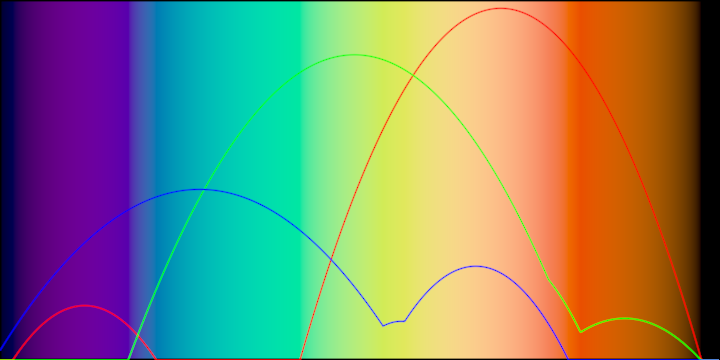
|
||||
|
||||
@@ -75,7 +90,12 @@ Two color spaces are added: `ColorHSLUVa` and `ColorHPLUVa`, they are an impleme
|
||||
|
||||
### colormap/DemoTurboColormap
|
||||
|
||||
This program demonstrates the `turboColormap()` function, which
|
||||
takes a normalized value and returns a `ColorRGBa` using the
|
||||
Turbo colormap developed by Google.
|
||||
|
||||
It draws a varying number of vertical bands (between 16 and 48)
|
||||
filled with various hues.
|
||||
|
||||
|
||||
|
||||
@@ -83,7 +103,13 @@ Two color spaces are added: `ColorHSLUVa` and `ColorHPLUVa`, they are an impleme
|
||||
|
||||
### colormap/DemoTurboColormapPhrase
|
||||
|
||||
This program demonstrates how to use the shader-based version of
|
||||
the `turbo_colormap()` function, which
|
||||
takes a normalized value and returns an `rgb` color using the
|
||||
Turbo colormap developed by Google.
|
||||
|
||||
It shades a full-window rectangle using its normalized `x` coordinate
|
||||
in a `ShadeStyle` to choose pixel colors.
|
||||
|
||||
|
||||
|
||||
@@ -91,7 +117,11 @@ Two color spaces are added: `ColorHSLUVa` and `ColorHPLUVa`, they are an impleme
|
||||
|
||||
### colormap/DemoTurboColormapPlot
|
||||
|
||||
This demo uses the shader based `turbo_colormap()` function to fill the background,
|
||||
then visualizes the red, green and blue components of the colors used in the background
|
||||
as red, green and blue line strips.
|
||||
|
||||
The Vector2 points for the line strips are calculated only once when the program starts.
|
||||
|
||||
|
||||
|
||||
@@ -171,7 +201,8 @@ to position the images dynamically based on their index within the grid.
|
||||
|
||||
### colorRange/DemoColorRange01
|
||||
|
||||
|
||||
Comparison of color lists generated by interpolating from
|
||||
`PINK` to `BLUE` in six different color spaces.
|
||||
|
||||
|
||||
|
||||
@@ -179,7 +210,13 @@ to position the images dynamically based on their index within the grid.
|
||||
|
||||
### colorRange/DemoColorRange02
|
||||
|
||||
Demonstrates how to create a `ColorSequence` containing three colors, one of them in the HSLUV color space.
|
||||
|
||||
Each color in the sequence is assigned a normalized position: in this program, one at the start (0.0),
|
||||
one in the middle (0.5) and one at the end (1.0).
|
||||
|
||||
The `ColorSpace.blend()` method is used to get a list with 18 interpolated `ColorRGBa` colors,
|
||||
then those colors are drawn as vertical rectangles covering the whole window.
|
||||
|
||||
|
||||
|
||||
@@ -187,7 +224,13 @@ to position the images dynamically based on their index within the grid.
|
||||
|
||||
### colorRange/DemoColorRange03
|
||||
|
||||
This program creates color interpolations from `ColorRGBa.BLUE` to
|
||||
`ColorRGBa.PINK` in 25 steps in multiple color spaces.
|
||||
|
||||
The window height is adjusted based on the number of interpolations to show.
|
||||
|
||||
The resulting gradients differ in saturation and brightness and apparently include more
|
||||
`BLUE` or more `PINK` depending on the chosen color space.
|
||||
|
||||
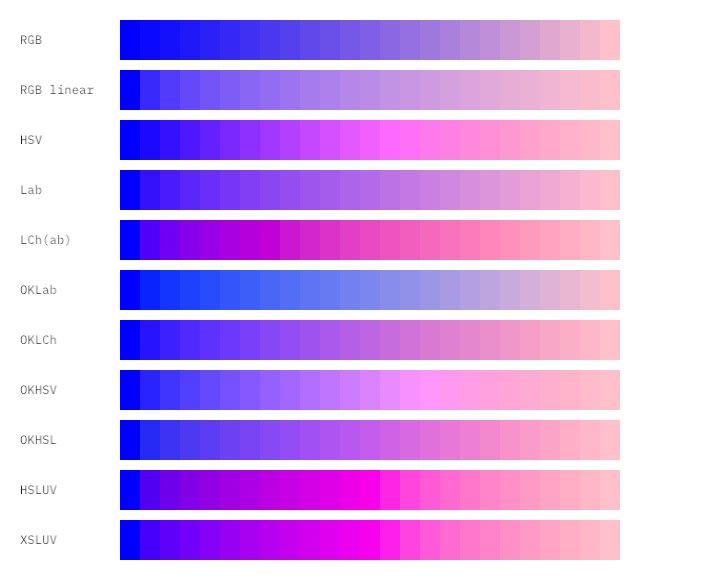
|
||||
|
||||
@@ -195,6 +238,17 @@ to position the images dynamically based on their index within the grid.
|
||||
|
||||
### colorRange/DemoColorRange04
|
||||
|
||||
A visualization of color interpolations inside a 3D RGB cube with an interactive 3D `Orbital` camera.
|
||||
|
||||
The hues of the source and target colors are animated over time.
|
||||
|
||||
The color interpolations are shown simultaneously in nine different color spaces, revealing how in
|
||||
each case they share common starting and ending points in 3D, but have unique paths going from
|
||||
start to end.
|
||||
|
||||
By rotating the cube 90 degrees towards the left and slightly zooming out, one can appreciate how
|
||||
one of the points moves along the edges of the cube, while the other moves on the edges of a
|
||||
smaller, invisible cube.
|
||||
|
||||
|
||||
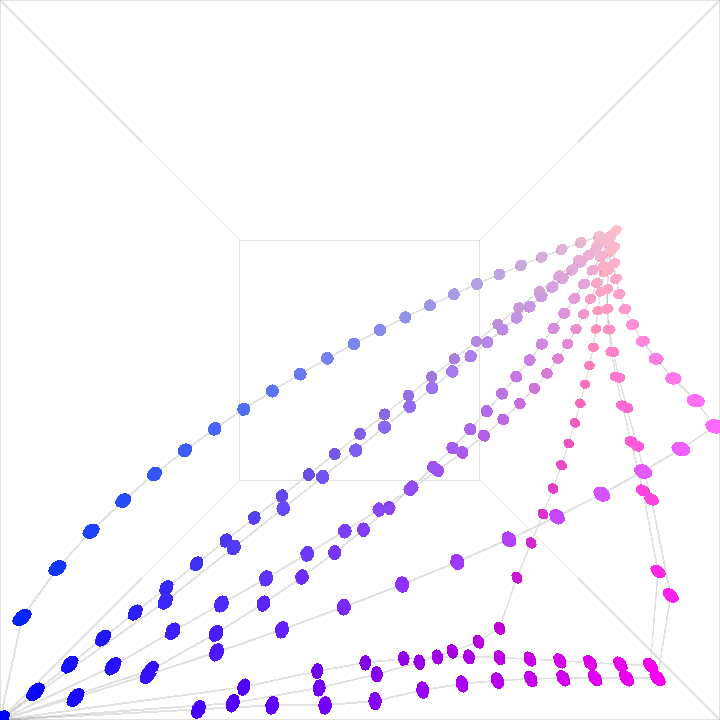
|
||||
@@ -337,13 +391,6 @@ The rendering process includes:
|
||||
|
||||
### histogram/DemoHistogram01
|
||||
|
||||
package histogram
|
||||
|
||||
import org.openrndr.application
|
||||
import org.openrndr.draw.loadImage
|
||||
import org.openrndr.extra.color.statistics.calculateHistogramRGB
|
||||
|
||||
/*
|
||||
Demonstrates how to generate a palette with the top 32 colors
|
||||
of a loaded image, sorted by luminosity. The colors are displayed
|
||||
as rectangles overlayed on top of the image.
|
||||
@@ -354,14 +401,6 @@ as rectangles overlayed on top of the image.
|
||||
|
||||
### histogram/DemoHistogram02
|
||||
|
||||
package histogram
|
||||
|
||||
import org.openrndr.application
|
||||
import org.openrndr.draw.loadImage
|
||||
import org.openrndr.extra.color.statistics.calculateHistogramRGB
|
||||
import kotlin.math.pow
|
||||
|
||||
/*
|
||||
Show the color histogram of an image using non-uniform weighting,
|
||||
prioritizing bright colors.
|
||||
|
||||
@@ -371,13 +410,6 @@ prioritizing bright colors.
|
||||
|
||||
### histogram/DemoHistogram03
|
||||
|
||||
package histogram
|
||||
|
||||
import org.openrndr.application
|
||||
import org.openrndr.draw.loadImage
|
||||
import org.openrndr.extra.color.statistics.calculateHistogramRGB
|
||||
|
||||
/*
|
||||
Create a simple grid-like composition based on colors sampled from image.
|
||||
The cells are 32 by 32 pixels in size and are filled with a random sample
|
||||
taken from the color histogram of the image.
|
||||
|
||||
@@ -1,8 +1,5 @@
|
||||
package colorRange
|
||||
|
||||
// Comparison of color lists generated by interpolating from
|
||||
// PINK to BLUE in different color models
|
||||
|
||||
import org.openrndr.application
|
||||
import org.openrndr.color.ColorRGBa
|
||||
import org.openrndr.extra.color.palettes.rangeTo
|
||||
@@ -11,6 +8,10 @@ import org.openrndr.math.Vector2
|
||||
import org.openrndr.math.map
|
||||
import org.openrndr.shape.Rectangle
|
||||
|
||||
/**
|
||||
* Comparison of color lists generated by interpolating from
|
||||
* `PINK` to `BLUE` in six different color spaces.
|
||||
*/
|
||||
fun main() = application {
|
||||
configure {
|
||||
width = 720
|
||||
|
||||
@@ -1,12 +1,19 @@
|
||||
package colorRange
|
||||
|
||||
// Create a colorSequence with multiple color models
|
||||
|
||||
import org.openrndr.application
|
||||
import org.openrndr.color.ColorRGBa
|
||||
import org.openrndr.extra.color.palettes.colorSequence
|
||||
import org.openrndr.extra.color.spaces.toHSLUVa
|
||||
|
||||
/**
|
||||
* Demonstrates how to create a `ColorSequence` containing three colors, one of them in the HSLUV color space.
|
||||
*
|
||||
* Each color in the sequence is assigned a normalized position: in this program, one at the start (0.0),
|
||||
* one in the middle (0.5) and one at the end (1.0).
|
||||
*
|
||||
* The `ColorSpace.blend()` method is used to get a list with 18 interpolated `ColorRGBa` colors,
|
||||
* then those colors are drawn as vertical rectangles covering the whole window.
|
||||
*/
|
||||
fun main() = application {
|
||||
configure {
|
||||
width = 720
|
||||
@@ -14,14 +21,16 @@ fun main() = application {
|
||||
}
|
||||
program {
|
||||
extend {
|
||||
val cs = colorSequence(0.0 to ColorRGBa.PINK,
|
||||
0.5 to ColorRGBa.BLUE,
|
||||
1.0 to ColorRGBa.PINK.toHSLUVa()) // <-- note this one is in hsluv
|
||||
val cs = colorSequence(
|
||||
0.0 to ColorRGBa.PINK,
|
||||
0.5 to ColorRGBa.BLUE,
|
||||
1.0 to ColorRGBa.PINK.toHSLUVa() // <-- note this color is in HSLUV
|
||||
)
|
||||
|
||||
for (c in cs blend (width / 40)) {
|
||||
drawer.fill = c
|
||||
drawer.stroke = null
|
||||
drawer.rectangle(0.0, 0.0, 40.0, height.toDouble())
|
||||
drawer.rectangle(0.0, 0.0, 40.0, height.toDouble())
|
||||
drawer.translate(40.0, 0.0)
|
||||
}
|
||||
}
|
||||
|
||||
@@ -6,36 +6,43 @@ import org.openrndr.draw.loadFont
|
||||
import org.openrndr.extra.color.palettes.rangeTo
|
||||
import org.openrndr.extra.color.spaces.*
|
||||
|
||||
/**
|
||||
* This program creates color interpolations from `ColorRGBa.BLUE` to
|
||||
* `ColorRGBa.PINK` in 25 steps in multiple color spaces.
|
||||
*
|
||||
* The window height is adjusted based on the number of interpolations to show.
|
||||
*
|
||||
* The resulting gradients differ in saturation and brightness and apparently include more
|
||||
* `BLUE` or more `PINK` depending on the chosen color space.
|
||||
*/
|
||||
fun main() = application {
|
||||
val colorA = ColorRGBa.BLUE
|
||||
val colorB = ColorRGBa.PINK
|
||||
|
||||
val stepCount = 25
|
||||
|
||||
val allSteps = listOf(
|
||||
"RGB" to (colorA..colorB blend stepCount),
|
||||
"RGB linear" to (colorA.toLinear()..colorB.toLinear() blend stepCount),
|
||||
"HSV" to (colorA..colorB.toHSVa() blend stepCount),
|
||||
"Lab" to (colorA.toLABa()..colorB.toLABa() blend stepCount),
|
||||
"LCh(ab)" to (colorA.toLCHABa()..colorB.toLCHABa() blend stepCount),
|
||||
"OKLab" to (colorA.toOKLABa()..colorB.toOKLABa() blend stepCount),
|
||||
"OKLCh" to (colorA.toOKLCHa()..colorB.toOKLCHa() blend stepCount),
|
||||
"OKHSV" to (colorA.toOKHSVa()..colorB.toOKHSVa() blend stepCount),
|
||||
"OKHSL" to (colorA.toOKHSLa()..colorB.toOKHSLa() blend stepCount),
|
||||
"HSLUV" to (colorA.toHSLUVa()..colorB.toHSLUVa() blend stepCount),
|
||||
"XSLUV" to (colorA.toXSLUVa()..colorB.toXSLUVa() blend stepCount),
|
||||
)
|
||||
|
||||
configure {
|
||||
width = 720
|
||||
height = 30 + 50 * 11 // row count
|
||||
height = 30 + 50 * allSteps.size
|
||||
}
|
||||
program {
|
||||
extend {
|
||||
drawer.clear(ColorRGBa.WHITE)
|
||||
|
||||
val colorA = ColorRGBa.BLUE
|
||||
val colorB = ColorRGBa.PINK
|
||||
|
||||
val stepCount = 25
|
||||
|
||||
val allSteps = listOf(
|
||||
"RGB" to (colorA..colorB blend stepCount),
|
||||
"RGB linear" to (colorA.toLinear()..colorB.toLinear() blend stepCount),
|
||||
"HSV" to (colorA..colorB.toHSVa() blend stepCount),
|
||||
"Lab" to (colorA.toLABa()..colorB.toLABa() blend stepCount),
|
||||
"LCh(ab)" to (colorA.toLCHABa()..colorB.toLCHABa() blend stepCount),
|
||||
"OKLab" to (colorA.toOKLABa()..colorB.toOKLABa() blend stepCount),
|
||||
"OKLCh" to (colorA.toOKLCHa()..colorB.toOKLCHa() blend stepCount),
|
||||
"OKHSV" to (colorA.toOKHSVa()..colorB.toOKHSVa() blend stepCount),
|
||||
"OKHSL" to (colorA.toOKHSLa()..colorB.toOKHSLa() blend stepCount),
|
||||
"HSLUV" to (colorA.toHSLUVa()..colorB.toHSLUVa() blend stepCount),
|
||||
"XSLUV" to (colorA.toXSLUVa()..colorB.toXSLUVa() blend stepCount),
|
||||
)
|
||||
|
||||
drawer.stroke = null
|
||||
|
||||
drawer.fontMap = loadFont("demo-data/fonts/IBMPlexMono-Regular.ttf", 16.0)
|
||||
drawer.translate(20.0, 20.0)
|
||||
for ((label, steps) in allSteps) {
|
||||
|
||||
@@ -14,6 +14,20 @@ import org.openrndr.extra.color.spaces.toXSLUVa
|
||||
import org.openrndr.extra.meshgenerators.sphereMesh
|
||||
import org.openrndr.math.Vector3
|
||||
|
||||
/**
|
||||
* A visualization of color interpolations inside a 3D RGB cube with an interactive 3D `Orbital` camera.
|
||||
*
|
||||
* The hues of the source and target colors are animated over time.
|
||||
*
|
||||
* The color interpolations are shown simultaneously in nine different color spaces, revealing how in
|
||||
* each case they share common starting and ending points in 3D, but have unique paths going from
|
||||
* start to end.
|
||||
*
|
||||
* By rotating the cube 90 degrees towards the left and slightly zooming out, one can appreciate how
|
||||
* one of the points moves along the edges of the cube, while the other moves on the edges of a
|
||||
* smaller, invisible cube.
|
||||
*
|
||||
*/
|
||||
fun main() = application {
|
||||
configure {
|
||||
width = 720
|
||||
@@ -44,9 +58,6 @@ fun main() = application {
|
||||
"XSLUV" to (colorA.toXSLUVa()..colorB.toXSLUVa() blend stepCount),
|
||||
)
|
||||
|
||||
drawer.stroke = null
|
||||
|
||||
drawer.fontMap = loadFont("demo-data/fonts/IBMPlexMono-Regular.ttf", 16.0)
|
||||
for ((_, steps) in allSteps) {
|
||||
for (i in steps.indices) {
|
||||
val srgb = steps[i].toSRGB().clip()
|
||||
|
||||
@@ -5,6 +5,14 @@ import org.openrndr.extra.color.colormaps.spectralZucconi6
|
||||
import org.openrndr.extra.noise.fastFloor
|
||||
import kotlin.math.sin
|
||||
|
||||
/**
|
||||
* This program demonstrates the `spectralZucconi6()` function, which
|
||||
* takes a normalized value and returns a `ColorRGBa` using the
|
||||
* accurate spectral colormap developed by Alan Zucconi.
|
||||
*
|
||||
* It draws a varying number of vertical bands (between 16 and 48)
|
||||
* filled with various hues.
|
||||
*/
|
||||
fun main() = application {
|
||||
configure {
|
||||
width = 720
|
||||
@@ -14,12 +22,13 @@ fun main() = application {
|
||||
extend {
|
||||
drawer.stroke = null
|
||||
val stripeCount = 32 + (sin(seconds) * 16.0).fastFloor()
|
||||
val bandWidth = width / stripeCount.toDouble()
|
||||
repeat(stripeCount) { i ->
|
||||
drawer.fill = spectralZucconi6(i / stripeCount.toDouble())
|
||||
drawer.rectangle(
|
||||
x = i * width / stripeCount.toDouble(),
|
||||
x = i * bandWidth,
|
||||
y = 0.0,
|
||||
width = width / stripeCount.toDouble(),
|
||||
width = bandWidth,
|
||||
height = height.toDouble(),
|
||||
)
|
||||
}
|
||||
|
||||
@@ -5,6 +5,15 @@ import org.openrndr.draw.shadeStyle
|
||||
import org.openrndr.extra.color.colormaps.ColormapPhraseBook
|
||||
import org.openrndr.extra.shaderphrases.preprocess
|
||||
|
||||
/**
|
||||
* This program demonstrates how to use the shader-based version of
|
||||
* the `spectral_zucconi6()` function, which
|
||||
* takes a normalized value and returns an `rgb` color using the
|
||||
* accurate spectral colormap developed by Alan Zucconi.
|
||||
*
|
||||
* It shades a full-window rectangle using its normalized `x` coordinate
|
||||
* in a `ShadeStyle` to choose pixel colors.
|
||||
*/
|
||||
fun main() = application {
|
||||
configure {
|
||||
width = 720
|
||||
|
||||
@@ -8,6 +8,13 @@ import org.openrndr.extra.color.colormaps.spectralZucconi6
|
||||
import org.openrndr.extra.shaderphrases.preprocess
|
||||
import org.openrndr.math.Vector2
|
||||
|
||||
/**
|
||||
* This demo uses the shader based `spectral_zucconi6()` function to fill the background,
|
||||
* then visualizes the red, green and blue components of the colors used in the background
|
||||
* as red, green and blue line strips.
|
||||
*
|
||||
* The Vector2 points for the line strips are calculated only once when the program starts.
|
||||
*/
|
||||
fun main() = application {
|
||||
configure {
|
||||
width = 720
|
||||
@@ -20,14 +27,14 @@ fun main() = application {
|
||||
fragmentTransform = "x_fill.rgb = spectral_zucconi6(c_boundsPosition.x);"
|
||||
}
|
||||
|
||||
// Function that expects as an argument a function to convert a ColorRGBa into a Double,
|
||||
// and returns a list of Vector2 coordinates.
|
||||
fun getColormapPoints(
|
||||
block: ColorRGBa.() -> Double
|
||||
) = List(width) { x ->
|
||||
Vector2(
|
||||
x.toDouble(),
|
||||
height.toDouble()
|
||||
- block(spectralZucconi6(x / width.toDouble()))
|
||||
* height.toDouble()
|
||||
(1.0 - block(spectralZucconi6(x / width.toDouble()))) * height
|
||||
)
|
||||
}
|
||||
|
||||
@@ -39,11 +46,13 @@ fun main() = application {
|
||||
shadeStyle = backgroundStyle
|
||||
rectangle(bounds)
|
||||
shadeStyle = null
|
||||
strokeWeight = 1.0
|
||||
|
||||
stroke = ColorRGBa.RED
|
||||
lineStrip(redPoints)
|
||||
|
||||
stroke = ColorRGBa.GREEN
|
||||
lineStrip(greenPoints)
|
||||
|
||||
stroke = ColorRGBa.BLUE
|
||||
lineStrip(bluePoints)
|
||||
}
|
||||
|
||||
@@ -5,6 +5,15 @@ import org.openrndr.extra.color.colormaps.turboColormap
|
||||
import org.openrndr.extra.noise.fastFloor
|
||||
import kotlin.math.sin
|
||||
|
||||
/**
|
||||
* This program demonstrates the `turboColormap()` function, which
|
||||
* takes a normalized value and returns a `ColorRGBa` using the
|
||||
* Turbo colormap developed by Google.
|
||||
*
|
||||
* It draws a varying number of vertical bands (between 16 and 48)
|
||||
* filled with various hues.
|
||||
*/
|
||||
|
||||
fun main() = application {
|
||||
configure {
|
||||
width = 720
|
||||
|
||||
@@ -5,6 +5,15 @@ import org.openrndr.draw.shadeStyle
|
||||
import org.openrndr.extra.color.colormaps.ColormapPhraseBook
|
||||
import org.openrndr.extra.shaderphrases.preprocess
|
||||
|
||||
/**
|
||||
* This program demonstrates how to use the shader-based version of
|
||||
* the `turbo_colormap()` function, which
|
||||
* takes a normalized value and returns an `rgb` color using the
|
||||
* Turbo colormap developed by Google.
|
||||
*
|
||||
* It shades a full-window rectangle using its normalized `x` coordinate
|
||||
* in a `ShadeStyle` to choose pixel colors.
|
||||
*/
|
||||
fun main() = application {
|
||||
configure {
|
||||
width = 720
|
||||
|
||||
@@ -8,6 +8,13 @@ import org.openrndr.extra.color.colormaps.turboColormap
|
||||
import org.openrndr.extra.shaderphrases.preprocess
|
||||
import org.openrndr.math.Vector2
|
||||
|
||||
/**
|
||||
* This demo uses the shader based `turbo_colormap()` function to fill the background,
|
||||
* then visualizes the red, green and blue components of the colors used in the background
|
||||
* as red, green and blue line strips.
|
||||
*
|
||||
* The Vector2 points for the line strips are calculated only once when the program starts.
|
||||
*/
|
||||
fun main() = application {
|
||||
configure {
|
||||
width = 720
|
||||
@@ -23,10 +30,8 @@ fun main() = application {
|
||||
block: ColorRGBa.() -> Double
|
||||
) = List(width) { x ->
|
||||
Vector2(
|
||||
x = x.toDouble(),
|
||||
y = height.toDouble()
|
||||
- block(turboColormap(x / width.toDouble()))
|
||||
* height.toDouble()
|
||||
x.toDouble(),
|
||||
(1.0 - block(turboColormap(x / width.toDouble()))) * height
|
||||
)
|
||||
}
|
||||
val redPoints = getColormapPoints { r }
|
||||
@@ -37,11 +42,13 @@ fun main() = application {
|
||||
shadeStyle = backgroundStyle
|
||||
rectangle(bounds)
|
||||
shadeStyle = null
|
||||
strokeWeight = 1.0
|
||||
|
||||
stroke = ColorRGBa.RED
|
||||
lineStrip(redPoints)
|
||||
|
||||
stroke = ColorRGBa.GREEN
|
||||
lineStrip(greenPoints)
|
||||
|
||||
stroke = ColorRGBa.BLUE
|
||||
lineStrip(bluePoints)
|
||||
}
|
||||
|
||||
@@ -26,7 +26,16 @@ this addon provides some helper functions to convert them to OPENRNDR types:
|
||||
## Demos
|
||||
### DemoContours01
|
||||
|
||||
Demonstrates how to convert a PNG image into `ShapeContour`s using BoofCV.
|
||||
|
||||
Two helper methods help convert data types between BoofCV and OPENRNDR.
|
||||
|
||||
The `ColorBuffer.toGrayF32()` method converts an OPENRNDR `ColorBuffer` to `GrayF32` format,
|
||||
required by BoofCV.
|
||||
|
||||
The `.toShapeContours()` converts BoofCV contours to OPENRNDR `ShapeContour` instances.
|
||||
|
||||
The resulting contours are animated zooming in and out while their colors change slowly.
|
||||
|
||||
|
||||
|
||||
@@ -34,7 +43,8 @@ this addon provides some helper functions to convert them to OPENRNDR types:
|
||||
|
||||
### DemoResize01
|
||||
|
||||
|
||||
Demonstrates how to scale down images using the `resizeBy` BoofCV-based
|
||||
method.
|
||||
|
||||
|
||||
|
||||
@@ -42,7 +52,11 @@ this addon provides some helper functions to convert them to OPENRNDR types:
|
||||
|
||||
### DemoResize02
|
||||
|
||||
Demonstrates how to scale down images using the `resizeTo` BoofCV-based
|
||||
method.
|
||||
|
||||
If only the `newWidth` or the `newHeight` arguments are specified,
|
||||
the resizing happens maintaining the original aspect ratio.
|
||||
|
||||
|
||||
|
||||
@@ -50,7 +64,16 @@ this addon provides some helper functions to convert them to OPENRNDR types:
|
||||
|
||||
### DemoSimplified01
|
||||
|
||||
When converting a `ColorBuffer` to `ShapeContour` instances using
|
||||
`BoofCV`, simple shapes can have hundreds of segments and vertices.
|
||||
|
||||
This demo shows how to use the `simplify()` method to greatly
|
||||
reduce the number of vertices.
|
||||
|
||||
Then it uses the simplified vertex lists to create smooth curves
|
||||
(using `CatmullRomChain2`) and polygonal curves (using `ShapeContour.fromPoints`).
|
||||
|
||||
Study the console to learn about the number of segments before and after simplification.
|
||||
|
||||
|
||||
|
||||
|
||||
@@ -12,6 +12,18 @@ import org.openrndr.draw.loadImage
|
||||
import kotlin.math.cos
|
||||
import kotlin.math.sin
|
||||
|
||||
/**
|
||||
* Demonstrates how to convert a PNG image into `ShapeContour`s using BoofCV.
|
||||
*
|
||||
* Two helper methods help convert data types between BoofCV and OPENRNDR.
|
||||
*
|
||||
* The `ColorBuffer.toGrayF32()` method converts an OPENRNDR `ColorBuffer` to `GrayF32` format,
|
||||
* required by BoofCV.
|
||||
*
|
||||
* The `.toShapeContours()` converts BoofCV contours to OPENRNDR `ShapeContour` instances.
|
||||
*
|
||||
* The resulting contours are animated zooming in and out while their colors change slowly.
|
||||
*/
|
||||
fun main() = application {
|
||||
program {
|
||||
// Load an image, convert to BoofCV format using orx-boofcv
|
||||
|
||||
@@ -2,19 +2,31 @@ import org.openrndr.application
|
||||
import org.openrndr.boofcv.binding.resizeBy
|
||||
import org.openrndr.color.ColorRGBa
|
||||
import org.openrndr.draw.loadImage
|
||||
import org.openrndr.math.Vector2
|
||||
|
||||
/**
|
||||
* Demonstrates how to scale down images using the `resizeBy` BoofCV-based
|
||||
* method.
|
||||
*/
|
||||
fun main() = application {
|
||||
program {
|
||||
// Load an image, convert to BoofCV format using orx-boofcv
|
||||
val input = loadImage("demo-data/images/image-001.png")
|
||||
|
||||
val scaled = input.resizeBy(0.5)
|
||||
val scaled2 = input.resizeBy(0.25, convertToGray = true)
|
||||
val scaled3 = input.resizeBy(0.1)
|
||||
|
||||
println("${input.width} x ${input.height}")
|
||||
println("${scaled.width} x ${scaled.height}")
|
||||
|
||||
extend {
|
||||
drawer.clear(ColorRGBa.BLACK)
|
||||
drawer.translate(0.0, (height - scaled.bounds.height) / 2.0)
|
||||
|
||||
// Display the loaded image to the right of `scaled` matching its size
|
||||
drawer.image(input, scaled.bounds.movedBy(Vector2.UNIT_X * scaled.bounds.width))
|
||||
|
||||
// Display actually scaled down versions of the loaded image
|
||||
drawer.image(scaled)
|
||||
drawer.image(scaled2, scaled.bounds.width, scaled.bounds.height - scaled2.height)
|
||||
drawer.image(scaled3, scaled.bounds.width + scaled2.bounds.width, scaled.bounds.height - scaled3.height)
|
||||
|
||||
@@ -3,17 +3,29 @@ import org.openrndr.boofcv.binding.resizeTo
|
||||
import org.openrndr.color.ColorRGBa
|
||||
import org.openrndr.draw.loadImage
|
||||
|
||||
/**
|
||||
* Demonstrates how to scale down images using the `resizeTo` BoofCV-based
|
||||
* method.
|
||||
*
|
||||
* If only the `newWidth` or the `newHeight` arguments are specified,
|
||||
* the resizing happens maintaining the original aspect ratio.
|
||||
*/
|
||||
fun main() = application {
|
||||
program {
|
||||
// Load an image, convert to BoofCV format using orx-boofcv
|
||||
val input = loadImage("demo-data/images/image-001.png")
|
||||
|
||||
val scaled = input.resizeTo(input.width / 3)
|
||||
val scaled2 = input.resizeTo(newHeight = input.height / 4, convertToGray = true)
|
||||
val scaled3 = input.resizeTo(input.width / 5, input.height / 5)
|
||||
|
||||
println("${input.width} x ${input.height}")
|
||||
println("${scaled.width} x ${scaled.height}")
|
||||
|
||||
extend {
|
||||
drawer.clear(ColorRGBa.BLACK)
|
||||
drawer.translate(0.0, (height - scaled.bounds.height) / 2.0)
|
||||
|
||||
// Display actually scaled down versions of the loaded image
|
||||
drawer.image(scaled)
|
||||
drawer.image(scaled2, scaled.bounds.width, scaled.bounds.height - scaled2.height)
|
||||
drawer.image(scaled3, scaled.bounds.width + scaled2.bounds.width, scaled.bounds.height - scaled3.height)
|
||||
|
||||
@@ -17,6 +17,18 @@ import org.openrndr.math.Vector2
|
||||
import org.openrndr.shape.Rectangle
|
||||
import org.openrndr.shape.ShapeContour
|
||||
|
||||
/**
|
||||
* When converting a `ColorBuffer` to `ShapeContour` instances using
|
||||
* `BoofCV`, simple shapes can have hundreds of segments and vertices.
|
||||
*
|
||||
* This demo shows how to use the `simplify()` method to greatly
|
||||
* reduce the number of vertices.
|
||||
*
|
||||
* Then it uses the simplified vertex lists to create smooth curves
|
||||
* (using `CatmullRomChain2`) and polygonal curves (using `ShapeContour.fromPoints`).
|
||||
*
|
||||
* Study the console to learn about the number of segments before and after simplification.
|
||||
*/
|
||||
fun main() = application {
|
||||
program {
|
||||
// Create a buffer where to draw something for boofcv
|
||||
@@ -41,6 +53,7 @@ fun main() = application {
|
||||
rectangle(0.0, -200.0, 60.0, 60.0)
|
||||
circle(0.0, 190.0, 60.0)
|
||||
}
|
||||
|
||||
// Convert the bitmap buffer into ShapeContours
|
||||
val vectorized = imageToContours(rt.colorBuffer(0))
|
||||
|
||||
@@ -73,8 +86,11 @@ fun main() = application {
|
||||
extend {
|
||||
drawer.run {
|
||||
fill = null // ColorRGBa.PINK.opacify(0.15)
|
||||
|
||||
stroke = ColorRGBa.PINK.opacify(0.7)
|
||||
contours(polygonal)
|
||||
|
||||
stroke = ColorRGBa.GREEN.opacify(0.7)
|
||||
contours(smooth)
|
||||
}
|
||||
}
|
||||
|
||||
@@ -178,7 +178,10 @@ import org.openrndr.extra.parameters.DoubleParameter
|
||||
## Demos
|
||||
### DemoAppearance01
|
||||
|
||||
A simple demonstration of a GUI for drawing some circles
|
||||
Demonstrates how to customize the appearance of the GUI by using
|
||||
`GUIAppearance()`.
|
||||
|
||||
In this demo, we make the GUI wider (400 pixels) and translucent.
|
||||
|
||||
|
||||
|
||||
@@ -186,7 +189,7 @@ A simple demonstration of a GUI for drawing some circles
|
||||
|
||||
### DemoHide01
|
||||
|
||||
A simple demonstration of a GUI for drawing some circles
|
||||
Demonstrates how to hide the GUI when the mouse pointer is outside of it.
|
||||
|
||||
|
||||
|
||||
@@ -194,15 +197,38 @@ A simple demonstration of a GUI for drawing some circles
|
||||
|
||||
### DemoOptions01
|
||||
|
||||
A simple demonstration of a GUI with a drop down menu
|
||||
A simple demonstration of a GUI with a drop-down menu.
|
||||
|
||||
The entries in the drop-down menu are taken from an `enum class`.
|
||||
|
||||
|
||||
|
||||
[source code](src/demo/kotlin/DemoOptions01.kt)
|
||||
|
||||
### DemoOptions02
|
||||
|
||||
A simple demonstration of a GUI with a drop-down menu.
|
||||
|
||||
The entries in the drop-down menu are taken from an `enum class`.
|
||||
The `enum class` entries contain both a name (used in the drop-down)
|
||||
and a `ColorRGBa` instance (used for rendering).
|
||||
|
||||
|
||||
|
||||
[source code](src/demo/kotlin/DemoOptions02.kt)
|
||||
|
||||
### DemoPath01
|
||||
|
||||
Demonstrates how to include a button for loading images in a GUI, and how to display
|
||||
the loaded image.
|
||||
|
||||
The program applies the `@PathParameter` annotation to a `String` variable, which gets
|
||||
rendered by the GUI as an image-picker button. Note the allowed file `extensions`.
|
||||
|
||||
This mechanism only updates the `String` containing the path of an image file.
|
||||
|
||||
The `watchingImagePath()` delegate property is used to automatically load an image
|
||||
when its `String` argument changes.
|
||||
|
||||
|
||||
|
||||
@@ -210,9 +236,11 @@ A simple demonstration of a GUI with a drop down menu
|
||||
|
||||
### DemoPresets01
|
||||
|
||||
Shows how to store and retrieve in-memory gui presets.
|
||||
Shows how to store and retrieve in-memory GUI presets,
|
||||
each containing two integer values and two colors.
|
||||
|
||||
Keyboard controls:
|
||||
[Left Shift] + [0]..[9] => store current gui values to a preset
|
||||
[Left Shift] + [0]..[9] => store current GUI values to a preset
|
||||
[0]..[9] => recall a preset
|
||||
|
||||
|
||||
@@ -221,7 +249,17 @@ Keyboard controls:
|
||||
|
||||
### DemoSideCanvas01
|
||||
|
||||
A simple demonstration of a GUI for drawing some circles
|
||||
Demonstrates the `GUI.enableSideCanvas` feature.
|
||||
|
||||
When set to true, the `GUI` provides a `canvas` property where one can draw.
|
||||
The size of this canvas is the window size minus the GUI size.
|
||||
|
||||
That's why if we draw a circle at `drawer.width / 2.0` it is centered
|
||||
on the `canvas`, not on the window.
|
||||
|
||||
This demo sets the window to resizable, so if you resize the window
|
||||
you should see tha the circle stays at the center of the canvas.
|
||||
|
||||
|
||||
|
||||
|
||||
@@ -229,7 +267,15 @@ A simple demonstration of a GUI for drawing some circles
|
||||
|
||||
### DemoSimple01
|
||||
|
||||
A simple demonstration of a GUI for drawing some circles
|
||||
Demonstrates how to create a simple GUI with 4 inputs:
|
||||
- A `ColorParameter` which creates a color picker.
|
||||
- A `DoubleParameter` to control the radius of a circle.
|
||||
- A `Vector2Parameter` to set the position of that circle.
|
||||
- A `DoubleListParameter` which sets the radii of six circles.
|
||||
|
||||
The demo also shows how to use the variables controlled by the GUI
|
||||
inside the program, so changes to those variables affect
|
||||
the rendering in real time.
|
||||
|
||||

|
||||
|
||||
@@ -237,6 +283,10 @@ A simple demonstration of a GUI for drawing some circles
|
||||
|
||||
### DemoXYParameter
|
||||
|
||||
Demonstrates the use of the `@XYParameter` annotation applied to a `Vector2` variable.
|
||||
|
||||
This annotation creates an interactive XY control in a GUI that can be used to update
|
||||
a `Vector2` variable. In this demo it sets the position of a circle.
|
||||
|
||||
|
||||
|
||||
|
||||
@@ -7,7 +7,10 @@ import org.openrndr.math.Vector2
|
||||
import org.openrndr.shape.Circle
|
||||
|
||||
/**
|
||||
* A simple demonstration of a GUI for drawing some circles
|
||||
* Demonstrates how to customize the appearance of the GUI by using
|
||||
* `GUIAppearance()`.
|
||||
*
|
||||
* In this demo, we make the GUI wider (400 pixels) and translucent.
|
||||
*/
|
||||
fun main() = application {
|
||||
program {
|
||||
|
||||
@@ -6,7 +6,7 @@ import org.openrndr.math.Vector2
|
||||
import org.openrndr.shape.Circle
|
||||
|
||||
/**
|
||||
* A simple demonstration of a GUI for drawing some circles
|
||||
* Demonstrates how to hide the GUI when the mouse pointer is outside of it.
|
||||
*/
|
||||
fun main() = application {
|
||||
program {
|
||||
@@ -29,7 +29,7 @@ fun main() = application {
|
||||
gui.add(settings)
|
||||
extend(gui)
|
||||
|
||||
// note we can only change the visibility after the extend
|
||||
// note we can only change the visibility after the `extend`
|
||||
gui.visible = false
|
||||
|
||||
extend {
|
||||
|
||||
@@ -6,7 +6,7 @@ import org.openrndr.window
|
||||
import kotlin.system.exitProcess
|
||||
|
||||
/**
|
||||
* Demonstration of multi window GUI in the manual way
|
||||
* Demonstration of a multi window GUI in the manual way
|
||||
*/
|
||||
fun main() {
|
||||
// skip this demo on CI
|
||||
|
||||
@@ -4,7 +4,7 @@ import org.openrndr.extra.parameters.DoubleParameter
|
||||
import kotlin.system.exitProcess
|
||||
|
||||
/**
|
||||
* Demonstration of multi window GUI using WindowedGUI extension
|
||||
* Demonstration of a multi window GUI using the `WindowedGUI` extension
|
||||
*/
|
||||
fun main() {
|
||||
// skip this demo on CI
|
||||
|
||||
@@ -5,7 +5,9 @@ import org.openrndr.extra.parameters.Description
|
||||
import org.openrndr.extra.parameters.OptionParameter
|
||||
|
||||
/**
|
||||
* A simple demonstration of a GUI with a drop down menu
|
||||
* A simple demonstration of a GUI with a drop-down menu.
|
||||
*
|
||||
* The entries in the drop-down menu are taken from an `enum class`.
|
||||
*/
|
||||
|
||||
enum class BackgroundColors {
|
||||
@@ -15,6 +17,10 @@ enum class BackgroundColors {
|
||||
}
|
||||
|
||||
fun main() = application {
|
||||
configure {
|
||||
width = 720
|
||||
height = 360
|
||||
}
|
||||
program {
|
||||
val gui = GUI()
|
||||
gui.compartmentsCollapsedByDefault = false
|
||||
|
||||
43
orx-jvm/orx-gui/src/demo/kotlin/DemoOptions02.kt
Normal file
43
orx-jvm/orx-gui/src/demo/kotlin/DemoOptions02.kt
Normal file
@@ -0,0 +1,43 @@
|
||||
import org.openrndr.application
|
||||
import org.openrndr.color.ColorRGBa
|
||||
import org.openrndr.extra.gui.GUI
|
||||
import org.openrndr.extra.parameters.Description
|
||||
import org.openrndr.extra.parameters.OptionParameter
|
||||
|
||||
/**
|
||||
* A simple demonstration of a GUI with a drop-down menu.
|
||||
*
|
||||
* The entries in the drop-down menu are taken from an `enum class`.
|
||||
* The `enum class` entries contain both a name (used in the drop-down)
|
||||
* and a `ColorRGBa` instance (used for rendering).
|
||||
*/
|
||||
|
||||
enum class BackgroundColors2(val color: ColorRGBa) {
|
||||
Pink(ColorRGBa.PINK),
|
||||
Black(ColorRGBa.BLACK),
|
||||
Yellow(ColorRGBa.YELLOW)
|
||||
}
|
||||
|
||||
fun main() = application {
|
||||
configure {
|
||||
width = 720
|
||||
height = 360
|
||||
}
|
||||
program {
|
||||
val gui = GUI()
|
||||
gui.compartmentsCollapsedByDefault = false
|
||||
val settings = @Description("Settings") object {
|
||||
@OptionParameter("Background color")
|
||||
var option = BackgroundColors2.Pink
|
||||
}
|
||||
|
||||
gui.add(settings)
|
||||
extend(gui)
|
||||
gui.onChange { name, value ->
|
||||
println("$name: $value")
|
||||
}
|
||||
extend {
|
||||
drawer.clear(settings.option.color)
|
||||
}
|
||||
}
|
||||
}
|
||||
@@ -4,6 +4,18 @@ import org.openrndr.extra.parameters.Description
|
||||
import org.openrndr.extra.parameters.PathParameter
|
||||
import org.openrndr.extra.propertywatchers.watchingImagePath
|
||||
|
||||
/**
|
||||
* Demonstrates how to include a button for loading images in a GUI, and how to display
|
||||
* the loaded image.
|
||||
*
|
||||
* The program applies the `@PathParameter` annotation to a `String` variable, which gets
|
||||
* rendered by the GUI as an image-picker button. Note the allowed file `extensions`.
|
||||
*
|
||||
* This mechanism only updates the `String` containing the path of an image file.
|
||||
*
|
||||
* The `watchingImagePath()` delegate property is used to automatically load an image
|
||||
* when its `String` argument changes.
|
||||
*/
|
||||
fun main() = application {
|
||||
program {
|
||||
val gui = GUI()
|
||||
|
||||
@@ -7,12 +7,18 @@ import org.openrndr.extra.parameters.Description
|
||||
import org.openrndr.extra.parameters.IntParameter
|
||||
|
||||
/**
|
||||
* Shows how to store and retrieve in-memory gui presets.
|
||||
* Shows how to store and retrieve in-memory GUI presets,
|
||||
* each containing two integer values and two colors.
|
||||
*
|
||||
* Keyboard controls:
|
||||
* [Left Shift] + [0]..[9] => store current gui values to a preset
|
||||
* [Left Shift] + [0]..[9] => store current GUI values to a preset
|
||||
* [0]..[9] => recall a preset
|
||||
*/
|
||||
fun main() = application {
|
||||
configure {
|
||||
width = 720
|
||||
height = 480
|
||||
}
|
||||
program {
|
||||
val gui = GUI()
|
||||
gui.compartmentsCollapsedByDefault = false
|
||||
@@ -43,9 +49,9 @@ fun main() = application {
|
||||
// Draw a pattern based on modulo
|
||||
for (i in 0 until 100) {
|
||||
if (i % settings.a == 0 || i % settings.b == 0) {
|
||||
val x = (i % 10) * 64.0
|
||||
val x = (i % 10) * 72.0
|
||||
val y = (i / 10) * 48.0
|
||||
drawer.rectangle(x, y, 64.0, 48.0)
|
||||
drawer.rectangle(x, y, 72.0, 48.0)
|
||||
}
|
||||
}
|
||||
}
|
||||
|
||||
@@ -2,18 +2,29 @@ import org.openrndr.application
|
||||
import org.openrndr.color.ColorRGBa
|
||||
import org.openrndr.extra.gui.GUI
|
||||
import org.openrndr.extra.gui.GUIAppearance
|
||||
import org.openrndr.extra.parameters.*
|
||||
import org.openrndr.math.Vector2
|
||||
import org.openrndr.extra.parameters.ColorParameter
|
||||
import org.openrndr.extra.parameters.Description
|
||||
import org.openrndr.extra.parameters.DoubleParameter
|
||||
import org.openrndr.panel.elements.draw
|
||||
|
||||
|
||||
/**
|
||||
* A simple demonstration of a GUI for drawing some circles
|
||||
* Demonstrates the `GUI.enableSideCanvas` feature.
|
||||
*
|
||||
* When set to true, the `GUI` provides a `canvas` property where one can draw.
|
||||
* The size of this canvas is the window size minus the GUI size.
|
||||
*
|
||||
* That's why if we draw a circle at `drawer.width / 2.0` it is centered
|
||||
* on the `canvas`, not on the window.
|
||||
*
|
||||
* This demo sets the window to resizable, so if you resize the window
|
||||
* you should see tha the circle stays at the center of the canvas.
|
||||
*
|
||||
*/
|
||||
fun main() = application {
|
||||
configure {
|
||||
width = 800
|
||||
height = 800
|
||||
width = 720
|
||||
height = 720
|
||||
windowResizable = true
|
||||
}
|
||||
|
||||
@@ -23,17 +34,11 @@ fun main() = application {
|
||||
gui.enableSideCanvas = true
|
||||
|
||||
val settings = @Description("Settings") object {
|
||||
@DoubleParameter("radius", 0.0, 100.0)
|
||||
@DoubleParameter("radius", 0.0, 200.0)
|
||||
var radius = 50.0
|
||||
|
||||
@Vector2Parameter("position", 0.0, 1.0)
|
||||
var position = Vector2(0.6, 0.5)
|
||||
|
||||
@ColorParameter("color")
|
||||
var color = ColorRGBa.PINK
|
||||
|
||||
@DoubleListParameter("radii", 5.0, 30.0)
|
||||
var radii = mutableListOf(5.0, 6.0, 8.0, 14.0, 20.0, 30.0)
|
||||
}
|
||||
gui.add(settings)
|
||||
extend(gui)
|
||||
@@ -42,7 +47,7 @@ fun main() = application {
|
||||
val width = drawer.width
|
||||
val height = drawer.height
|
||||
drawer.fill = settings.color
|
||||
drawer.circle(width/2.0, height/2.0, 100.0)
|
||||
drawer.circle(width / 2.0, height / 2.0, settings.radius)
|
||||
}
|
||||
}
|
||||
}
|
||||
@@ -6,11 +6,22 @@ import org.openrndr.math.Vector2
|
||||
import org.openrndr.shape.Circle
|
||||
|
||||
/**
|
||||
* A simple demonstration of a GUI for drawing some circles
|
||||
* Demonstrates how to create a simple GUI with 4 inputs:
|
||||
* - A `ColorParameter` which creates a color picker.
|
||||
* - A `DoubleParameter` to control the radius of a circle.
|
||||
* - A `Vector2Parameter` to set the position of that circle.
|
||||
* - A `DoubleListParameter` which sets the radii of six circles.
|
||||
*
|
||||
* The demo also shows how to use the variables controlled by the GUI
|
||||
* inside the program, so changes to those variables affect
|
||||
* the rendering in real time.
|
||||
*/
|
||||
fun main() = application {
|
||||
configure {
|
||||
width = 720
|
||||
height = 450
|
||||
}
|
||||
program {
|
||||
|
||||
val gui = GUI()
|
||||
gui.compartmentsCollapsedByDefault = false
|
||||
|
||||
|
||||
@@ -4,6 +4,13 @@ import org.openrndr.extra.parameters.Description
|
||||
import org.openrndr.extra.parameters.XYParameter
|
||||
import org.openrndr.math.Vector2
|
||||
|
||||
/**
|
||||
* Demonstrates the use of the `@XYParameter` annotation applied to a `Vector2` variable.
|
||||
*
|
||||
* This annotation creates an interactive XY control in a GUI that can be used to update
|
||||
* a `Vector2` variable. In this demo it sets the position of a circle.
|
||||
*
|
||||
*/
|
||||
fun main() = application {
|
||||
configure {
|
||||
width = 800
|
||||
|
||||
@@ -42,7 +42,15 @@ More info about the web client:
|
||||
## Demos
|
||||
### DemoRabbitControl
|
||||
|
||||
Demonstrates how to use RabbitControl to create a web-based user interface for your program.
|
||||
|
||||
A `settings` object is created using the same syntax used for `orx-gui`, including
|
||||
annotations for different variable types.
|
||||
|
||||
The program then passes these `settings` to the `RabbitControlServer`. A QR-code is displayed
|
||||
to open the web user interface. A clickable URL is also displayed in the console.
|
||||
|
||||
Once the UI is visible in a web browser we can use it to control the OPENRNDR program.
|
||||
|
||||
|
||||
|
||||
@@ -50,7 +58,10 @@ More info about the web client:
|
||||
|
||||
### DemoRabbitControlManualOverlay
|
||||
|
||||
Demonstrates how the QR-code pointing at the Rabbit Control web-based user interface
|
||||
can be displayed and hidden manually.
|
||||
|
||||
To display the QR-code overlay in this demo, hold down the HOME key in the keyboard.
|
||||
|
||||
|
||||
|
||||
@@ -58,6 +69,12 @@ More info about the web client:
|
||||
|
||||
### DemoRabbitHole
|
||||
|
||||
Starts the RabbitControlServer with a `Rabbithole` using the key 'orxtest'.
|
||||
|
||||
`Rabbithole` allows you to access your exposed parameters from Internet
|
||||
connected computers that are not in the same network.
|
||||
|
||||
To use it with this example use 'orxtest' as the tunnel-name in https://rabbithole.rabbitcontrol.cc
|
||||
|
||||
|
||||
|
||||
|
||||
@@ -6,7 +6,17 @@ import org.openrndr.math.Vector2
|
||||
import org.openrndr.math.Vector3
|
||||
import org.openrndr.math.Vector4
|
||||
|
||||
|
||||
/**
|
||||
* Demonstrates how to use RabbitControl to create a web-based user interface for your program.
|
||||
*
|
||||
* A `settings` object is created using the same syntax used for `orx-gui`, including
|
||||
* annotations for different variable types.
|
||||
*
|
||||
* The program then passes these `settings` to the `RabbitControlServer`. A QR-code is displayed
|
||||
* to open the web user interface. A clickable URL is also displayed in the console.
|
||||
*
|
||||
* Once the UI is visible in a web browser we can use it to control the OPENRNDR program.
|
||||
*/
|
||||
fun main() = application {
|
||||
configure {
|
||||
width = 800
|
||||
|
||||
@@ -4,6 +4,12 @@ import org.openrndr.color.ColorRGBa
|
||||
import org.openrndr.extra.parameters.BooleanParameter
|
||||
|
||||
|
||||
/**
|
||||
* Demonstrates how the QR-code pointing at the Rabbit Control web-based user interface
|
||||
* can be displayed and hidden manually.
|
||||
*
|
||||
* To display the QR-code overlay in this demo, hold down the HOME key in the keyboard.
|
||||
*/
|
||||
fun main() = application {
|
||||
configure {
|
||||
width = 800
|
||||
|
||||
@@ -6,7 +6,15 @@ import org.openrndr.math.Vector2
|
||||
import org.openrndr.math.Vector3
|
||||
import org.openrndr.math.Vector4
|
||||
|
||||
|
||||
/**
|
||||
* Starts the RabbitControlServer with a `Rabbithole` using the key 'orxtest'.
|
||||
*
|
||||
* `Rabbithole` allows you to access your exposed parameters from Internet
|
||||
* connected computers that are not in the same network.
|
||||
*
|
||||
* To use it with this example use 'orxtest' as the tunnel-name in https://rabbithole.rabbitcontrol.cc
|
||||
*
|
||||
*/
|
||||
fun main() = application {
|
||||
configure {
|
||||
width = 800
|
||||
@@ -14,13 +22,6 @@ fun main() = application {
|
||||
}
|
||||
|
||||
program {
|
||||
/**
|
||||
* Start RabbitControlServer with a Rabbithole with key 'orxtest'
|
||||
* Please visit https://rabbithole.rabbitcontrol.cc for more information.
|
||||
*
|
||||
* Rabbithole allows you to access your exposed parameter from the internet.
|
||||
* To use it with this example just use 'orxtest' as tunnel-name on the main page.
|
||||
*/
|
||||
val rabbit = RabbitControlServer(false, 10000, 8080, "wss://rabbithole.rabbitcontrol.cc/public/rcpserver/connect?key=orxtest")
|
||||
val font = loadFont("demo-data/fonts/IBMPlexMono-Regular.ttf", 20.0)
|
||||
val settings = object {
|
||||
|
||||
@@ -105,7 +105,15 @@ Demonstrate decal generation and rendering
|
||||
|
||||
### DemoAll
|
||||
|
||||
Demonstrates how to create various types of 3D meshes:
|
||||
box, sphere, dodecahedron, cylinder, plane, cap and resolve.
|
||||
|
||||
Two textures are used: one generative with gradients, and the second
|
||||
one is an image loaded from disk. The horizontal mouse position is used
|
||||
to select which of the two textures to use.
|
||||
|
||||
The meshes are positioned in space using a 2D mesh, and displayed
|
||||
rotating on the X and Y axes at different speeds.
|
||||
|
||||
|
||||
|
||||
@@ -113,6 +121,18 @@ Demonstrate decal generation and rendering
|
||||
|
||||
### DemoBox
|
||||
|
||||
Demonstrates how to create a 3D mesh box by specifying its width, height and depth.
|
||||
|
||||
The `box` is a `VertexBuffer` and contains texture coordinates which can be
|
||||
used to apply a texture to its faces.
|
||||
|
||||
After creating the box, the program creates a texture with a gradient.
|
||||
In it, the red component increases along the x-axis and the green component
|
||||
along the y-axis.
|
||||
|
||||
The scene is rendered with an interactive `Orbital` 3D camera.
|
||||
|
||||
A shade style is used to apply the texture to the box.
|
||||
|
||||
|
||||
|
||||
@@ -121,7 +141,15 @@ Demonstrate decal generation and rendering
|
||||
|
||||
### DemoComplex01
|
||||
|
||||
Demonstrates how to use `buildTriangleMesh` to construct composite 3D meshes.
|
||||
|
||||
A DSL allows specifying the color and transformations of each mesh, in this case,
|
||||
of a sphere and a box.
|
||||
|
||||
An interactive 3D Orbital camera is defined, specifying the location of its `eye` and
|
||||
`lookAt` properties.
|
||||
|
||||
A minimal shade style is used to simulate a uni-directional light pointing along the view Z axis.
|
||||
|
||||
|
||||
|
||||
@@ -129,7 +157,7 @@ Demonstrate decal generation and rendering
|
||||
|
||||
### DemoComplex02
|
||||
|
||||
|
||||
Demonstrates the creation of a 3D mesh composed of two hemispheres, a cylinder and 12 legs.
|
||||
|
||||
|
||||
|
||||
@@ -137,7 +165,14 @@ Demonstrate decal generation and rendering
|
||||
|
||||
### DemoComplex03
|
||||
|
||||
Demonstrates the creation of a 3D mesh composed of two hemispheres, a cylinder and 12 legs.
|
||||
Additionally, the body of the shape features 5 ridges on the sides
|
||||
of the cylinder.
|
||||
|
||||
The code reveals DSL keywords under `buildTriangleMesh`
|
||||
affecting transformation matrices, for instance `isolated`, `translate` and `rotate`,
|
||||
and mesh generating keywords like
|
||||
`hemisphere`, `taperedCylinder` and `cylinder`.
|
||||
|
||||
|
||||
|
||||
@@ -145,7 +180,9 @@ Demonstrate decal generation and rendering
|
||||
|
||||
### DemoComplex04
|
||||
|
||||
|
||||
Demonstrates the use of `buildTriangleMesh` to create
|
||||
a composite 3D mesh and introduces a new mesh generating keyword:
|
||||
`cap`.
|
||||
|
||||
|
||||
|
||||
@@ -153,6 +190,9 @@ Demonstrate decal generation and rendering
|
||||
|
||||
### DemoComplex05
|
||||
|
||||
Demonstrates how to create a 3D grid of extruded shapes
|
||||
(short cylinders), then applies three 3D twists to the
|
||||
composition to deform it.
|
||||
|
||||
|
||||
|
||||
@@ -161,8 +201,11 @@ Demonstrate decal generation and rendering
|
||||
|
||||
### DemoComplex06
|
||||
|
||||
Generates a grid of grids of boxes.
|
||||
Interactive orbital camera.
|
||||
Generates a grid of grids of 3D boxes using `buildTriangleMesh` and
|
||||
renders them using an interactive orbital camera.
|
||||
|
||||
The cubes ar colorized using a shade style that sets colors based
|
||||
on vertex positions in space, converting XYZ coordinates into RGB colors.
|
||||
|
||||
|
||||
|
||||
@@ -270,7 +313,13 @@ for a radial-symmetry effect.
|
||||
|
||||
### tangents/DemoTangents01
|
||||
|
||||
Tangent and bitangent vectors are used in shader programs for tangent space normal mapping / lighting
|
||||
and certain forms of displacement mapping.
|
||||
|
||||
This demo shows:
|
||||
- how to create a triangulated `MeshData`.
|
||||
- how to estimate the tangents of this MeshData.
|
||||
- How to use the tangent and bitangent attributes in GLSL code.
|
||||
|
||||
|
||||
|
||||
|
||||
@@ -8,6 +8,17 @@ import org.openrndr.math.Vector2
|
||||
import org.openrndr.math.Vector3
|
||||
import org.openrndr.shape.Rectangle
|
||||
|
||||
/**
|
||||
* Demonstrates how to create various types of 3D meshes:
|
||||
* box, sphere, dodecahedron, cylinder, plane, cap and resolve.
|
||||
*
|
||||
* Two textures are used: one generative with gradients, and the second
|
||||
* one is an image loaded from disk. The horizontal mouse position is used
|
||||
* to select which of the two textures to use.
|
||||
*
|
||||
* The meshes are positioned in space using a 2D mesh, and displayed
|
||||
* rotating on the X and Y axes at different speeds.
|
||||
*/
|
||||
fun main() = application {
|
||||
configure {
|
||||
width = 720
|
||||
|
||||
@@ -9,6 +9,21 @@ import org.openrndr.extra.camera.Orbital
|
||||
import org.openrndr.extra.meshgenerators.boxMesh
|
||||
import org.openrndr.math.Vector3
|
||||
|
||||
/**
|
||||
* Demonstrates how to create a 3D mesh box by specifying its width, height and depth.
|
||||
*
|
||||
* The `box` is a `VertexBuffer` and contains texture coordinates which can be
|
||||
* used to apply a texture to its faces.
|
||||
*
|
||||
* After creating the box, the program creates a texture with a gradient.
|
||||
* In it, the red component increases along the x-axis and the green component
|
||||
* along the y-axis.
|
||||
*
|
||||
* The scene is rendered with an interactive `Orbital` 3D camera.
|
||||
*
|
||||
* A shade style is used to apply the texture to the box.
|
||||
*
|
||||
*/
|
||||
fun main() = application {
|
||||
configure {
|
||||
width = 720
|
||||
|
||||
@@ -9,6 +9,17 @@ import org.openrndr.extra.meshgenerators.buildTriangleMesh
|
||||
import org.openrndr.extra.meshgenerators.sphere
|
||||
import org.openrndr.math.Vector3
|
||||
|
||||
/**
|
||||
* Demonstrates how to use `buildTriangleMesh` to construct composite 3D meshes.
|
||||
*
|
||||
* A DSL allows specifying the color and transformations of each mesh, in this case,
|
||||
* of a sphere and a box.
|
||||
*
|
||||
* An interactive 3D Orbital camera is defined, specifying the location of its `eye` and
|
||||
* `lookAt` properties.
|
||||
*
|
||||
* A minimal shade style is used to simulate a uni-directional light pointing along the view Z axis.
|
||||
*/
|
||||
fun main() = application {
|
||||
configure {
|
||||
width = 720
|
||||
|
||||
@@ -8,6 +8,9 @@ import org.openrndr.extra.meshgenerators.cylinder
|
||||
import org.openrndr.extra.meshgenerators.hemisphere
|
||||
import org.openrndr.math.Vector3
|
||||
|
||||
/**
|
||||
* Demonstrates the creation of a 3D mesh composed of two hemispheres, a cylinder and 12 legs.
|
||||
*/
|
||||
fun main() = application {
|
||||
configure {
|
||||
width = 720
|
||||
|
||||
@@ -6,6 +6,16 @@ import org.openrndr.extra.camera.Orbital
|
||||
import org.openrndr.extra.meshgenerators.*
|
||||
import org.openrndr.math.Vector3
|
||||
|
||||
/**
|
||||
* Demonstrates the creation of a 3D mesh composed of two hemispheres, a cylinder and 12 legs.
|
||||
* Additionally, the body of the shape features 5 ridges on the sides
|
||||
* of the cylinder.
|
||||
*
|
||||
* The code reveals DSL keywords under `buildTriangleMesh`
|
||||
* affecting transformation matrices, for instance `isolated`, `translate` and `rotate`,
|
||||
* and mesh generating keywords like
|
||||
* `hemisphere`, `taperedCylinder` and `cylinder`.
|
||||
*/
|
||||
fun main() = application {
|
||||
configure {
|
||||
width = 720
|
||||
|
||||
@@ -7,6 +7,11 @@ import org.openrndr.extra.meshgenerators.*
|
||||
import org.openrndr.math.Vector2
|
||||
import org.openrndr.math.Vector3
|
||||
|
||||
/**
|
||||
* Demonstrates the use of `buildTriangleMesh` to create
|
||||
* a composite 3D mesh and introduces a new mesh generating keyword:
|
||||
* `cap`.
|
||||
*/
|
||||
fun main() = application {
|
||||
configure {
|
||||
width = 720
|
||||
|
||||
@@ -11,6 +11,12 @@ import org.openrndr.extra.meshgenerators.twist
|
||||
import org.openrndr.math.Vector3
|
||||
import org.openrndr.shape.Circle
|
||||
|
||||
/**
|
||||
* Demonstrates how to create a 3D grid of extruded shapes
|
||||
* (short cylinders), then applies three 3D twists to the
|
||||
* composition to deform it.
|
||||
*
|
||||
*/
|
||||
fun main() = application {
|
||||
configure {
|
||||
width = 720
|
||||
|
||||
@@ -9,8 +9,11 @@ import org.openrndr.extra.noise.simplex
|
||||
import org.openrndr.math.Vector3
|
||||
|
||||
/**
|
||||
* Generates a grid of grids of boxes.
|
||||
* Interactive orbital camera.
|
||||
* Generates a grid of grids of 3D boxes using `buildTriangleMesh` and
|
||||
* renders them using an interactive orbital camera.
|
||||
*
|
||||
* The cubes ar colorized using a shade style that sets colors based
|
||||
* on vertex positions in space, converting XYZ coordinates into RGB colors.
|
||||
*
|
||||
*/
|
||||
fun main() = application {
|
||||
|
||||
@@ -10,6 +10,15 @@ import org.openrndr.extra.objloader.loadOBJMeshData
|
||||
import org.openrndr.math.Vector3
|
||||
import java.io.File
|
||||
|
||||
/**
|
||||
* Tangent and bitangent vectors are used in shader programs for tangent space normal mapping / lighting
|
||||
* and certain forms of displacement mapping.
|
||||
*
|
||||
* This demo shows:
|
||||
* - how to create a triangulated `MeshData`.
|
||||
* - how to estimate the tangents of this MeshData.
|
||||
* - How to use the tangent and bitangent attributes in GLSL code.
|
||||
*/
|
||||
fun main() = application {
|
||||
configure {
|
||||
width = 720
|
||||
@@ -29,12 +38,11 @@ fun main() = application {
|
||||
fragmentTransform = """
|
||||
vec3 viewTangent = (u_viewNormalMatrix * u_modelNormalMatrix * vec4(va_tangent, 0.0)).xyz;
|
||||
vec3 viewBitangent = (u_viewNormalMatrix * u_modelNormalMatrix * vec4(va_bitangent, 0.0)).xyz;
|
||||
float c = cos(100.0*dot(v_worldPosition, va_normal)) * 0.5 + 0.5;
|
||||
float c = cos(100.0 * dot(v_worldPosition, va_normal)) * 0.5 + 0.5;
|
||||
|
||||
//x_fill.rgb = normalize(viewTangent)*0.5+0.5;
|
||||
x_fill.rgb = vec3(c);
|
||||
""".trimIndent()
|
||||
|
||||
//x_fill.rgb = normalize(viewTangent) * 0.5 + 0.5;
|
||||
x_fill.rgb = vec3(c);
|
||||
""".trimIndent()
|
||||
}
|
||||
|
||||
drawer.vertexBuffer(objVB, DrawPrimitive.TRIANGLES)
|
||||
|
||||
@@ -465,6 +465,31 @@ to round contours with linear segments.
|
||||
|
||||
[source code](src/jvmDemo/kotlin/hobbycurve/DemoHobbyCurve03.kt)
|
||||
|
||||
### hobbycurve/DemoHobbyCurve04
|
||||
|
||||
Demonstrates the use of the `tensions` argument when creating a Hobby curve.
|
||||
|
||||
The program starts by creating a random set of scattered points with enough separation between them.
|
||||
The points are sorted using `hilbertOrder` to minimize the travel distance when visiting all the points.
|
||||
Finally, we draw a set of 40 hobby translucent curves using those same points but with varying tensions.
|
||||
|
||||
|
||||
|
||||
[source code](src/jvmDemo/kotlin/hobbycurve/DemoHobbyCurve04.kt)
|
||||
|
||||
### hobbycurve/DemoHobbyCurve05
|
||||
|
||||
Demonstrates the creation of a 40 hobby curves with 10 points each.
|
||||
The control points in all hobby curves are almost identical, varying only
|
||||
due to a slight increase in one of the arguments of a simplex noise call.
|
||||
|
||||
The program shows that minor displacements in control points can have
|
||||
a large impact in the resulting curve.
|
||||
|
||||
|
||||
|
||||
[source code](src/jvmDemo/kotlin/hobbycurve/DemoHobbyCurve05.kt)
|
||||
|
||||
### hobbycurve/DemoHobbyCurve3D01
|
||||
|
||||
Demonstrates how to use the 3D implementation of the `hobbyCurve` method, to draw a smooth curve passing
|
||||
@@ -678,6 +703,22 @@ Demonstrate rectangle-rectangle intersection
|
||||
|
||||
[source code](src/jvmDemo/kotlin/primitives/DemoRectangleIntersection01.kt)
|
||||
|
||||
### primitives/DemoRectangleIrregularGrid02
|
||||
|
||||
Demonstrates how to use `Rectangle.irregularGrid()` to create a grid with varying column widths
|
||||
and row heights. The widths and heights are specified as a list of 13 `Double` values, each
|
||||
picked randomly between the values 1.0 and 4.0. This produces two types of columns and two
|
||||
types of rows only: wide ones and narrow ones.
|
||||
|
||||
The program also demonstrates how to query a `row()` and a `column()` from a `RectangleGrid` instance,
|
||||
both of which return a `List<Rectangle>`. Both `Rectangle` lists are rendered with translucent
|
||||
colors, which makes the intersection of the column and the row slightly brighter.
|
||||
|
||||
|
||||
|
||||
|
||||
[source code](src/jvmDemo/kotlin/primitives/DemoRectangleIrregularGrid02.kt)
|
||||
|
||||
### primitives/DemoRectangleIrregularGrid
|
||||
|
||||
|
||||
@@ -749,6 +790,21 @@ This serves as a demonstration of positioning and rendering shapes in a structur
|
||||
|
||||
[source code](src/jvmDemo/kotlin/primitives/DemoTear01.kt)
|
||||
|
||||
### primitives/DemoTear02
|
||||
|
||||
Demonstrates the use of `Tear()` to create drop-like shapes out of a Vector2 point and a Circle.
|
||||
|
||||
The tear locations are calculated using the `Rectangle.scatter()` function. Locations near the
|
||||
center of the window are filtered out.
|
||||
|
||||
The radii of each tear is randomly chosen between three values. The orientation of each tear
|
||||
is calculated by getting the normalized difference between the tear and the center of the window,
|
||||
making them look as being emitted at the center of the window.
|
||||
|
||||
|
||||
|
||||
[source code](src/jvmDemo/kotlin/primitives/DemoTear02.kt)
|
||||
|
||||
### rectify/DemoRectifiedContour01
|
||||
|
||||
|
||||
|
||||
38
orx-shapes/src/jvmDemo/kotlin/hobbycurve/DemoHobbyCurve04.kt
Normal file
38
orx-shapes/src/jvmDemo/kotlin/hobbycurve/DemoHobbyCurve04.kt
Normal file
@@ -0,0 +1,38 @@
|
||||
package hobbycurve
|
||||
|
||||
import org.openrndr.application
|
||||
import org.openrndr.color.ColorRGBa
|
||||
import org.openrndr.extra.noise.scatter
|
||||
import org.openrndr.extra.shapes.hobbycurve.hobbyCurve
|
||||
import org.openrndr.extra.shapes.ordering.hilbertOrder
|
||||
import kotlin.random.Random
|
||||
|
||||
/**
|
||||
* Demonstrates the use of the `tensions` argument when creating a Hobby curve.
|
||||
*
|
||||
* The program starts by creating a random set of scattered points with enough separation between them.
|
||||
* The points are sorted using `hilbertOrder` to minimize the travel distance when visiting all the points.
|
||||
* Finally, we draw a set of 40 hobby translucent curves using those same points but with varying tensions.
|
||||
*/
|
||||
fun main() = application {
|
||||
configure {
|
||||
width = 720
|
||||
height = 720
|
||||
}
|
||||
program {
|
||||
extend {
|
||||
for (i in -20..20) {
|
||||
val t = i / 10.0
|
||||
val points = drawer.bounds.offsetEdges(-50.0)
|
||||
.scatter(25.0, random = Random(0))
|
||||
.hilbertOrder()
|
||||
|
||||
drawer.stroke = ColorRGBa.WHITE.opacify(0.5)
|
||||
drawer.fill = null
|
||||
drawer.contour(hobbyCurve(points, closed = false, tensions = { i, inAngle, outAngle ->
|
||||
Pair(t, t)
|
||||
}))
|
||||
}
|
||||
}
|
||||
}
|
||||
}
|
||||
38
orx-shapes/src/jvmDemo/kotlin/hobbycurve/DemoHobbyCurve05.kt
Normal file
38
orx-shapes/src/jvmDemo/kotlin/hobbycurve/DemoHobbyCurve05.kt
Normal file
@@ -0,0 +1,38 @@
|
||||
package hobbycurve
|
||||
|
||||
import org.openrndr.application
|
||||
import org.openrndr.color.ColorRGBa
|
||||
import org.openrndr.extra.color.presets.WHITE_SMOKE
|
||||
import org.openrndr.extra.noise.simplex
|
||||
import org.openrndr.extra.noise.uniform
|
||||
import org.openrndr.extra.shapes.hobbycurve.hobbyCurve
|
||||
import org.openrndr.extra.shapes.ordering.hilbertOrder
|
||||
import org.openrndr.math.Vector2
|
||||
|
||||
/**
|
||||
* Demonstrates the creation of a 40 hobby curves with 10 points each.
|
||||
* The control points in all hobby curves are almost identical, varying only
|
||||
* due to a slight increase in one of the arguments of a simplex noise call.
|
||||
*
|
||||
* The program shows that minor displacements in control points can have
|
||||
* a large impact in the resulting curve.
|
||||
*/
|
||||
fun main() = application {
|
||||
program {
|
||||
val seed = 68040
|
||||
val curves = List(40) { n ->
|
||||
hobbyCurve(List(10) {
|
||||
Vector2(
|
||||
simplex(seed, it * 13.3, n * 0.001) * 300.0 + 320.0,
|
||||
simplex(seed / 2, it * 77.4, n * 0.001) * 300.0 + 240.0
|
||||
)
|
||||
}.hilbertOrder(), true)
|
||||
}
|
||||
extend {
|
||||
drawer.clear(ColorRGBa.WHITE_SMOKE)
|
||||
drawer.fill = null
|
||||
drawer.stroke = ColorRGBa.BLACK.opacify(0.3)
|
||||
drawer.contours(curves)
|
||||
}
|
||||
}
|
||||
}
|
||||
@@ -0,0 +1,47 @@
|
||||
package primitives
|
||||
|
||||
import org.openrndr.application
|
||||
import org.openrndr.color.ColorRGBa
|
||||
import org.openrndr.extra.color.presets.CORAL
|
||||
import org.openrndr.extra.shapes.primitives.column
|
||||
import org.openrndr.extra.shapes.primitives.irregularGrid
|
||||
import org.openrndr.extra.shapes.primitives.row
|
||||
import kotlin.random.Random
|
||||
|
||||
/**
|
||||
* Demonstrates how to use `Rectangle.irregularGrid()` to create a grid with varying column widths
|
||||
* and row heights. The widths and heights are specified as a list of 13 `Double` values, each
|
||||
* picked randomly between the values 1.0 and 4.0. This produces two types of columns and two
|
||||
* types of rows only: wide ones and narrow ones.
|
||||
*
|
||||
* The program also demonstrates how to query a `row()` and a `column()` from a `RectangleGrid` instance,
|
||||
* both of which return a `List<Rectangle>`. Both `Rectangle` lists are rendered with translucent
|
||||
* colors, which makes the intersection of the column and the row slightly brighter.
|
||||
*
|
||||
*/
|
||||
fun main() = application {
|
||||
configure {
|
||||
width = 720
|
||||
height = 720
|
||||
}
|
||||
program {
|
||||
extend {
|
||||
val r = Random(100)
|
||||
val grid = drawer.bounds.irregularGrid(
|
||||
List(13) { listOf(1.0, 4.0).random(r) },
|
||||
List(13) { listOf(1.0, 4.0).random(r) }
|
||||
)
|
||||
|
||||
drawer.fill = null
|
||||
drawer.stroke = ColorRGBa.WHITE
|
||||
drawer.rectangles(grid.flatten())
|
||||
|
||||
drawer.stroke = ColorRGBa.BLACK
|
||||
drawer.fill = ColorRGBa.PINK.opacify(0.5)
|
||||
drawer.rectangles(grid.column(2))
|
||||
|
||||
drawer.fill = ColorRGBa.CORAL.opacify(0.5)
|
||||
drawer.rectangles(grid.row(6))
|
||||
}
|
||||
}
|
||||
}
|
||||
42
orx-shapes/src/jvmDemo/kotlin/primitives/DemoTear02.kt
Normal file
42
orx-shapes/src/jvmDemo/kotlin/primitives/DemoTear02.kt
Normal file
@@ -0,0 +1,42 @@
|
||||
package primitives
|
||||
|
||||
import org.openrndr.application
|
||||
import org.openrndr.color.ColorRGBa
|
||||
import org.openrndr.extra.noise.scatter
|
||||
import org.openrndr.extra.shapes.primitives.Tear
|
||||
import org.openrndr.shape.Circle
|
||||
|
||||
/**
|
||||
* Demonstrates the use of `Tear()` to create drop-like shapes out of a Vector2 point and a Circle.
|
||||
*
|
||||
* The tear locations are calculated using the `Rectangle.scatter()` function. Locations near the
|
||||
* center of the window are filtered out.
|
||||
*
|
||||
* The radii of each tear is randomly chosen between three values. The orientation of each tear
|
||||
* is calculated by getting the normalized difference between the tear and the center of the window,
|
||||
* making them look as being emitted at the center of the window.
|
||||
*/
|
||||
fun main() = application {
|
||||
configure {
|
||||
width = 720
|
||||
height = 720
|
||||
}
|
||||
program {
|
||||
val points = drawer.bounds.scatter(40.0, distanceToEdge = 80.0).filter {
|
||||
it.distanceTo(drawer.bounds.center) > 80.0
|
||||
}
|
||||
|
||||
val tears = points.map {
|
||||
val radius = listOf(5.0, 10.0, 20.0).random()
|
||||
val offset = (it - drawer.bounds.center).normalized * radius
|
||||
Tear(it - offset, Circle(it + offset, radius))
|
||||
}
|
||||
|
||||
extend {
|
||||
drawer.clear(ColorRGBa.WHITE)
|
||||
drawer.fill = ColorRGBa.PINK
|
||||
drawer.stroke = ColorRGBa.BLACK
|
||||
drawer.contours(tears.map { it.contour })
|
||||
}
|
||||
}
|
||||
}
|
||||
@@ -37,6 +37,11 @@ Note that drawing inside the `repeat` action has no effect. Have a look at the d
|
||||
## Demos
|
||||
### DemoRepeat01
|
||||
|
||||
A simple demonstration on using the `repeat` method to execute a function
|
||||
at regular intervals.
|
||||
|
||||
Note that drawing inside the repeat action has no effect.
|
||||
See DemoRepeat02.kt to learn how to trigger drawing.
|
||||
|
||||
|
||||
|
||||
@@ -45,14 +50,29 @@ Note that drawing inside the `repeat` action has no effect. Have a look at the d
|
||||
|
||||
### DemoRepeat02
|
||||
|
||||
This demonstrates how to combine `repeat {}` with a postponed event to trigger drawing
|
||||
This demonstrates how to combine `repeat {}` with a postponed event to trigger drawing.
|
||||
|
||||
|
||||
|
||||
[source code](src/demo/kotlin/DemoRepeat02.kt)
|
||||
|
||||
### DemoRepeat03
|
||||
|
||||
Shows how a `repeat` block can update a variable used
|
||||
for rendering. In this demo, the `opacity` variable is
|
||||
reduced on every animation frame, and increased to 1.0
|
||||
every 2 seconds, creating a pulsating animation effect.
|
||||
|
||||
|
||||
|
||||
[source code](src/demo/kotlin/DemoRepeat03.kt)
|
||||
|
||||
### DemoTimeOut01
|
||||
|
||||
Demonstrates the `timeOut` function.
|
||||
|
||||
It is similar to the `repeat` function,
|
||||
but it runs only once after the specified delay in seconds.
|
||||
|
||||
|
||||
|
||||
|
||||
@@ -1,6 +1,14 @@
|
||||
import org.openrndr.application
|
||||
import org.openrndr.extra.timer.repeat
|
||||
|
||||
/**
|
||||
* A simple demonstration on using the `repeat` method to execute a function
|
||||
* at regular intervals.
|
||||
*
|
||||
* Note that drawing inside the repeat action has no effect.
|
||||
* See DemoRepeat02.kt to learn how to trigger drawing.
|
||||
*
|
||||
*/
|
||||
fun main() = application {
|
||||
program {
|
||||
repeat(2.0) {
|
||||
|
||||
@@ -4,7 +4,7 @@ import org.openrndr.events.Event
|
||||
import org.openrndr.extra.timer.repeat
|
||||
|
||||
/**
|
||||
* This demonstrates how to combine `repeat {}` with a postponed event to trigger drawing
|
||||
* This demonstrates how to combine `repeat {}` with a postponed event to trigger drawing.
|
||||
*/
|
||||
|
||||
fun main() = application {
|
||||
|
||||
25
orx-timer/src/demo/kotlin/DemoRepeat03.kt
Normal file
25
orx-timer/src/demo/kotlin/DemoRepeat03.kt
Normal file
@@ -0,0 +1,25 @@
|
||||
import org.openrndr.application
|
||||
import org.openrndr.color.ColorRGBa
|
||||
import org.openrndr.extra.timer.repeat
|
||||
|
||||
/**
|
||||
* Shows how a `repeat` block can update a variable used
|
||||
* for rendering. In this demo, the `opacity` variable is
|
||||
* reduced on every animation frame, and increased to 1.0
|
||||
* every 2 seconds, creating a pulsating animation effect.
|
||||
*/
|
||||
fun main() = application {
|
||||
program {
|
||||
var opacity = 0.0
|
||||
repeat(2.0) {
|
||||
opacity = 1.0
|
||||
}
|
||||
extend {
|
||||
drawer.clear(ColorRGBa.PINK)
|
||||
drawer.stroke = ColorRGBa.BLACK.opacify(opacity)
|
||||
drawer.fill = ColorRGBa.WHITE.opacify(opacity)
|
||||
drawer.circle(width / 2.0, height / 2.0, 200.0)
|
||||
opacity *= 0.9
|
||||
}
|
||||
}
|
||||
}
|
||||
@@ -1,6 +1,13 @@
|
||||
import org.openrndr.application
|
||||
import org.openrndr.extra.timer.timeOut
|
||||
|
||||
/**
|
||||
* Demonstrates the `timeOut` function.
|
||||
*
|
||||
* It is similar to the `repeat` function,
|
||||
* but it runs only once after the specified delay in seconds.
|
||||
*
|
||||
*/
|
||||
fun main() = application {
|
||||
program {
|
||||
timeOut(2.0) {
|
||||
|
||||
@@ -35,7 +35,6 @@ The language also holds some tools to manage the position and orientation of the
|
||||
## Demos
|
||||
### DemoTurtle01
|
||||
|
||||
/*
|
||||
Drawing a square using the turtle interface.
|
||||
|
||||
|
||||
@@ -44,7 +43,6 @@ Drawing a square using the turtle interface.
|
||||
|
||||
### DemoTurtle02
|
||||
|
||||
/*
|
||||
A simple random walk made using the turtle interface.
|
||||
|
||||
|
||||
@@ -53,7 +51,6 @@ A simple random walk made using the turtle interface.
|
||||
|
||||
### DemoTurtle03
|
||||
|
||||
/*
|
||||
Drawing shape contours aligned to the turtle's orientation.
|
||||
|
||||
|
||||
|
||||
@@ -1,5 +1,3 @@
|
||||
import org.gradle.internal.os.OperatingSystem
|
||||
|
||||
rootProject.name = "orx"
|
||||
|
||||
|
||||
@@ -36,7 +34,7 @@ dependencyResolutionManagement {
|
||||
versionCatalogs {
|
||||
// We use a regex to get the openrndr version from the primary catalog as there is no public Gradle API to parse catalogs.
|
||||
val regEx = Regex("^openrndr[ ]*=[ ]*(?:\\{[ ]*require[ ]*=[ ]*)?\"(.*)\"[ ]*(?:\\})?", RegexOption.MULTILINE)
|
||||
val openrndrVersion = regEx.find(File(rootDir,"gradle/libs.versions.toml").readText())?.groupValues?.get(1) ?: error("can't find openrndr version")
|
||||
val openrndrVersion = regEx.find(File(rootDir, "gradle/libs.versions.toml").readText())?.groupValues?.get(1) ?: error("can't find openrndr version")
|
||||
create("sharedLibs") {
|
||||
from("org.openrndr:openrndr-dependency-catalog:$openrndrVersion")
|
||||
}
|
||||
@@ -130,4 +128,5 @@ include(":android")
|
||||
include(":math")
|
||||
include(":desktop")
|
||||
include(":icegps-common")
|
||||
include(":icegps-shared")
|
||||
include(":icegps-shared")
|
||||
include(":icegps-triangulation")
|
||||
Reference in New Issue
Block a user