
295 lines
9.4 KiB
Markdown
295 lines
9.4 KiB
Markdown
# orx-gui
|
|
|
|
Automatic UI (sliders, buttons, etc.) generated from annotated classes and properties. Uses `orx-panel` and `orx-parameters`.
|
|
|
|
A quick-and-dirty user interface toolkit.
|
|
|
|
`orx-gui` uses class and property annotations to generate simple interfaces. The annotations used
|
|
are provided by [`orx-parameters`](../orx-parameters/README.md) and most filters in [`orx-fx`](../orx-fx/README.md) have been annotated.
|
|
|
|
`orx-gui` is made with an [`orx-olive`](../orx-olive/README.md) workflow in mind but can be used in normal OPENRNDR programs
|
|
just as well.
|
|
|
|
## Usage
|
|
|
|
Preparation: make sure `orx-gui` is in the `orxFeatures` of your project (if you working on a template based project)
|
|
|
|
The essence of `orx-gui` lies in the provided a `GUI` extension, which can be used in your program using the `extend {}` function.
|
|
The `GUI` class has an `add()` function that allows any annotated object to be passed in.
|
|
|
|
The visibility of the side bar can be toggled by pressing the F11 key on your keyboard.
|
|
|
|
### UIs for parameter objects
|
|
|
|
A simple UI can be created by creating an annotated `object`.
|
|
|
|
```kotlin
|
|
import org.openrndr.application
|
|
import org.openrndr.extra.gui.GUI
|
|
import org.openrndr.extra.parameters.*
|
|
import org.openrndr.math.Vector2
|
|
import org.openrndr.math.Vector3
|
|
import org.openrndr.math.Vector4
|
|
|
|
enum class Option {
|
|
Option1,
|
|
Option2,
|
|
Option3
|
|
}
|
|
|
|
|
|
fun main() = application {
|
|
program {
|
|
// -- this @Description annotation is optional
|
|
val parameters = @Description("parameters") object {
|
|
@DoubleParameter("radius", 20.0, 200.0, precision = 2, order = 0)
|
|
var radius = 50.0
|
|
|
|
@TextParameter("A string", order = 1)
|
|
var s = "Hello"
|
|
|
|
@BooleanParameter("A bool", order = 2)
|
|
var b = true
|
|
|
|
@IntParameter("An int", 0, 127, order = 3)
|
|
var i = 64
|
|
|
|
@ColorParameter("A fill color", order = 4)
|
|
var fill = ColorRGBa.PINK
|
|
|
|
@XYParameter("Position", minX = 0.0, maxX = 640.0,
|
|
minY = 0.0, maxY = 480.0, order = 5)
|
|
var pos = Vector2.ZERO
|
|
|
|
@Vector2Parameter("A Vector2", order = 6)
|
|
var v2 = Vector2(200.0, 200.0)
|
|
|
|
@Vector3Parameter("A Vector3", order = 7)
|
|
var v3 = Vector3(200.0, 200.0, 200.0)
|
|
|
|
@Vector4Parameter("A Vector4", order = 8)
|
|
var v4 = Vector4(200.0, 200.0, 200.0, 200.0)
|
|
|
|
@DoubleListParameter("Mixer", order = 9)
|
|
var mixer = MutableList(5) { 0.5 }
|
|
|
|
@ActionParameter("Action test", order = 10)
|
|
fun clicked() {
|
|
println("GUI says hi!")
|
|
}
|
|
|
|
@OptionParameter("An option", order = 11)
|
|
var option = Option.Option1
|
|
}
|
|
|
|
extend(GUI()) {
|
|
add(parameters)
|
|
}
|
|
extend {
|
|
drawer.fill = parameters.fill
|
|
drawer.circle(parameters.pos, parameters.radius)
|
|
}
|
|
}
|
|
}
|
|
```
|
|
|
|
### UIs for filters
|
|
|
|
In a similar fashion to the previous example we can create a simple UI for most filters in `orx-fx`
|
|
|
|
```kotlin
|
|
import org.openrndr.application
|
|
import org.openrndr.color.ColorRGBa
|
|
import org.openrndr.draw.isolatedWithTarget
|
|
import org.openrndr.draw.renderTarget
|
|
import org.openrndr.extra.fx.blur.BoxBlur
|
|
import org.openrndr.extra.gui.GUI
|
|
|
|
fun main() = application {
|
|
program {
|
|
val blur = BoxBlur()
|
|
val rt = renderTarget(width, height) {
|
|
colorBuffer()
|
|
}
|
|
extend(GUI()) {
|
|
add(blur)
|
|
}
|
|
extend {
|
|
drawer.isolatedWithTarget(rt) {
|
|
drawer.background(ColorRGBa.BLACK)
|
|
drawer.fill = ColorRGBa.PINK
|
|
drawer.circle(width / 2.0, height / 2.0, 200.0)
|
|
}
|
|
blur.apply(rt.colorBuffer(0), rt.colorBuffer(0))
|
|
drawer.image(rt.colorBuffer(0))
|
|
}
|
|
}
|
|
}
|
|
```
|
|
|
|
### UIs in Olive
|
|
|
|
Using `orx-gui` in Olive (`orx-olive`) is very similar to how one would use it in a normal OPENRNDR program. There is
|
|
one detail that doesn't occur in normal programs: the UI state is reset when a
|
|
script is changed and re-evaluated. This is overcome by using an annotated `Reloadable` object.
|
|
|
|
An example `live.kts` script that uses `orx-gui` and `Reloadable`:
|
|
|
|
```kotlin
|
|
@file:Suppress("UNUSED_LAMBDA_EXPRESSION")
|
|
import org.openrndr.Program
|
|
import org.openrndr.extra.gui.GUI
|
|
import org.openrndr.extra.olive.Reloadable
|
|
import org.openrndr.extra.parameters.DoubleParameter
|
|
|
|
{ program: Program ->
|
|
program.apply {
|
|
val p = object : Reloadable() {
|
|
@DoubleParameter("x-position", 0.0, 640.0, order = 0)
|
|
var x = 0.5
|
|
@DoubleParameter("y-position", 0.0, 480.0, order = 1)
|
|
var y = 0.5
|
|
@DoubleParameter("radius", 0.0, 480.0, order = 2)
|
|
var radius = 100.0
|
|
}
|
|
p.reload()
|
|
|
|
extend(GUI()) {
|
|
add(p)
|
|
}
|
|
extend {
|
|
drawer.circle(p.x, p.y, p.radius)
|
|
}
|
|
}
|
|
}
|
|
```
|
|
|
|
## Credits
|
|
|
|
`orx-gui` is based on a proof-of-concept by [Ricardo Matias](https://github.com/ricardomatias/)
|
|
<!-- __demos__ >
|
|
# Demos
|
|
[DemoOptions01Kt](src/demo/kotlin/DemoOptions01Kt.kt
|
|
`.
|
|
|
|
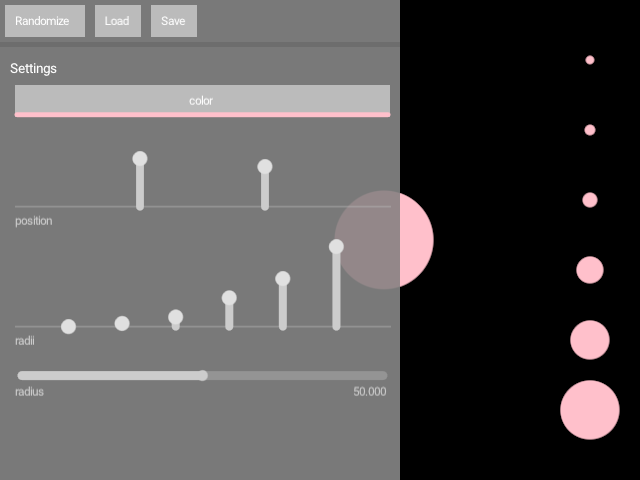
In this demo, we make the GUI wider (400 pixels) and translucent.
|
|
|
|
|
|
|
|
[source code](src/demo/kotlin/DemoAppearance01.kt)
|
|
|
|
### DemoHide01
|
|
|
|
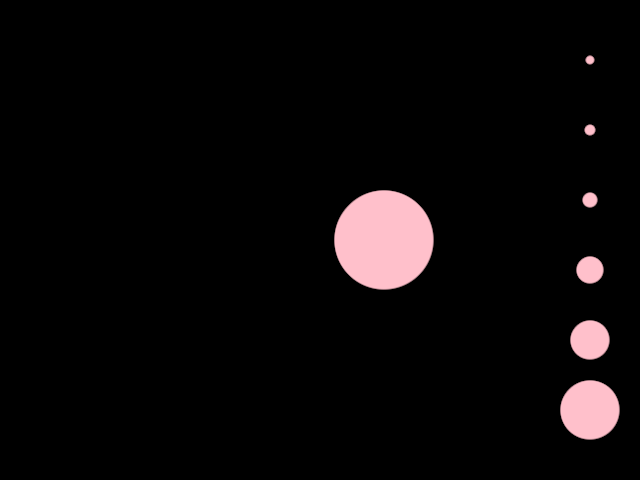
Demonstrates how to hide the GUI when the mouse pointer is outside of it.
|
|
|
|
|
|
|
|
[source code](src/demo/kotlin/DemoHide01.kt)
|
|
|
|
### DemoOptions01
|
|
|
|
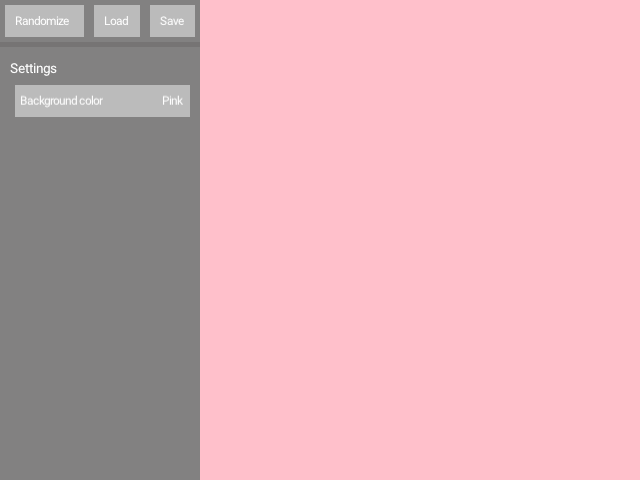
A simple demonstration of a GUI with a drop-down menu.
|
|
|
|
The entries in the drop-down menu are taken from an `enum class`.
|
|
|
|
|
|
|
|
[source code](src/demo/kotlin/DemoOptions01.kt)
|
|
|
|
### DemoOptions02
|
|
|
|
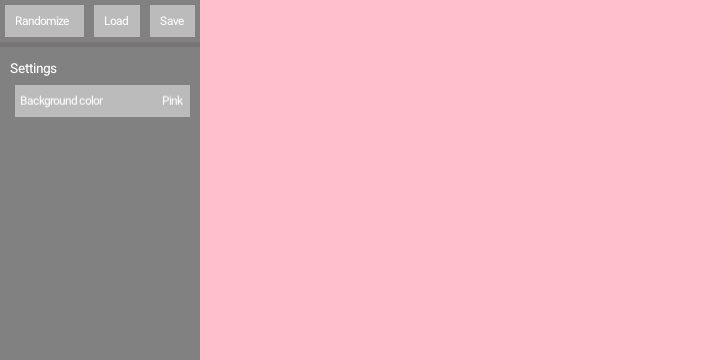
A simple demonstration of a GUI with a drop-down menu.
|
|
|
|
The entries in the drop-down menu are taken from an `enum class`.
|
|
The `enum class` entries contain both a name (used in the drop-down)
|
|
and a `ColorRGBa` instance (used for rendering).
|
|
|
|
|
|
|
|
[source code](src/demo/kotlin/DemoOptions02.kt)
|
|
|
|
### DemoPath01
|
|
|
|
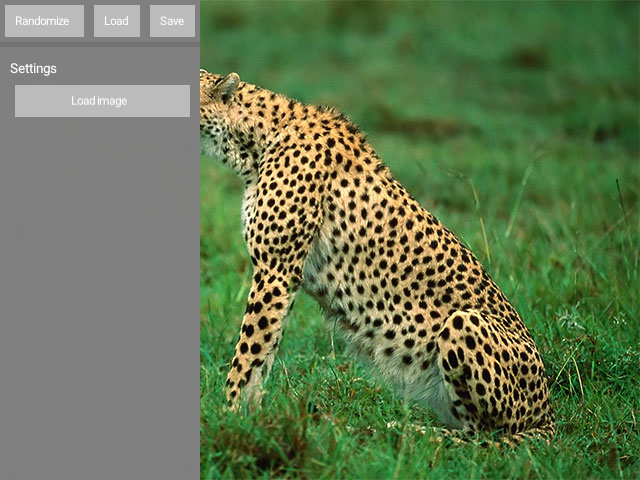
Demonstrates how to include a button for loading images in a GUI, and how to display
|
|
the loaded image.
|
|
|
|
The program applies the `@PathParameter` annotation to a `String` variable, which gets
|
|
rendered by the GUI as an image-picker button. Note the allowed file `extensions`.
|
|
|
|
This mechanism only updates the `String` containing the path of an image file.
|
|
|
|
The `watchingImagePath()` delegate property is used to automatically load an image
|
|
when its `String` argument changes.
|
|
|
|
|
|
|
|
[source code](src/demo/kotlin/DemoPath01.kt)
|
|
|
|
### DemoPresets01
|
|
|
|
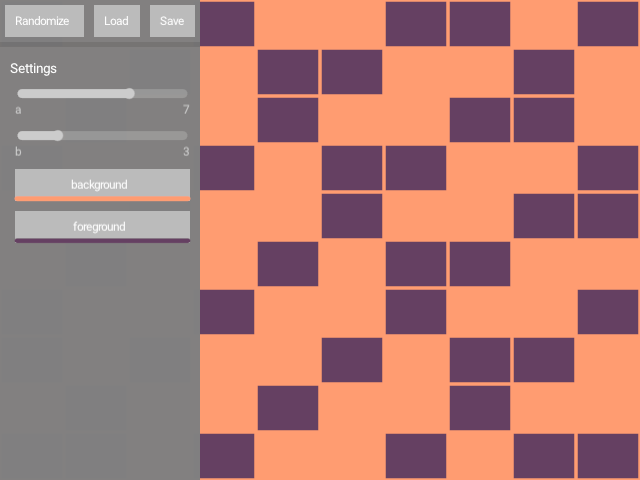
Shows how to store and retrieve in-memory GUI presets,
|
|
each containing two integer values and two colors.
|
|
|
|
Keyboard controls:
|
|
[Left Shift] + [0]..[9] => store current GUI values to a preset
|
|
[0]..[9] => recall a preset
|
|
|
|
|
|
|
|
[source code](src/demo/kotlin/DemoPresets01.kt)
|
|
|
|
### DemoSideCanvas01
|
|
|
|
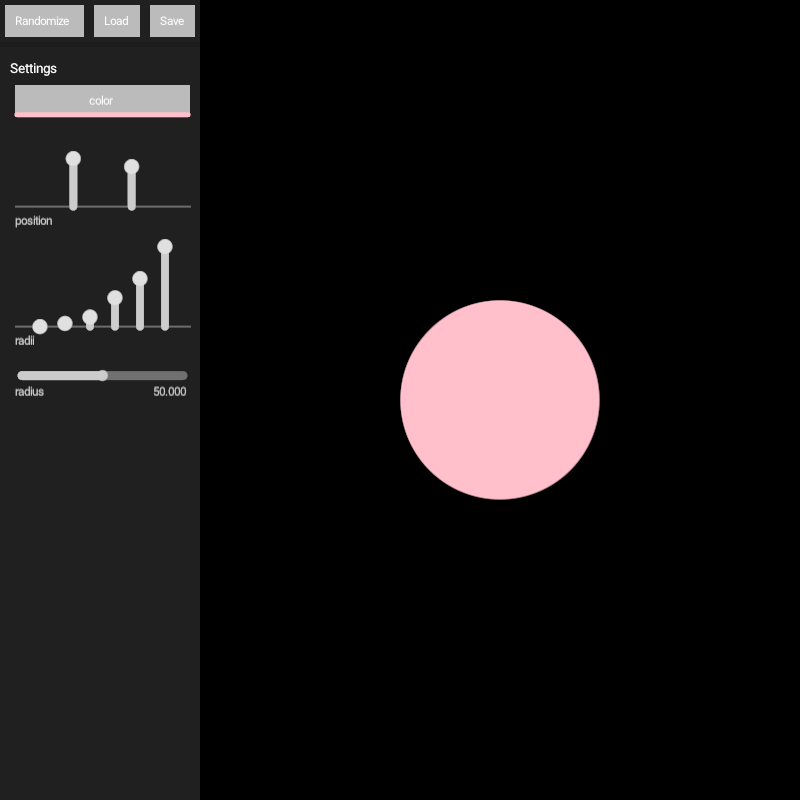
Demonstrates the `GUI.enableSideCanvas` feature.
|
|
|
|
When set to true, the `GUI` provides a `canvas` property where one can draw.
|
|
The size of this canvas is the window size minus the GUI size.
|
|
|
|
That's why if we draw a circle at `drawer.width / 2.0` it is centered
|
|
on the `canvas`, not on the window.
|
|
|
|
This demo sets the window to resizable, so if you resize the window
|
|
you should see tha the circle stays at the center of the canvas.
|
|
|
|
|
|
|
|
|
|
[source code](src/demo/kotlin/DemoSideCanvas01.kt)
|
|
|
|
### DemoSimple01
|
|
|
|
Demonstrates how to create a simple GUI with 4 inputs:
|
|
- A `ColorParameter` which creates a color picker.
|
|
- A `DoubleParameter` to control the radius of a circle.
|
|
- A `Vector2Parameter` to set the position of that circle.
|
|
- A `DoubleListParameter` which sets the radii of six circles.
|
|
|
|
The demo also shows how to use the variables controlled by the GUI
|
|
inside the program, so changes to those variables affect
|
|
the rendering in real time.
|
|
|
|

|
|
|
|
[source code](src/demo/kotlin/DemoSimple01.kt)
|
|
|
|
### DemoXYParameter
|
|
|
|
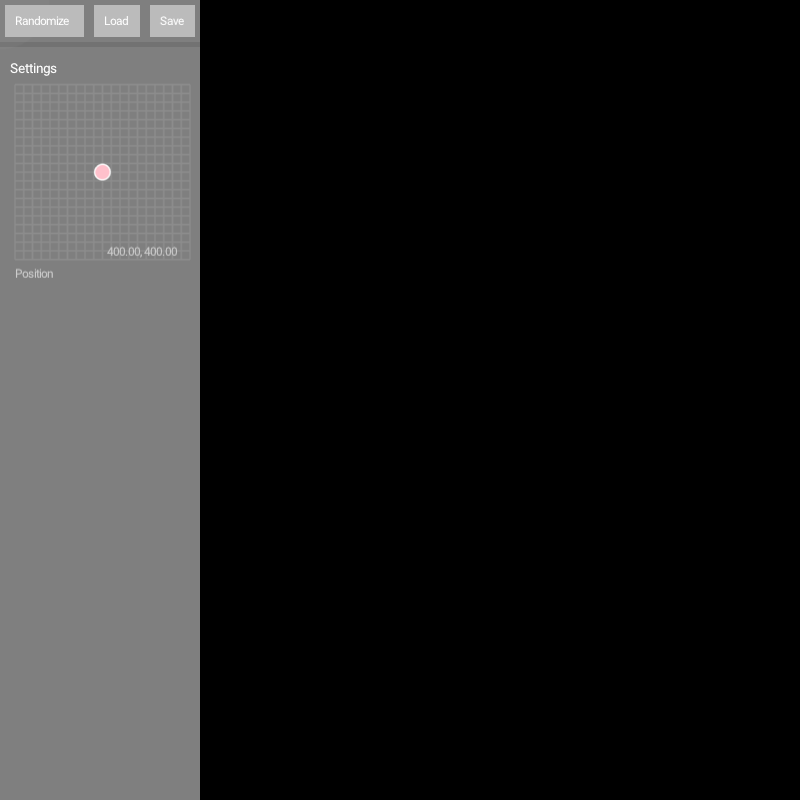
Demonstrates the use of the `@XYParameter` annotation applied to a `Vector2` variable.
|
|
|
|
This annotation creates an interactive XY control in a GUI that can be used to update
|
|
a `Vector2` variable. In this demo it sets the position of a circle.
|
|
|
|
|
|
|
|
|
|
[source code](src/demo/kotlin/DemoXYParameter.kt)
|