
311 lines
12 KiB
Markdown
311 lines
12 KiB
Markdown
# orx-shade-styles
|
|
|
|
Shader based fills and strokes, including various types of gradient fills.
|
|
|
|
<!-- __demos__ >
|
|
# Demos
|
|
[DemoRadialGradient01Kt](src/demo/kotlin/DemoRadialGradient01Kt.kt
|
|
.
|
|
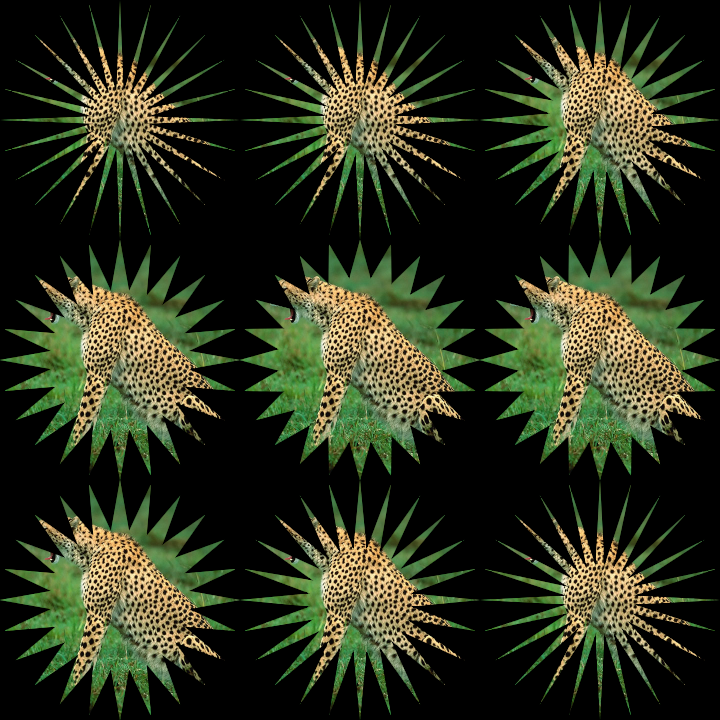
The clipping uses the `CONTAIN` fit mode.
|
|
|
|
This example uses a rotating `star`-shaped clipping with 24 sides.
|
|
Other available clipping shapes are `circle`, `rectangle`, `line` and `ellipse`.
|
|
|
|
Press a mouse button to toggle the `feather` property between 0.0 and 0.5.
|
|
|
|
|
|
|
|
[source code](src/jvmDemo/kotlin/clip/DemoClip01.kt)
|
|
|
|
### clip/DemoClip02
|
|
|
|
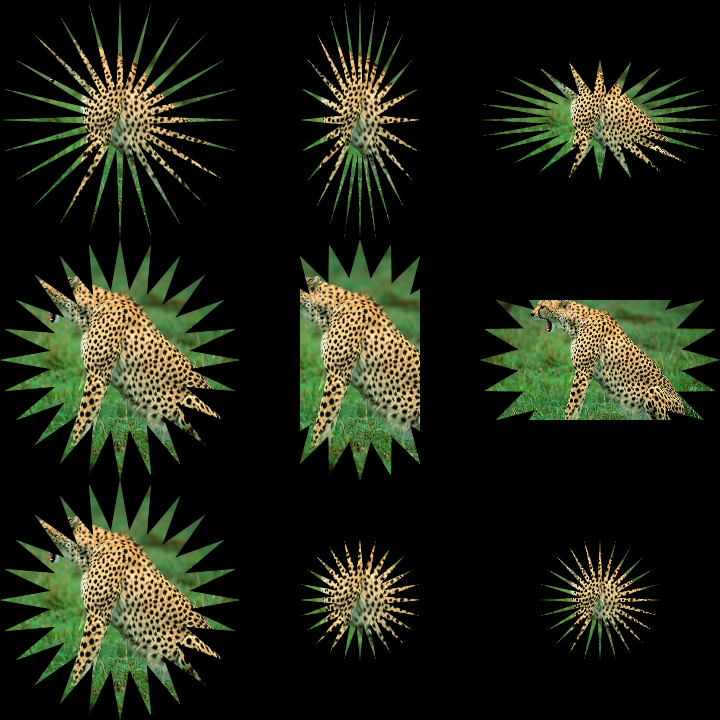
Animated demonstration on how to use the `clip` shade style to mask-out
|
|
part of an image (or anything else drawn while the shade style is active).
|
|
The clipping uses different fit modes on each row, and different aspect
|
|
ratios in each column.
|
|
|
|
This example uses a rotating `star`-shaped clipping with 24 sides.
|
|
Other available clipping shapes are `circle`, `rectangle`, `line` and `ellipse`.
|
|
|
|
Press a mouse button to toggle the `feather` property between 0.0 and 0.5.
|
|
|
|
|
|
|
|
[source code](src/jvmDemo/kotlin/clip/DemoClip02.kt)
|
|
|
|
### clip/DemoClip03
|
|
|
|
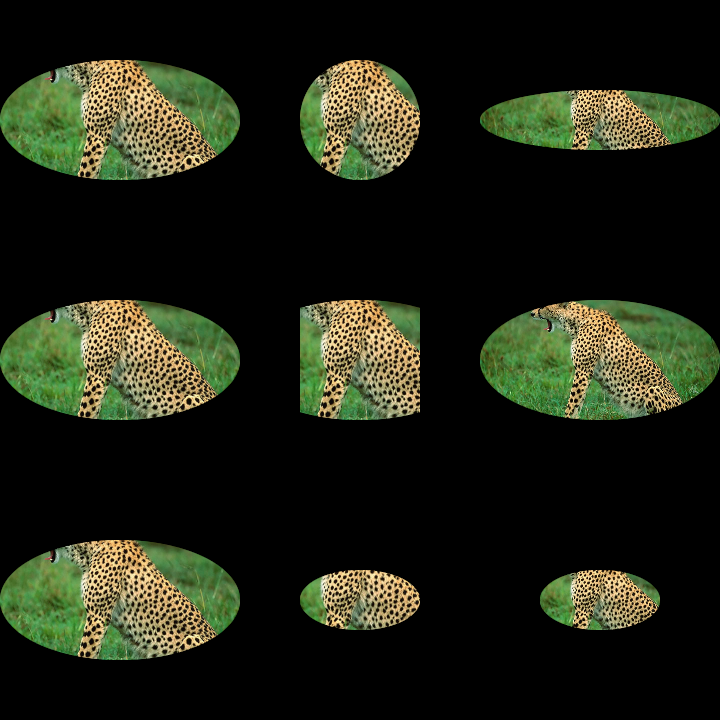
Animated demonstration on how to use the `clip` shade style to mask-out
|
|
part of an image (or anything else drawn while the shade style is active).
|
|
The clipping uses different fit modes on each row, and different aspect
|
|
ratios in each column.
|
|
|
|
This example uses a rotating `ellipse`-shaped clipping.
|
|
Other available clipping shapes are `circle`, `rectangle`, `line` and `star`.
|
|
|
|
Press a mouse button to toggle the `feather` property between 0.0 and 0.5.
|
|
|
|
|
|
|
|
[source code](src/jvmDemo/kotlin/clip/DemoClip03.kt)
|
|
|
|
### composed/DemoComposed01
|
|
|
|
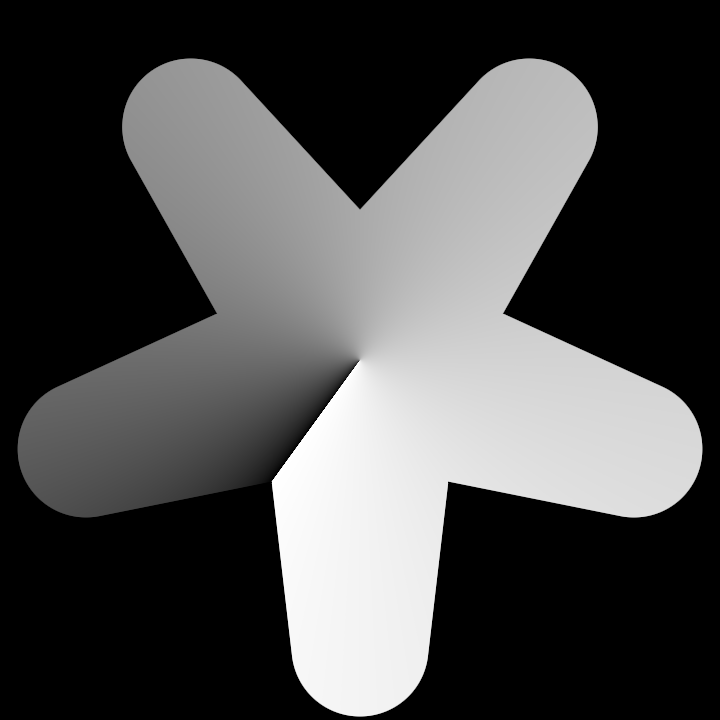
Demonstrates how to combine two shade styles
|
|
(a conic gradient and a rounded star clipping)
|
|
by using the `+` operator.
|
|
|
|
The design is animated by applying a rotation transformation matrix
|
|
based in the `seconds` variable.
|
|
|
|
|
|
|
|
[source code](src/jvmDemo/kotlin/composed/DemoComposed01.kt)
|
|
|
|
### gradients/DemoGradient01
|
|
|
|
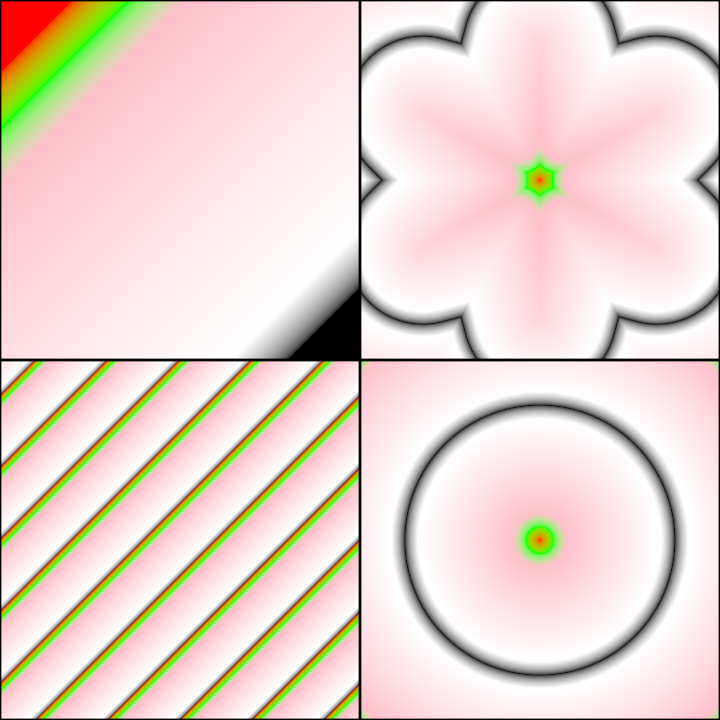
Demonstrates how to create 4 animated gradient shade-styles with 5 colors:
|
|
- a linear gradient
|
|
- a stellar gradient
|
|
- a radial gradient
|
|
- a linear gradient with `SpreadMethod.REPEAT`
|
|
Each gradient style has different adjustable attributes.
|
|
|
|
|
|
|
|
[source code](src/jvmDemo/kotlin/gradients/DemoGradient01.kt)
|
|
|
|
### gradients/DemoGradient02
|
|
|
|
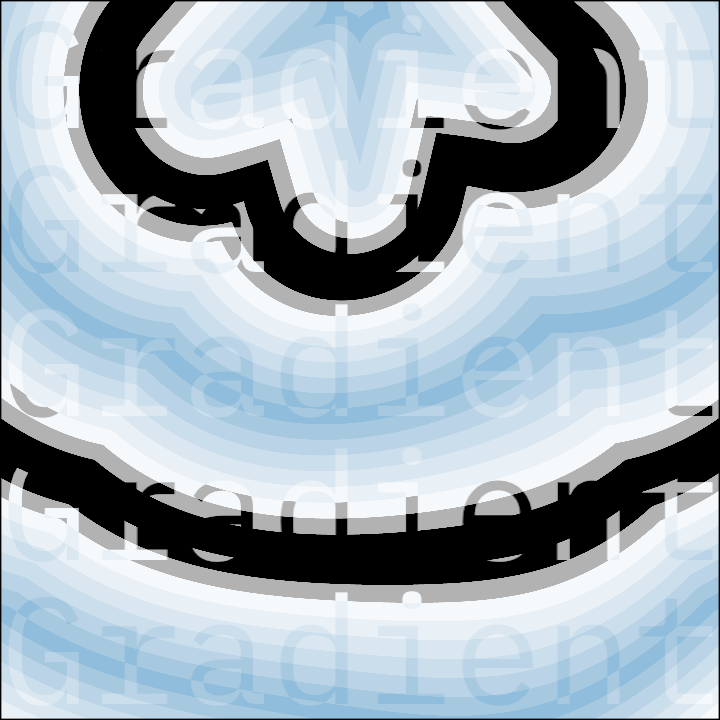
An application with two animated layers of slightly different stellar shade styles.
|
|
|
|
The bottom layer features a rectangle, while the top layer includes a large text
|
|
repeated 5 times.
|
|
|
|
The only different between the two shade styles is a minor change in the `levelWarp`
|
|
function, which is used to alter the gradient's level (its normalized `t` value)
|
|
based on the current coordinates being processed, and the original level at this location.
|
|
|
|
Without this difference, the shader would look identical, and the text would be invisible.
|
|
|
|
|
|
|
|
[source code](src/jvmDemo/kotlin/gradients/DemoGradient02.kt)
|
|
|
|
### gradients/DemoGradient03
|
|
|
|
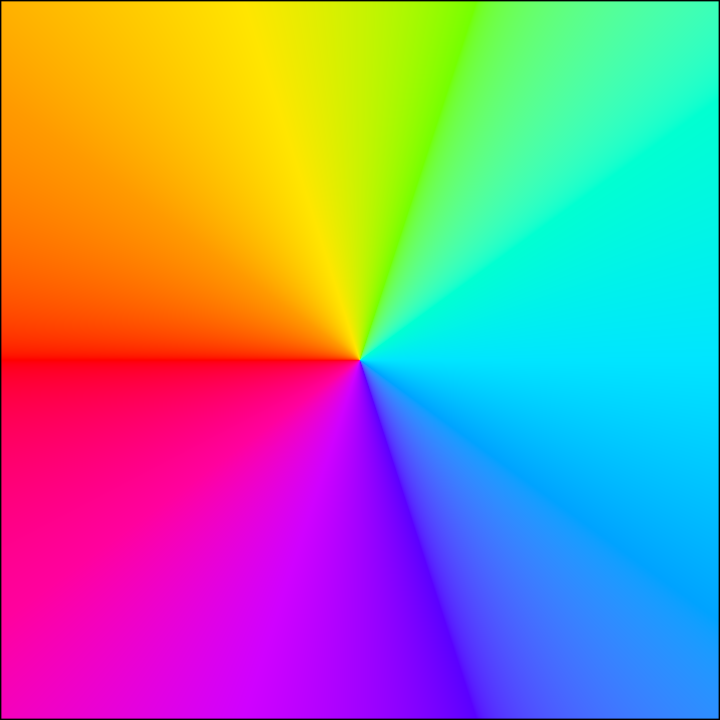
Demonstrates how to create a rainbow-like rotating `conic` gradient in `OKHSV` color space.
|
|
The gradient consists of ten evenly spaced colors, achieved by shifting the hue of a base color.
|
|
Since the conic gradient covers 360 degrees, changing the `spreadMethod` does not affect the result.
|
|
|
|
|
|
|
|
[source code](src/jvmDemo/kotlin/gradients/DemoGradient03.kt)
|
|
|
|
### gradients/DemoGradient04
|
|
|
|
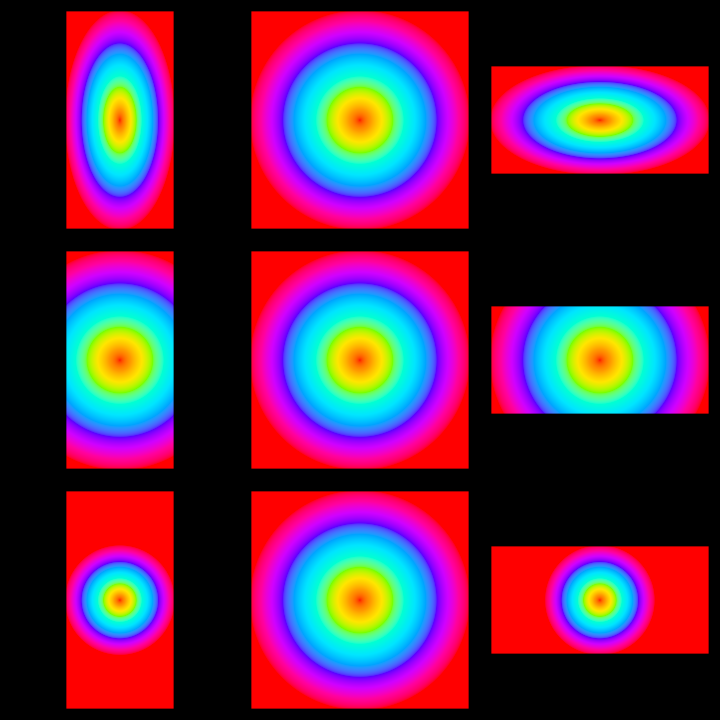
Creates a 3x3 grid of gradients demonstrating how the same gradient can look different depending on
|
|
the aspect ratio of the target shape and the fit method used.
|
|
|
|
The first column features a vertical rectangle.
|
|
The second one, a square, and the third one a horizontal rectangle.
|
|
|
|
The rows feature the different fit methods: `FillFit.STRETCH`, `FillFit.COVER` and `FillFit.CONTAIN`.
|
|
|
|
|
|
|
|
[source code](src/jvmDemo/kotlin/gradients/DemoGradient04.kt)
|
|
|
|
### gradients/DemoGradient05
|
|
|
|
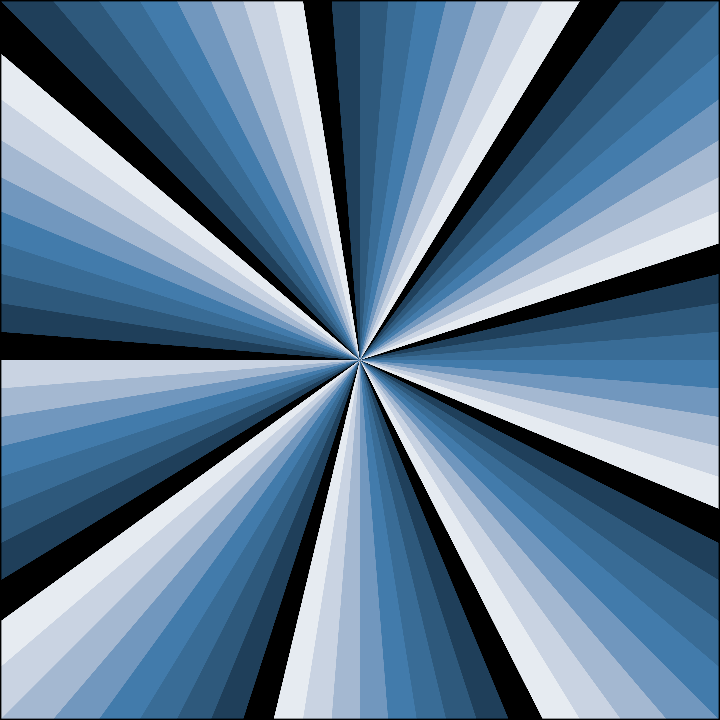
Reveals the effect of using quantization on a `conic` gradient.
|
|
By using a `quantization` of 10 we get 9 color bands.
|
|
|
|
Notice how the center of the `conic` gradient is specified in
|
|
screen coordinates. To make this possible, we need to set the
|
|
`fillUnits` to `FillUnits.WORLD`. By default, the center of
|
|
the gradient coordinates is `Vector2(0.5, 0.5)`.
|
|
|
|
|
|
|
|
|
|
[source code](src/jvmDemo/kotlin/gradients/DemoGradient05.kt)
|
|
|
|
### gradients/DemoGradient06
|
|
|
|
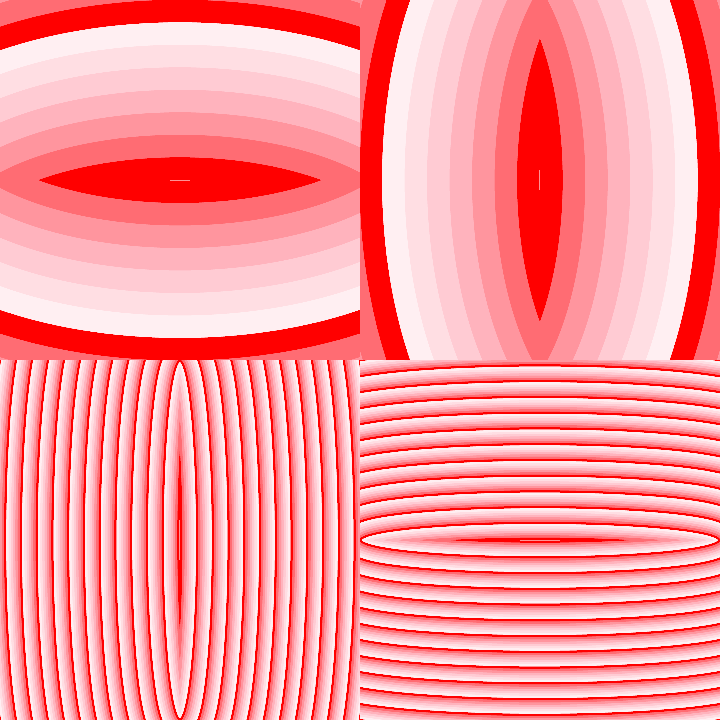
Demonstrates how to animate the `radiusX` and `radiusY` elliptic gradient arguments separately.
|
|
They are animated in a circular fashion, making the ellipse transition between a thin vertical shape,
|
|
a round shape, and a thin horizontal shape.
|
|
|
|
The `SpreadMethod.REPEAT` setting makes the gradient cover the available space repeating the gradient
|
|
as many times as needed.
|
|
|
|
|
|
|
|
|
|
[source code](src/jvmDemo/kotlin/gradients/DemoGradient06.kt)
|
|
|
|
### gradients/DemoGradient07
|
|
|
|
A design with 48 vertical bands with gradients. Each one has a unique `quantization`
|
|
value based on the index of the band. All bands have 2 color `stops`:
|
|
`WHITE` at the top (position 0.0), and `BLACK` near the bottom (near position 1.0),
|
|
with the exact value depending on the `quantization` value.
|
|
|
|
Demonstrates how to produce a quantized gradient with a specific number of equal color bands.
|
|
|
|

|
|
|
|
[source code](src/jvmDemo/kotlin/gradients/DemoGradient07.kt)
|
|
|
|
### gradients/DemoGradient08
|
|
|
|
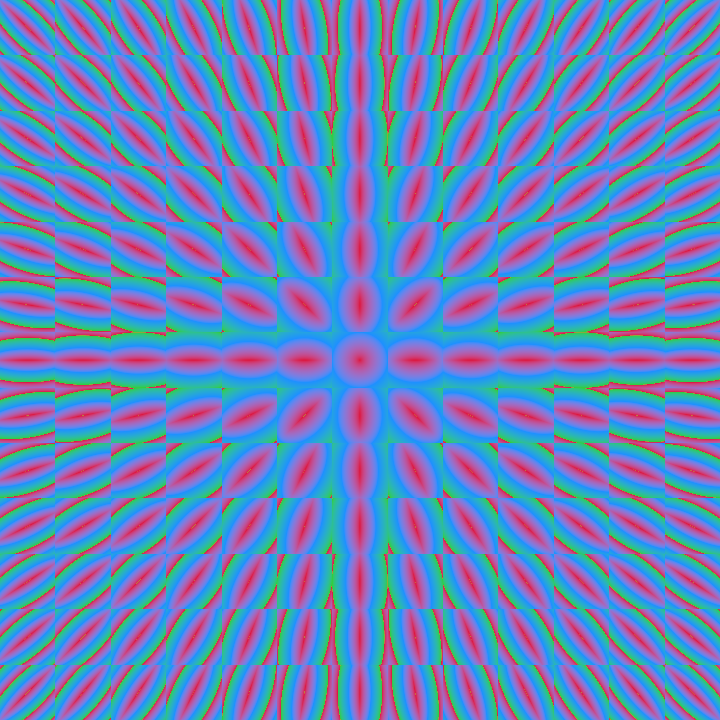
Demonstrates the creation of a grid-based design with 13x13 cells, each with an elliptic gradient
|
|
pointing towards the center of the window. The center cell features a circular gradient (by having
|
|
`radiusX` equal to `radiusY`). The farther a cell is from the center, the higher the aspect ratio
|
|
of the ellipse is, becoming closer to a line than to a circle near the corners.
|
|
|
|
|
|
|
|
|
|
[source code](src/jvmDemo/kotlin/gradients/DemoGradient08.kt)
|
|
|
|
### gradients/DemoGradient09
|
|
|
|
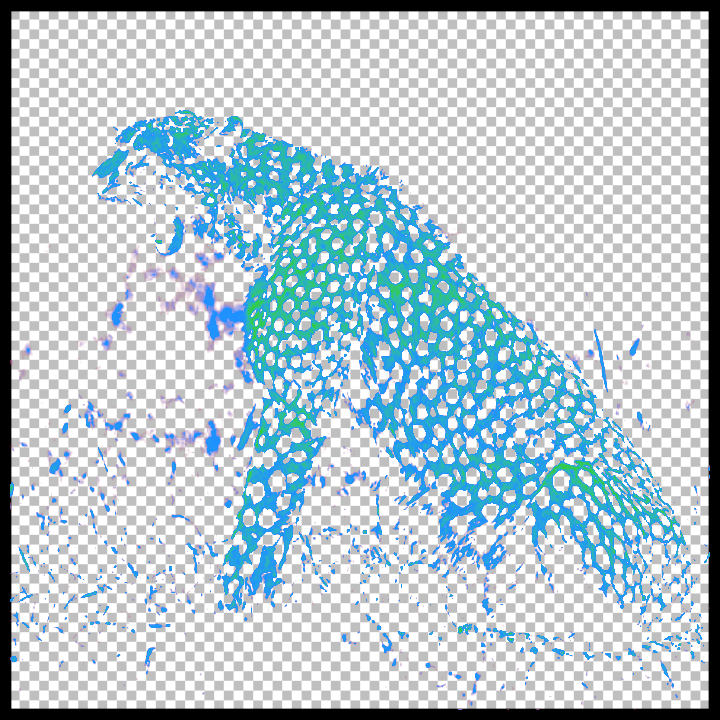
Demonstrates two types of shade styles: `pattern` and `luma`.
|
|
|
|
The `pattern` shade style is used to generate a checkers-pattern.
|
|
|
|
This example also loads and draws an image using the `luma` shade style
|
|
to map pixel brightnesses to gradient colors. Dark colors are
|
|
mapped to transparent, revealing the checkers-pattern behind it
|
|
in parts of the image.
|
|
|
|
|
|
|
|
|
|
[source code](src/jvmDemo/kotlin/gradients/DemoGradient09.kt)
|
|
|
|
### image/DemoImageFill01
|
|
|
|
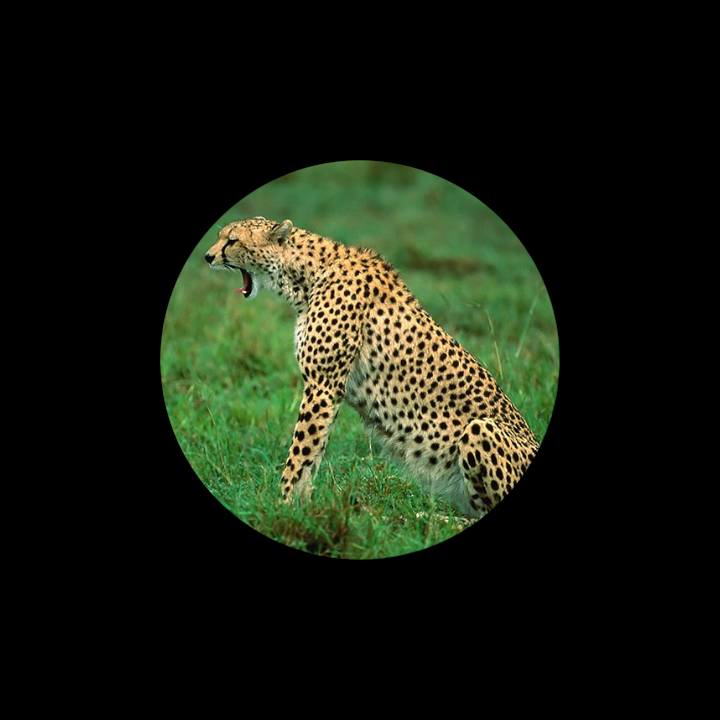
A minimal demonstration of the `imageFill` shade style, used to texture
|
|
shapes using a loaded image (or generated color buffer).
|
|
|
|
|
|
|
|
|
|
[source code](src/jvmDemo/kotlin/image/DemoImageFill01.kt)
|
|
|
|
### image/DemoImageFill02
|
|
|
|
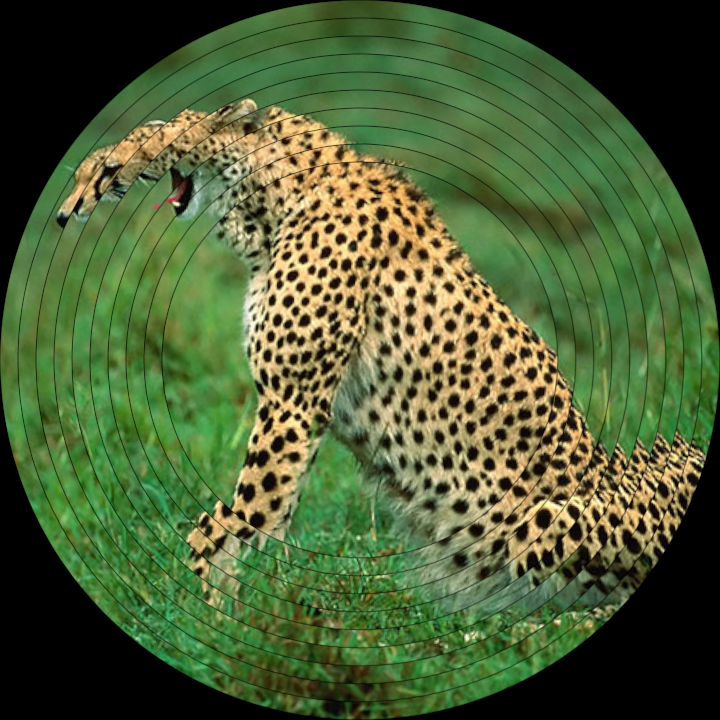
Demonstrates the use of the `imageFill` shade style, applied to 10 concentric
|
|
circles. The rotation of each circle depends on the cosine of time, with
|
|
a varying time offset applied per circle, for a fun wavy effect.
|
|
|
|
|
|
|
|
[source code](src/jvmDemo/kotlin/image/DemoImageFill02.kt)
|
|
|
|
### image/DemoImageFill03
|
|
|
|
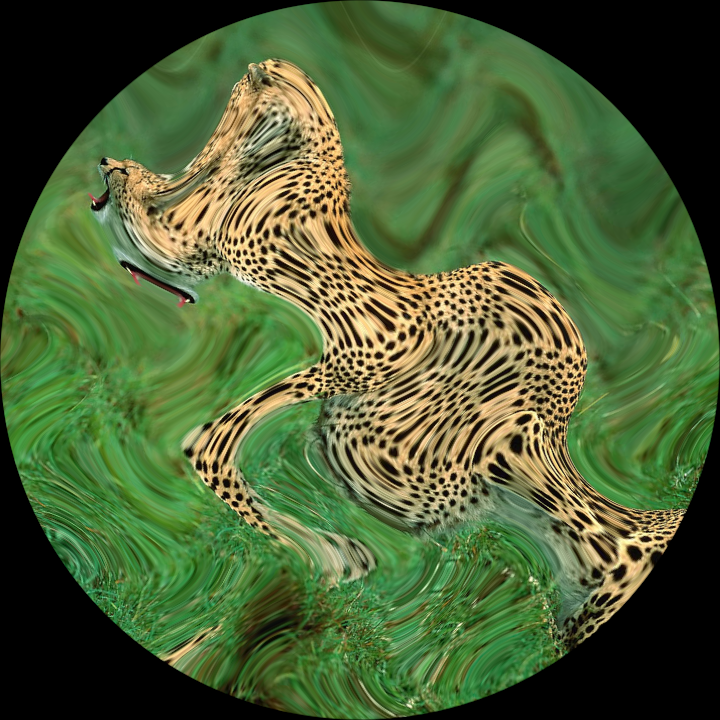
Demonstrates the use of the `domainWarpFunction` in an `imageFill` shade style, used to deform
|
|
the coordinate system of the shader. A `time` parameter is passed to the shader and used
|
|
to alter the deformation in real time.
|
|
|
|
|
|
|
|
[source code](src/jvmDemo/kotlin/image/DemoImageFill03.kt)
|
|
|
|
### noise/DemoBlueNoise01
|
|
|
|
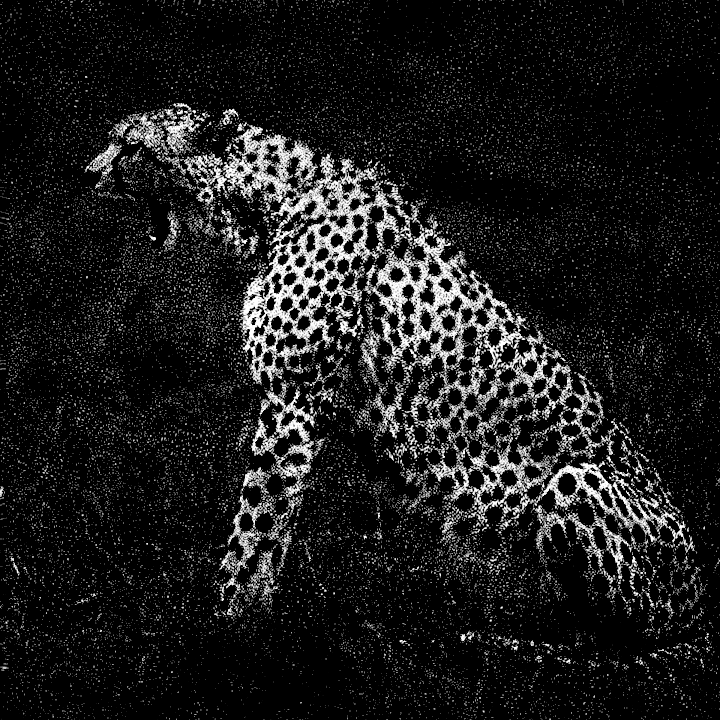
Demonstrates the use of the `blueNois` variant of the `noise` shade style
|
|
to render an image as black and white with a pointillist luma-based effect.
|
|
|
|
More computationally heavy than other shade styles.
|
|
|
|
|
|
|
|
[source code](src/jvmDemo/kotlin/noise/DemoBlueNoise01.kt)
|
|
|
|
### noise/DemoSimplex01
|
|
|
|
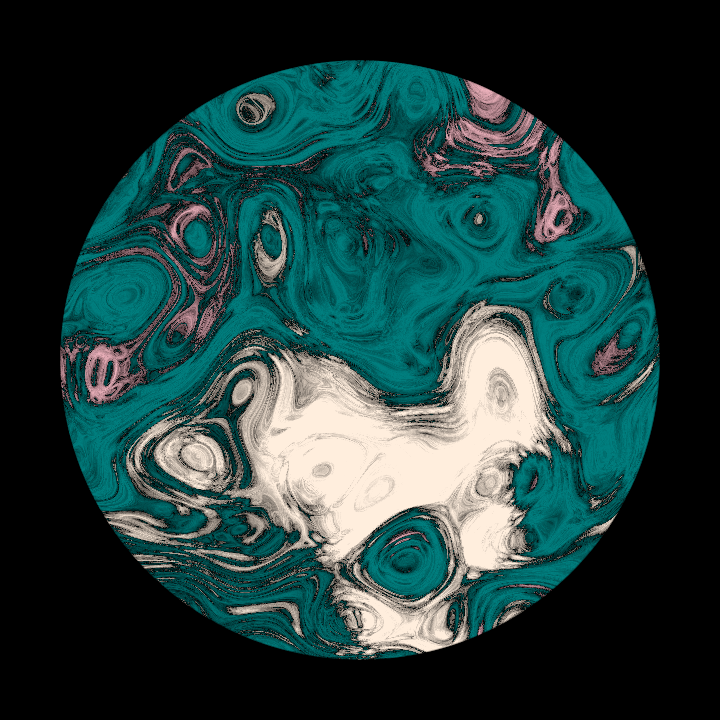
Demonstrates the use of the `simplex` variant of the `noise` shade style.
|
|
It generates a gray-scale pattern, which is then colorized by using a `luma`
|
|
`gradient` shade style.
|
|
|
|
|
|
|
|
[source code](src/jvmDemo/kotlin/noise/DemoSimplex01.kt)
|
|
|
|
### noise/DemoWhiteNoise01
|
|
|
|
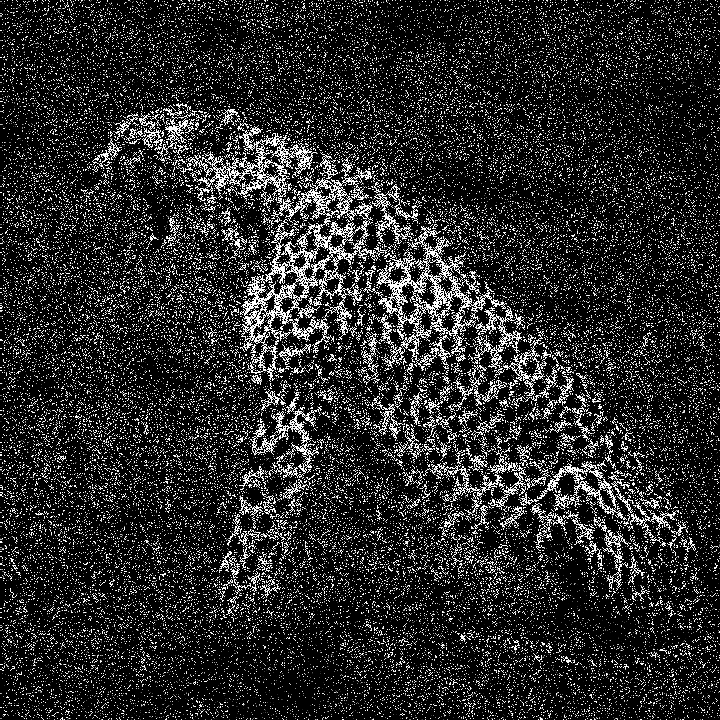
Demonstrates how to render a color image as black and white
|
|
using the `whiteNoise` variant of the `noise` shade style.
|
|
|
|
A custom `blendFunction` is used to control how pixel colors are
|
|
transformed.
|
|
|
|
|
|
|
|
[source code](src/jvmDemo/kotlin/noise/DemoWhiteNoise01.kt)
|
|
|
|
### patterns/DemoPatterns01
|
|
|
|
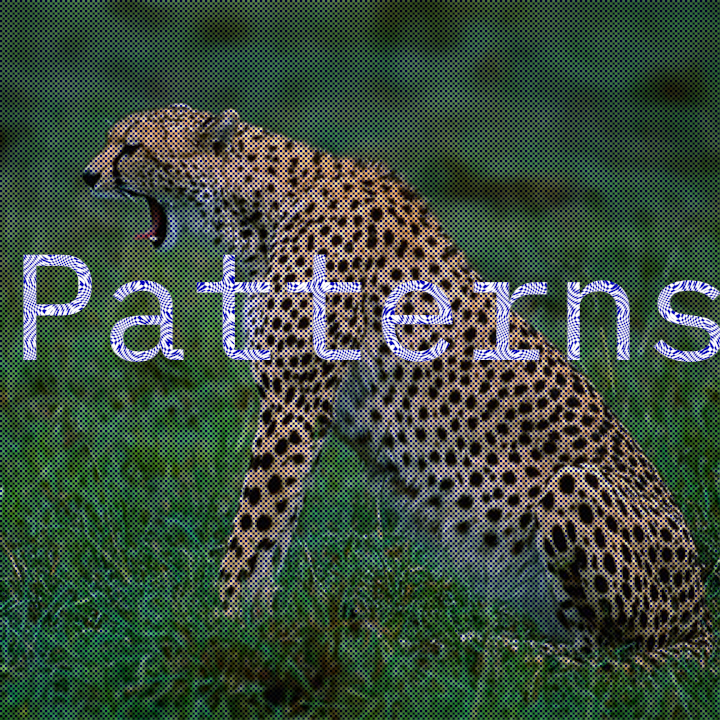
Demonstrates the use of the `checkers` variant of the `pattern` shade style.
|
|
|
|
The style is used twice with different parameters: once for a background image
|
|
and then for a text displayed on top of it.
|
|
|
|
The text shade style features a `domainWarpFunction`, which is used to deform
|
|
the coordinate system of the shade style.
|
|
|
|
Try reducing the `scale` parameter to make the checkers more obvious.
|
|
|
|
|
|
|
|
[source code](src/jvmDemo/kotlin/patterns/DemoPatterns01.kt)
|
|
|
|
### patterns/DemoPatterns02
|
|
|
|
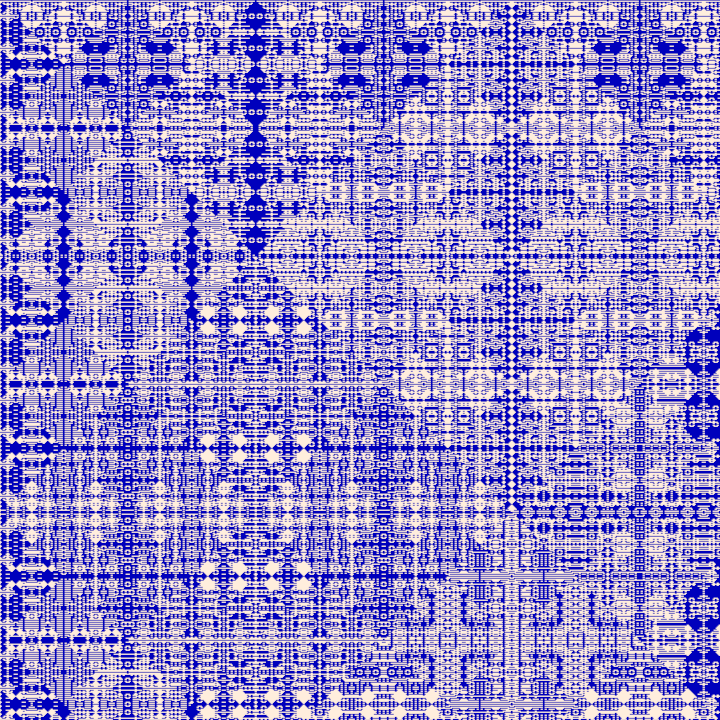
Demonstrates the use of the `xorMod2` variant of the `pattern` shade style;
|
|
an algorithmic and intricate pattern.
|
|
|
|
|
|
|
|
[source code](src/jvmDemo/kotlin/patterns/DemoPatterns02.kt)
|
|
|
|
### patterns/DemoPatterns03
|
|
|
|
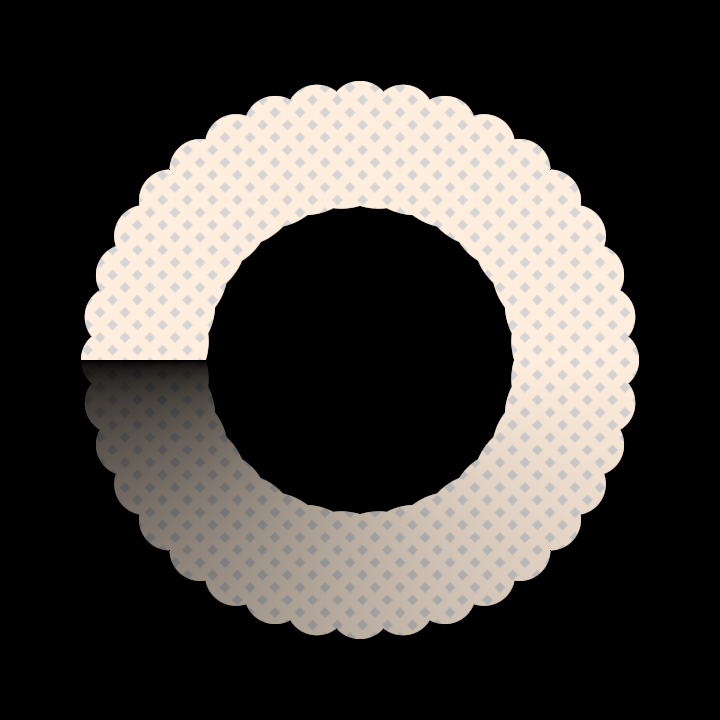
Demonstrates the use of a complex shade style made by combining an
|
|
animated `pattern`, a `gradient` and a `clip`.
|
|
|
|
|
|
|
|
[source code](src/jvmDemo/kotlin/patterns/DemoPatterns03.kt)
|
|
|
|
### spatial/DemoHemisphere01
|
|
|
|
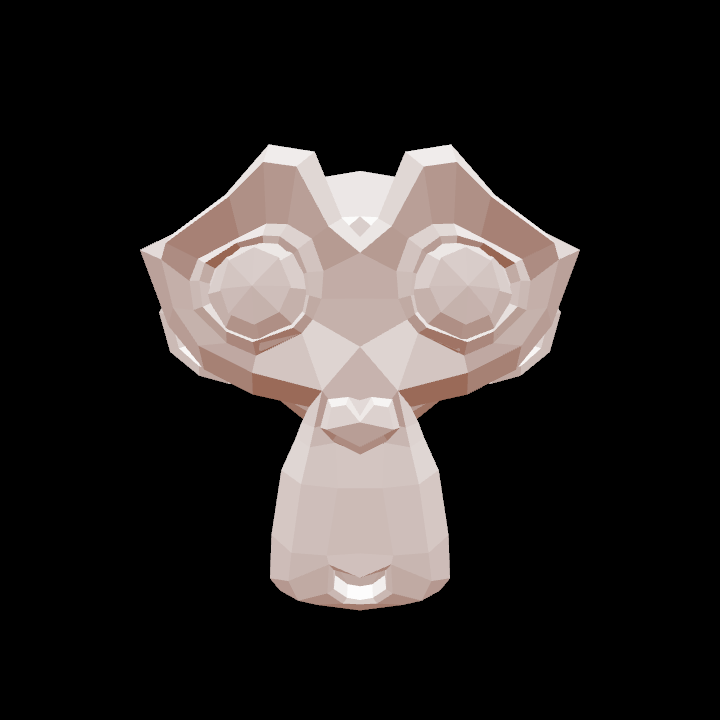
Demonstrates the [HemisphereLight] shade style, a simple shader
|
|
that can be used for simple illumination of 3D meshes.
|
|
|
|
|
|
|
|
|
|
[source code](src/jvmDemo/kotlin/spatial/DemoHemisphere01.kt)
|
|
|
|
### spatial/DemoVisualizeNormals01
|
|
|
|
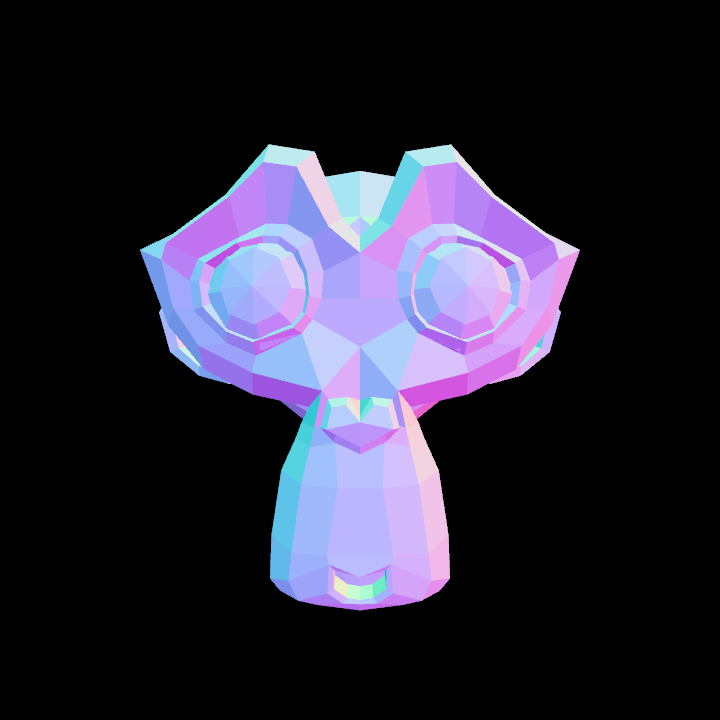
Demonstrates the use of the [visualizeNormals] shade style, which can help
|
|
debug the normals of a 3D mesh.
|
|
|
|
|
|
|
|
|
|
[source code](src/jvmDemo/kotlin/spatial/DemoVisualizeNormals01.kt)
|