
104 lines
3.7 KiB
Markdown
104 lines
3.7 KiB
Markdown
# orx-image-fit
|
|
|
|
Draws an image ensuring it fits or covers the specified `Rectangle`.
|
|
|
|
Similar to CSS object-fit (https://developer.mozilla.org/en-US/docs/Web/CSS/object-fit)
|
|
|
|
`orx-image-fit` provides the `Drawer.imageFit` extension function.
|
|
|
|
## Usage
|
|
|
|
```kotlin
|
|
drawer.imageFit(
|
|
img: ColorBuffer,
|
|
x: Double, y: Double, w: Double, h: Double,
|
|
horizontalPosition: Double,
|
|
verticalPosition: Double,
|
|
fitMethod: FitMethod)
|
|
```
|
|
|
|
or
|
|
|
|
```kotlin
|
|
drawer.imageFit(
|
|
img: ColorBuffer,
|
|
bounds: Rectangle,
|
|
horizontalPosition: Double,
|
|
verticalPosition: Double,
|
|
fitMethod: FitMethod)
|
|
```
|
|
|
|
- `img`: the image to draw
|
|
- `x`, `y`, `w`, `h` or `bounds`: the target area where to draw the image
|
|
- `fitMethod`:
|
|
- `FitMethod.Contain`: fits `img` in the target area. If the aspect ratio of `img` and `bounds` differ it leaves blank horizontal or vertical margins to avoid deforming the image.
|
|
- `FitMethod.Cover`: covers the target area. . If the aspect ratio of `img` and `bounds` differ part of the image will be cropped away.
|
|
- `FitMethod.Fill`: deforms the image to exactly match the target area.
|
|
- `FitMethod.None`: draws the image on the target area without scaling it.
|
|
- `horizontalPosition` and `verticalPosition`: controls which part of the image is visible (`Cover`, `None`) or the alignment of the image (`Contain`).
|
|
- `horizontalPosition`: `-1.0` = left, `0.0` = center, `1.0` = right.
|
|
- `verticalPosition`: `-1.0` = top, `0.0` = center, `1.0` = bottom.
|
|
|
|
## Examples
|
|
|
|
A quick example that fits an image to the window rectangle with a 10 pixel margin. By default
|
|
`imageFit` uses the cover mode, which fills the target rectangle with an image.
|
|
|
|
```kotlin
|
|
fun main() = application {
|
|
program {
|
|
val image = loadImage("data/images/pm5544.png")
|
|
extend {
|
|
drawer.imageFit(image, 10.0, 10.0, width - 20.0, height - 20.0)
|
|
}
|
|
}
|
|
}
|
|
```
|
|
|
|
or
|
|
|
|
```kotlin
|
|
fun main() = application {
|
|
program {
|
|
val image = loadImage("data/images/pm5544.png")
|
|
extend {
|
|
drawer.imageFit(image, drawer.bounds.offsetEdges(-10.0))
|
|
}
|
|
}
|
|
}
|
|
```
|
|
|
|
<!-- __demos__ -->
|
|
## Demos
|
|
### DemoImageFit01
|
|
|
|
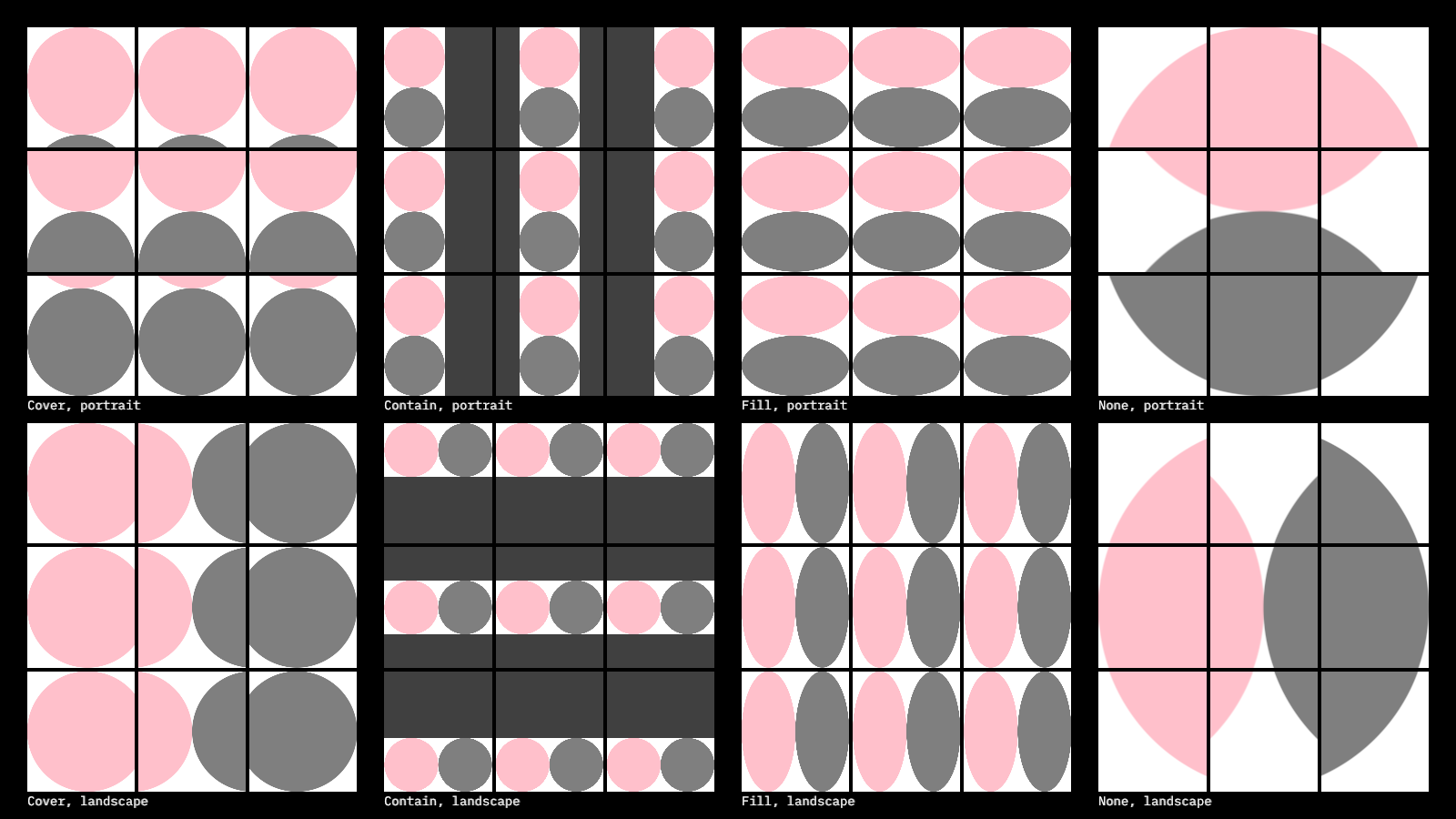
This program uses `drawer.imageFit()` to draw images using nested grid layout.
|
|
The main grid features 4 columns for the `Cover`, `Contain`, `Fill` and `None` fit methods,
|
|
and two rows for portrait and landscape images.
|
|
Each of those 8 cells feature a 3x3 grid, with cells combining `left`, `center` and `right` alignment
|
|
with `top`, `center` and `bottom` alignment.
|
|
|
|
The image drawn in each cell is a simple image with a white background and two touching circles:
|
|
a pink one and a gray one. In some of the cells part of this image is cropped out (due to the fit method used).
|
|
In other cells the image does not fully cover the available area, revealing a dark gray background.
|
|
|
|
|
|
|
|
[source code](src/jvmDemo/kotlin/DemoImageFit01.kt)
|
|
|
|
### DemoImageFitSub01
|
|
|
|
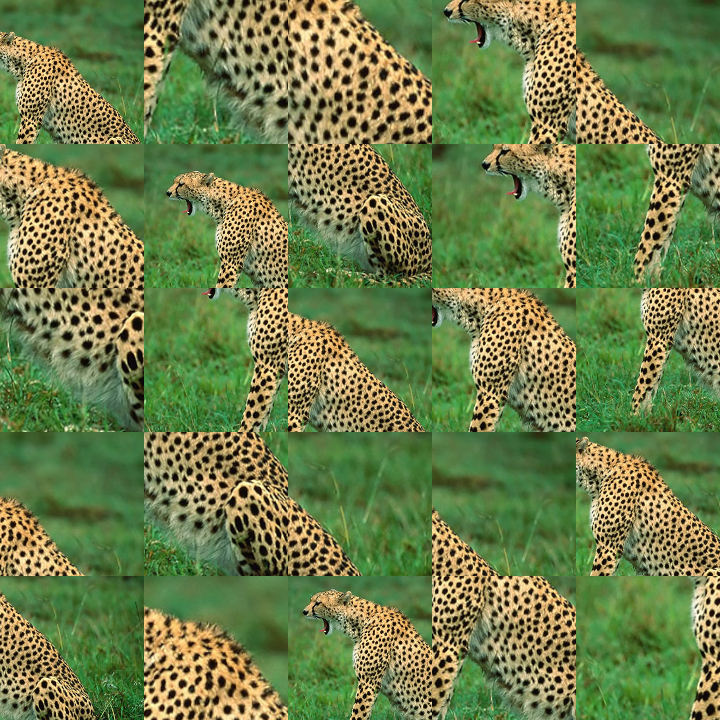
Demonstrates the `imageFitSub()` method, which allows specifying not only a target `Rectangle`,
|
|
but also a source `Rectangle`, which is used to set the area of the original image we want to fit
|
|
into the target.
|
|
|
|
The program also demonstrates the `Rectangle.uniformSub` method, which returns a random sub-rectangle
|
|
taking into consideration the minimum and maximum width and height arguments.
|
|
|
|
Notice the trick used to generate unique random results changing only once per second by using
|
|
the current seconds as an integer seed.
|
|
|
|
|
|
|
|
[source code](src/jvmDemo/kotlin/DemoImageFitSub01.kt)
|