
88 lines
3.7 KiB
Markdown
88 lines
3.7 KiB
Markdown
# orx-marching-squares
|
|
|
|
Tools for extracting contours from functions
|
|
|
|
## How to use it?
|
|
|
|
`orx-marching-squares` provides the `findContours()` function
|
|
|
|
```kotlin
|
|
fun f(v: Vector2) = v.distanceTo(drawer.bounds.center) - 200.0
|
|
val contours = findContours(::f, drawer.bounds, 16.0)
|
|
drawer.contours(contours)
|
|
```
|
|
|
|
With a small adjustment to the given function one can use `findContours` to find iso contours. The trick is to add a cosine over the distance function.
|
|
|
|
```kotlin
|
|
fun f(v: Vector2) = cos((v.distanceTo(drawer.bounds.center) / 100.0) * 2 * PI)
|
|
val contours = findContours(::f, drawer.bounds.offsetEdges(32.0), 16.0)
|
|
drawer.contours(contours)
|
|
```
|
|
<!-- __demos__ -->
|
|
## Demos
|
|
### FindContours01
|
|
|
|
A simple demonstration of using the `findContours` method provided by `orx-marching-squares`.
|
|
|
|
`findContours` lets one generate contours by providing a mathematical function to be
|
|
sampled within the provided area and with the given cell size. Contours are generated
|
|
between the areas in which the function returns positive and negative values.
|
|
|
|
In this example, the `f` function returns the distance of a point to the center of the window minus 200.0.
|
|
Therefore, sampled locations which are less than 200 pixels away from the center return
|
|
negative values and all others return positive values, effectively generating a circle of radius 200.0.
|
|
|
|
Try increasing the cell size to see how the precision of the circle reduces.
|
|
|
|
The circular contour created in this program has over 90 segments. The number of segments depends on the cell
|
|
size, and the resulting radius.
|
|
|
|

|
|
|
|
[source code](src/jvmDemo/kotlin/FindContours01.kt)
|
|
|
|
### FindContours02
|
|
|
|
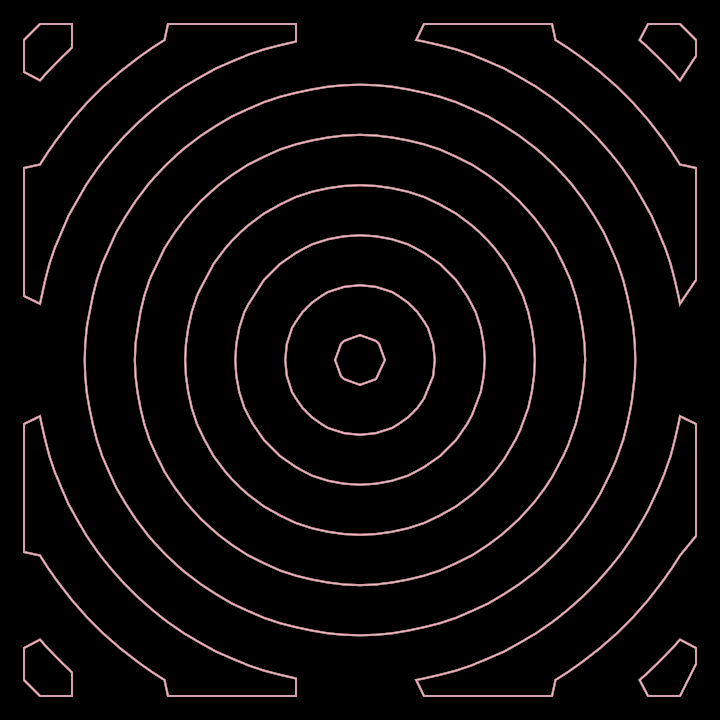
This Marching Square demonstration shows the effect of wrapping a distance function
|
|
within a cosine (or sine). These mathematical functions return values that periodically
|
|
alternate between negative and positive, creating nested contours as the distance increases.
|
|
|
|
The `/ 100.0) * 2 * PI` part of the formula is only a scaling factor, more or less
|
|
equivalent to 0.06. Increasing or decreasing this value will change how close the generated
|
|
parallel curves are to each other.
|
|
|
|
|
|
|
|
|
|
[source code](src/jvmDemo/kotlin/FindContours02.kt)
|
|
|
|
### FindContours03
|
|
|
|
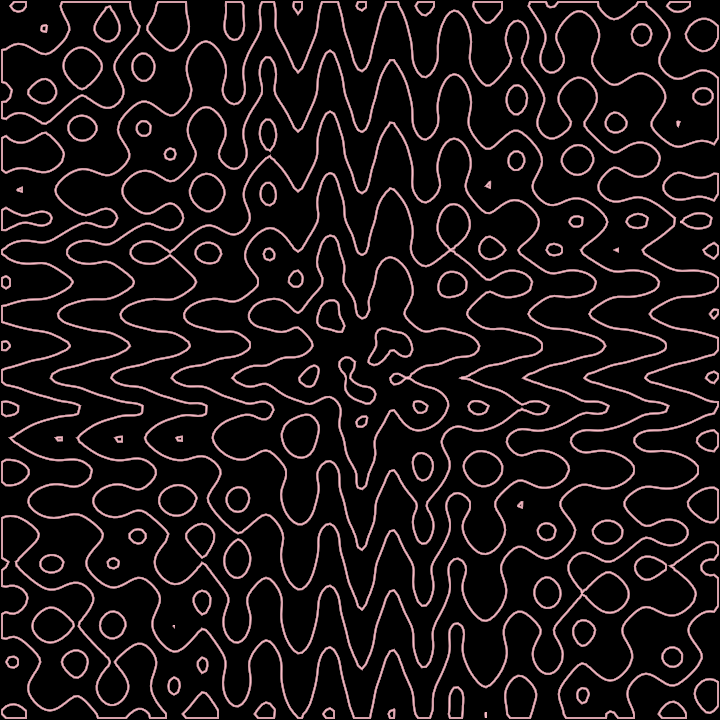
Demonstrates how Marching Squares can be used to generate animations, by using a time-related
|
|
variable like `seconds`. The evaluated function is somewhat more complex than previous ones,
|
|
but one can arrive to such functions by exploration and experimentation, nesting trigonometrical
|
|
functions and making use of `seconds`, v.x and v.y.
|
|
|
|
|
|
|
|
|
|
[source code](src/jvmDemo/kotlin/FindContours03.kt)
|
|
|
|
### FindContours04
|
|
|
|
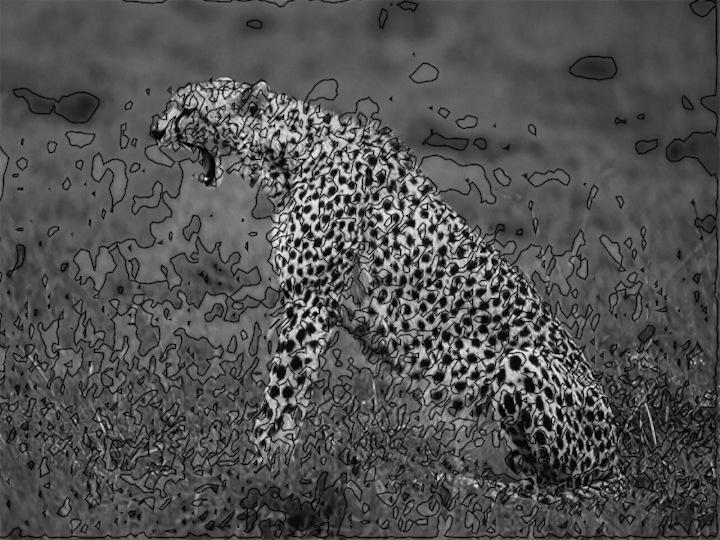
Demonstrates using Marching Squares while reading the pixel colors of a loaded image.
|
|
|
|
Notice how the area defined when calling `findContours` is larger than the window.
|
|
|
|
Using point coordinates from such an area to read from image pixels might cause problems when points are
|
|
outside the image bounds, therefore the `f` function checks whether the requested `v` is within bounds,
|
|
and only reads from the image when it is.
|
|
|
|
The `seconds` built-in variable is used to generate an animated effect, serving as a shifting cut-off point
|
|
that specifies at which brightness level to create curves.
|
|
|
|
|
|
|
|
[source code](src/jvmDemo/kotlin/FindContours04.kt)
|