 c8f7dd52c6
- Adjust some demo window sizes.
- Replace Random.double by Double.uniform
- Tweak some demos so screenshots look more interesting
227 lines
7.7 KiB
Markdown
227 lines
7.7 KiB
Markdown
# orx-fcurve
|
|
|
|
FCurves are 1 dimensional function curves constructed from 2D bezier functions.
|
|
They are often used to control a property over time.
|
|
`x` values don't have any units, but they often represent a duration in seconds.
|
|
|
|
The language to express FCurves is similar to SVG's path language.
|
|
|
|
| Relative command | Absolute command | Description |
|
|
|---------------------|---------------------|--------------------------------------------------------------|
|
|
| `m y` | `M y` | move the pen only in the y-direction |
|
|
| `h x` | | hold a value to draw a horizontal line |
|
|
| | `H x` | shift curve in time by x. Can only be used as first command. |
|
|
| `l x,y` | `L x,y` | line to (x, y) |
|
|
| `q x0,y0,x,y` | `Q x0,y0,x,y` | quadratic bezier to (x,y) and control-point (x0, y0) |
|
|
| `c x0,y0,x1,y1,x,y` | `C x0,y0,x1,y1,x,y` | cubic bezier to (x,y) and control-points (x0, y0), (x1, y1) |
|
|
| `t x,y` | `T x,y` | quadratic smooth to (x, y) |
|
|
| `s x1,y1,x,y` | `S x1,y1,x,y` | cubic smooth to (x,y) and control point (x1, y1) |
|
|
|
|
## Examples
|
|
|
|
This is an example of a flat horizontal FCurve:
|
|
|
|
```kotlin
|
|
// set the initial value to 0.5, hold that value for 1 seconds
|
|
val sizeCurve = fcurve("M0.5 h1")
|
|
```
|
|
|
|
Two horizontal segments at different heights:
|
|
|
|
```kotlin
|
|
// hold value 0.4 for half second, then hold value 0.6 for half second
|
|
val sizeCurve = fcurve("M0.4 h0.5 M0.6 h0.5")
|
|
```
|
|
|
|
Note that `x` values are relative, except for `H` where `x` is absolute.
|
|
For `y` values, lower case commands are relative and upper case commands are absolute.
|
|
|
|
|
|
### Line
|
|
|
|
We can interpolate from height 0.2 to 0.8 in 2 seconds like this:
|
|
|
|
```kotlin
|
|
// set initial value to 0.2, then interpolate linearly to value 0.8 over 2 seconds
|
|
val sizeCurve = fcurve("M0.2 L2,0.8")
|
|
```
|
|
|
|
Easily visualize the curves by calling the `.contours()` method. It will convert
|
|
the curve into a list of `ShapeContour` instances which are easy to draw using
|
|
`drawer.contours()`:
|
|
|
|
```kotlin
|
|
val sizeCurve = fcurve("M0.2 L2,0.8")
|
|
drawer.contours(sizeCurve.contours())
|
|
```
|
|
|
|
### Drawing scale
|
|
|
|
Note that the bounding box of this last curve will have a width of 2.0 pixels and a height under 1.0 pixel.
|
|
In other words, almost invisible at its original scale.
|
|
Since this is a common situation the `.contours()` method accepts a
|
|
`Vector2` scale argument to control the rendering size:
|
|
|
|
```kotlin
|
|
val sizeCurve = fcurve("M0.2 L2,0.8")
|
|
drawer.contours(sizeCurve.contours(Vector2(drawer.width / sizeCurve.duration, drawer.height.toDouble())))
|
|
```
|
|
|
|
### Quadratic and Cubic curves
|
|
|
|
The `Q` and `C` commands (and their lowercase counterparts) allow us to draw quadratic (one control point)
|
|
and cubic (two control points) curves.
|
|
|
|
```kotlin
|
|
// A quadratic curve that starts at zero, with a control point at 1,0 and ending at 1,1.
|
|
// That's a curve that stays near the 0.0 value and quickly raises to 1.0 at the end.
|
|
val easeOutCurve = fcurve("M0.0 Q1.0,0.0,1.0,1.0")
|
|
|
|
// A cubic s-shaped curve spending more time at both ends with a quick transition between them in the middle.
|
|
val easeInOutCurve = fcurve("M0.0 C1,0,0,1,1,1")
|
|
```
|
|
|
|
Note that new lines, white space and commas are optional. They can help with readability:
|
|
```
|
|
M0 h10
|
|
c 3,10 5,-10 8,0.5
|
|
L 5,5
|
|
```
|
|
|
|
### Smooth curves
|
|
|
|
The `T` and `S` commands (and their lowercase counterparts) allow us to create smooth curves, where
|
|
one control point is automatically calculated to maintain the curve direction. The smooth curve
|
|
commands require the presence of a previous segment, otherwise the program will not run.
|
|
|
|
```kotlin
|
|
// Hold the value 0.5 during 0.2 seconds
|
|
// then draw a smooth curve down to 0.5, up to 0.7 down to 0.3 and up to 0.7
|
|
val smoothCurveT = fcurve("M0.5 h0.2 T0.2,0.3 T0.2,0.7 T0.2,0.3 T0.2,0.7")
|
|
|
|
// Hold the value 0.5 during 0.2 seconds
|
|
// then draw a smooth with 4 repetitions where we move up slowly and down quickly
|
|
val smoothCurveS = fcurve("M0.5 h0.2 S0.2,0.0,0.2,0.5 S0.2,0.0,0.2,0.5 S0.2,0.0,0.2,0.5 S0.2,0.0,0.2,0.5")
|
|
```
|
|
|
|
## Useful FCurve methods
|
|
|
|
Useful methods provided by FCurve:
|
|
|
|
- `smoothCurveS.reverse()` returns a new reversed FCurve.
|
|
- `smoothCurveS.changeSpeed(0.5)` returns a new FCurve scaled horizontally.
|
|
- `smoothCurveS.duration` returns the duration of the FCurve.
|
|
|
|
# Sampler
|
|
|
|
Drawing FCurves is useful for debugging, but their typical use is for animation.
|
|
The FCurve sampler allows us to query values for the given time value like this:
|
|
|
|
```kotlin
|
|
fun main() = application {
|
|
program {
|
|
val xCurve = fcurve(
|
|
"""
|
|
M320 H0.4
|
|
S2,0, 2,320
|
|
S2,0, 2,320
|
|
S2,0, 2,320
|
|
S2,0, 2,320
|
|
T0.6,320
|
|
"""
|
|
)
|
|
val xCurveSampler = xCurve.sampler()
|
|
extend {
|
|
drawer.circle(
|
|
xCurveSampler(seconds % 9.0),
|
|
240.0,
|
|
20.0
|
|
)
|
|
}
|
|
}
|
|
}
|
|
```
|
|
|
|
In this example we used `% 9.0` to loop the time between 0.0 and 9.0, repeating the animation over and over.
|
|
|
|
# EFCurves
|
|
|
|
Extended Fcurves have an additional preprocessing step in which scalar expressions are evaluated.
|
|
|
|
## Comments
|
|
|
|
EFCurves support comments using the `#` character.
|
|
|
|
`M0 h10 c3,10,5,-10,8,0.5 # L5,5`
|
|
|
|
|
|
```
|
|
M0 h10 # setup the initial y value and hold it for 10 units.
|
|
c3,10,5,-10,8,0.5 # relative cubic bezier curve
|
|
# and a final line-to
|
|
L5,5
|
|
```
|
|
|
|
## Expressions
|
|
|
|
Expressions within curly brackets are evaluated using `orx-expression-evaluator`.
|
|
Please refer to its [documentation](https://github.com/openrndr/orx/tree/master/orx-expression-evaluator) for details on the expression language used.
|
|
|
|
For example: `M0 L{3 * 4},4` evaluates to `M0 L12,4`.
|
|
|
|
## Repetitions
|
|
|
|
EFCurves add support for repetitions. Repetitions are expanded by replacing
|
|
occurrences of `(<text-to-repeat>)[<number-of-repetitions>]` with `number-of-repetitions` copies
|
|
of `text-to-repeat`.
|
|
|
|
For example:
|
|
* `M0 (h1 m1)[3]` expands to `M0 h1 m1 h1 m1 h1 m1`
|
|
* `M0 (h1 m1)[0]` expands to `M0`
|
|
|
|
### Nested repetitions
|
|
|
|
Repetitions can be nested.
|
|
|
|
For example `(M0 (h1 m1)[3])[2]` expands to `M0 h1 m1 h1 m1 h1 m1 M0 h1 m1 h1 m1 h1 m1`.
|
|
|
|
### Interaction between repetitions and expressions
|
|
|
|
`M0 (H{it + 1} m1)[3]` expands to `M0 H1 m1 H2 m1 H3 m1`
|
|
|
|
`M0 (H{index + 1} m{it}){1.2, 1.3, 1.4}` expands to `M0 H1 m1.2 H2 m1.3 H3 m1.4`
|
|
|
|
|
|
# References
|
|
|
|
* https://x.com/ruby0x1/status/1258252352672247814
|
|
* https://blender.stackexchange.com/questions/52403/what-is-the-mathematical-basis-for-f-curves/52468#52468
|
|
* https://pomax.github.io/bezierinfo/#yforx
|
|
|
|
<!-- __demos__ -->
|
|
## Demos
|
|
### DemoFCurve01
|
|
[source code](src/jvmDemo/kotlin/DemoFCurve01.kt)
|
|
|
|
|
|
|
|
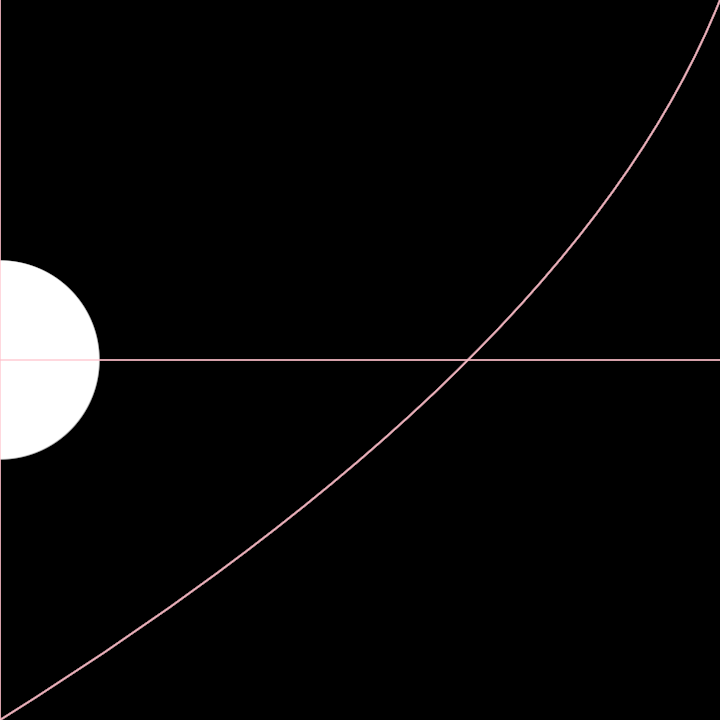
### DemoFCurve02
|
|
[source code](src/jvmDemo/kotlin/DemoFCurve02.kt)
|
|
|
|
|
|
|
|
### DemoFCurve03
|
|
[source code](src/jvmDemo/kotlin/DemoFCurve03.kt)
|
|
|
|

|
|
|
|
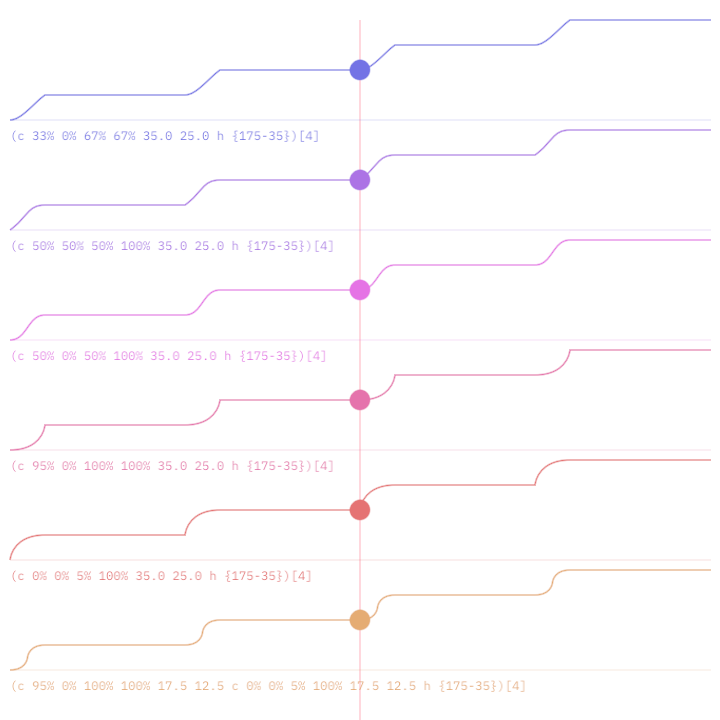
### DemoFCurveSheet01
|
|
[source code](src/jvmDemo/kotlin/DemoFCurveSheet01.kt)
|
|
|
|
|
|
|
|
### DemoMultiFCurve01
|
|
[source code](src/jvmDemo/kotlin/DemoMultiFCurve01.kt)
|
|
|
|
|